 Recall
Otter.ai alternatives compared: 8 options for English meetings, and when to stay on Otter
Looking for an Otter.ai alternative? We compare Recall, Fireflies, Fathom, Granola, Notta, MacWhisper, tl;dv and Tactiq on bots, where data lives, languages and free limits, and say when Otter is still the better choice.
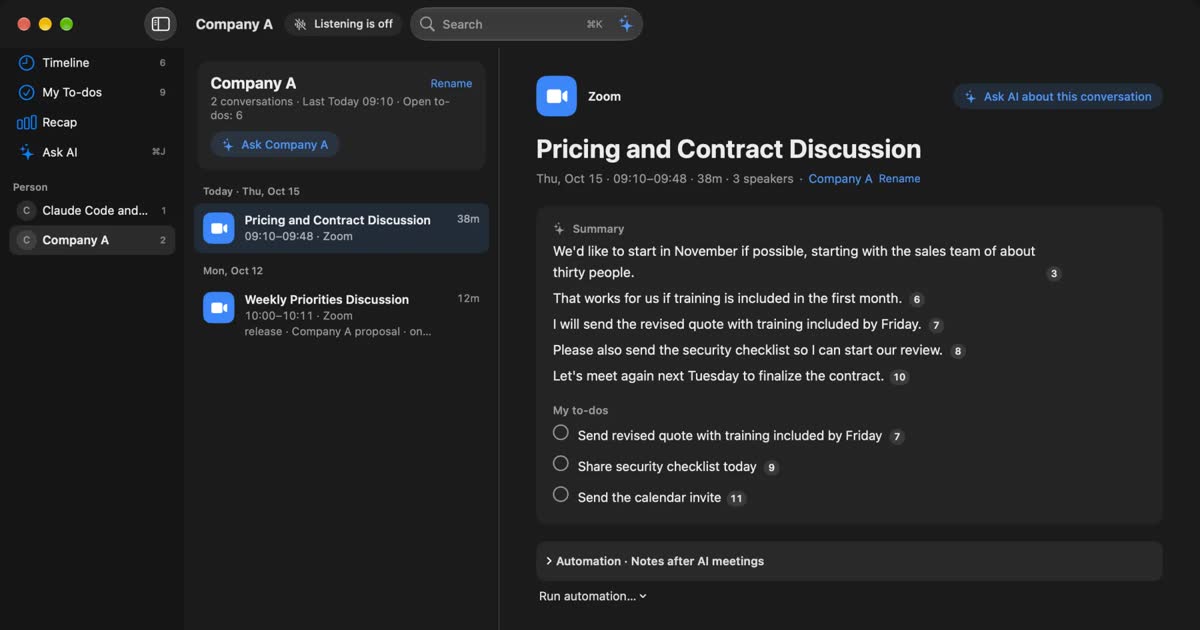
The short answer: pick an Otter.ai alternative by what you want to change
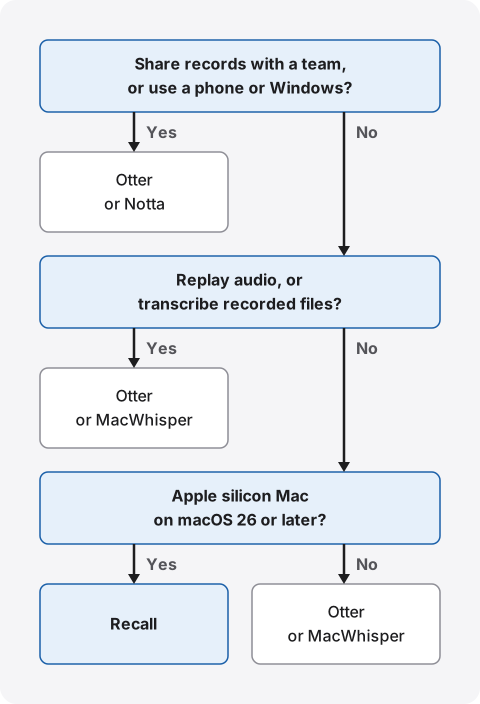
People usually leave Otter for one of four reasons: the free minutes run out, a bot joins the call, records sit in a cloud account, or a language is missing. Each reason points to a different alternative. For free recording without a minute cap, look at Fathom. For many languages in a team workspace, look at Fireflies. For no bot in the meeting, look at Granola, Tactiq or the tl;dv desktop app. To keep records on your own device, look at Recall on a Mac, or MacWhisper for recorded files. For Japanese support and storage in Japan, look at Notta.
If you share English meetings with other people and also work on a phone or Windows, Otter fits. If you work alone on a Mac and want the text and summaries to stay with you, Recall fits. Both can transcribe English. They differ in where the record lives and how you pass it to others.
Recall is made by KOROMO K.K., which also wrote this article. Our own product is in the comparison, so weigh it accordingly. We checked what we say about Otter, Fireflies, Fathom, Granola, Notta, MacWhisper and tl;dv on their official pages on November 2, 2026, and Tactiq on November 14, 2026. We also cover where Otter is stronger and who Recall does not suit.
| Your situation | What fits, and where to read next |
|---|---|
| You want to give your team a link to the notes | Otter. See where Otter is stronger |
| You want to replay what you could not catch | Otter. See accents and terms |
| You want meetings over 30 minutes for free | Recall. See pricing |
| You do not want conversations on an outside server | Recall. See where conversations go |
| You want no bot in the meeting | Granola, Tactiq or the tl;dv desktop app. See other alternatives |
| One meeting mixes Japanese and English | Neither does this well. See mixed meetings |
What Otter and Recall are
Otter is a cloud service that gathers conversations in your account. Recall is an always-on app that stays within your Mac. Most of the other differences follow from this.
Otter is a meeting record service run by Otter.ai, Inc. in the United States. It works on the web, in Mac and Windows apps, in iPhone and Android apps, and as a Chrome extension. Have Otter Notetaker join a meeting, or record with the desktop app, and you get a transcript, a summary and action items that you can read from any device on that account.
Recall sits in the menu bar and transcribes the conversations your Mac hears. There is no record button. It discards the audio once it becomes text, and keeps the transcript and summary on your Mac. By default, on-device AI writes the summaries and answers your questions. You do not need an account.
| Otter | Recall | |
|---|---|---|
| Where it transcribes | In the cloud | On this Mac |
| Where it summarizes | In the cloud | On this Mac by default. Pro can use outside AI |
| Audio | Kept. You can play it and export MP3 | Discarded after transcription. No replay |
| Where records live | Your account, stored on AWS | This Mac. Not sent to our servers |
| How it starts | Notetaker joins, or you record | Runs all the time and listens |
| Devices | Web, phones, Windows, Mac | Apple silicon Macs on macOS 26 or later |
| Sharing with others | Links, channels, workspaces | You copy or save the transcript and pass it on |
| Transcription languages | Six, including English and Japanese | Japanese or English, chosen in settings |
| Free tier | 300 minutes a month, 30 per conversation, latest 25 | No transcription limit. View and search the last 14 days |
| Regular price | Pro $16.99 a month, or $8.33 a month billed annually | Pro ¥980 a month, ¥9,800 a year (tax included) |
Otter details come from its pricing page and desktop app help. Recall details are on our pricing and features pages. We have not compared the two on the same audio, so we make no claim about which is more accurate.
Where Otter is stronger
Otter is strong on the work after a meeting and on team use. Recall lacks most of the following.
- Sharing: You can pass conversations through private channels and public links. Several people can read the same record and annotate it.
- Integrations: The integrations list includes Slack, Salesforce, HubSpot and Google Drive. Salesforce and HubSpot sync starts on Pro and has user limits.
- Devices: You can record an in-person meeting on a phone and read it later on a Mac.
- Screen capture: The desktop app can add screenshots of content shared in Zoom and Teams to the transcript.
- Administration: Business has activity logs and usage analytics, and Enterprise has SSO. Otter's official page says it has a SOC 2 Type 2 report.
- AI tools: Its MCP server lets Claude and ChatGPT search your records. Recall has the same kind of connection, but only on Pro.
If you want meetings to become a team asset, a product that gathers records in one place is the natural choice. A memory aid for one person, or a shared record for a team: that is the first thing to decide.
English meetings: languages, summaries and accents
For turning English into text, either works. The differences are how you pick the language, what language the summary is in, and how you check what you could not catch.
Choosing the listening language
In both, you pick the language in settings first. Otter's language help lists six: English, Spanish, French, German, Japanese and Chinese (Simplified). German and Chinese are in beta. You choose before you record, and changing it partway has no effect on that recording. To process a conversation in another language later, you export the audio and import it again.
In Recall, go to Settings › Listening and set Listening language to Japanese or English. New speech is heard in the new language, and earlier records stay as they are. Recall supports no other languages. If you also have Spanish or German meetings, look at Otter or a product with more languages.
When one meeting mixes Japanese and English
Neither Otter nor Recall switches between Japanese and English automatically within a meeting. Otter's help says the only pair it handles together is French and English. Recall has no automatic detection either.
If two languages alternate, as in an interpreted meeting, these two products are a poor fit. Notta's pricing page lists a two-language transcription and translation add-on, with four free uses a month. Check Notta's help to see whether the Japanese and English pair works for how you record.
Summary language and interface language
Otter writes summaries in the transcription language. If you want to read summaries of English meetings in Japanese, check it on your own meetings in either product.
Otter's help says the language you pick applies to the transcript, the summary and Otter Chat. Settings and menus stay in English. Per its supported languages help, you can ask Otter Chat to translate a conversation. Chat is limited to 20 queries a month on Basic, 50 on Pro and 200 on Business.
Recall keeps the transcript in the language it heard. Its interface comes in Japanese and English. It has no translation feature, so you cannot read each remark translated. Summary quality depends on your Mac and the model, and a remark's own words can carry over into the summary as they are. For important figures and promises, follow the source number back to the original remark.
Accents, terms and replay
The hard parts of English meetings are accents, product names and the one phrase you missed. Otter has more tools for all three.
Otter's help says it handles many accents, including Indian, British, Chinese and German. You can choose US or UK spelling. Custom vocabulary allows 5 terms on Basic, and 100 names plus 100 other terms on Pro. Because the audio stays, you can replay a doubtful part. Pro and above can play it at 0.5x speed.
Recall has no custom vocabulary and keeps no audio. If the text is wrong, you are left with your memory and the surrounding remarks. In meetings full of product names and acronyms, expect mistakes. Results vary with the speaker and the microphone. Recall is free to try, so test it on your own meetings.
If you are not confident in your listening and need the audio to check against, that is a reason to choose Otter.
How each one joins: Notetaker, desktop app, always on
Otter gives you three ways in, and Recall has one. The choice affects whether others can see it and whether you can forget to start.
Otter Notetaker: Connect your calendar and it joins Zoom, Google Meet and Teams meetings as a participant. The auto-join settings offer five options: all meetings with a video link, meetings you host, external meetings, internal meetings, and meetings you select by hand. To keep it out of external meetings, choose the manual option or narrow the scope.
Otter desktop app: The Mac and Windows apps capture your computer's audio, so Notetaker does not join. They need macOS 12.3 or later, or Windows 10 or later. When a meeting is detected, you can choose a reminder or automatic recording. For Teams, there is a setting that posts a recording notice in the chat. Official pages differ on which plans include it, so check before you sign up. The recording goes to Otter's cloud to be transcribed, so staying off the participant list is not the same as staying off outside servers.
Recall: It sits in the menu bar and separates your microphone from the sound your Mac plays. Meetings, webinars and videos are all transcribed unless you pause. You can pause for 15 minutes, an hour or until you resume, and name apps not to record. Even with your voice registered, in-person counterparts are recorded as one "Person (in person)," however many there are.
Whichever you use, tell the other people
Even when no bot is visible, tell people you are transcribing. Otter's privacy page also says users must follow local law, ask for consent and indicate when they are recording and transcribing. Its recording permissions help explains that some places require permission from everyone. English meetings cross many countries and states, so check your company's rules and the rules where the other people are.
The same goes for Recall. Our FAQ has sample wording. You could open with: "I'm using a transcription app on my Mac to keep notes. The text stays on my Mac and no audio is saved. Let me know if you'd rather I turn it off." If you use a setting that sends content to outside AI, say that too. Where recording or note-taking is not allowed, do not use either product.
Where conversations go
Otter stores audio and text in the cloud. Recall stores only text on your Mac. With Recall too, Pro features you turn on send what they need to the outside.
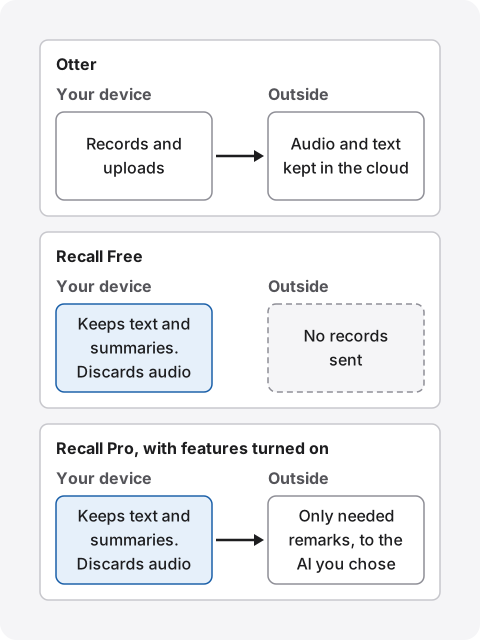
How Otter handles data
According to its privacy policy (effective June 16, 2026), Otter uses Amazon Web Services in the United States for compute and storage. It says stored data is encrypted with AES-256. The policy gives no specific retention period, saying data is kept as long as necessary for its stated purposes.
According to its deletion help, deleted conversations stay in Trash for 30 days, then are permanently removed from its servers. Emptying Trash removes them at once. On the pricing page, automatic deletion on a set schedule is listed under Enterprise. On other plans, you delete from Otter's screens yourself.
Two-factor authentication is available on all plans. If your worry is a leak through human error, start with two-factor authentication and your sharing scope. You can do that without changing products. We separate these worries in What to check if you worry about leaks from AI meeting notes.
What is used for training
Otter says it trains its own AI on de-identified audio and on transcripts. The privacy policy notes that transcripts may contain personal information. Its FAQ says data is de-identified before training so a user cannot be identified, that training is automatic, and that people do not review the audio or transcripts. People see content only with the customer's explicit consent.
For outside AI providers, Otter says customer data is not used to train their models. We could not find a setting on the official pages we checked that stops Otter's own training on personal plans. If your workplace rules ask about training, check with Otter directly before you sign up.
When Recall records leave the Mac
On Recall Free, records leave only when you copy or save them and pass them on. On Pro, the remarks a feature needs go to the destination you chose when you turn on any of these:
- Answering with your own Claude, ChatGPT or Gemini, or with Claude Code or Codex
- Using outside AI for meeting cleanup or review summaries
- Letting outside AI tools read records, or workflows that pass them to a command
- Using cloud AI or registered tools with triggers during a conversation
When records leave the Mac lists everything sent and where. Recall also uses the network to download models at first, check the Pro license and check for updates, which exposes your IP address and similar connection details. No records are included.
Local does not mean safe by default. A Mac with a weak password or an unencrypted disk cannot protect your records. Recall leaves encryption to macOS FileVault, so we recommend turning it on. We hold no copy of your records either, so preparing for a broken Mac is up to you. The question is not which is safer, but whether handing conversations to an outside company fits your requirements.
Pricing: minute limits and yearly cost
Otter's free Basic plan gives 300 minutes a month and 30 minutes per conversation. Recall Free has no transcription limit but shows only the last 14 days. The limits sit in different places, so count your monthly hours first.
| Limits | Price | |
|---|---|---|
| Otter Basic | 300 minutes a month, 30 per conversation, latest 25 conversations, 3 imports ever | Free |
| Otter Pro | 1,200 minutes a month, 90 per conversation, 10 imports a month | $16.99 a month, or $8.33 a month billed annually |
| Otter Business | Unlimited meetings, 4 hours per conversation, 6,000 import minutes a month | $30 a month, or $19.99 a month billed annually |
| Recall Free | No transcription limit. View and search the last 14 days | Free |
| Recall Pro | No transcription limit. View every saved record | ¥980 a month, ¥9,800 a year (tax included) |
Otter's prices are shown in US dollars. Its pricing page also shows half-price Pro figures of $8.49 and $4.17, but a note limits that offer to India-issued cards, so the table uses regular prices. Monthly Business also shows $24 for three months for first-time subscribers. Students and teachers with a .edu address get 20% off Pro.
A year costs $99.96 on annual Otter Pro ($8.33 × 12), $239.88 on annual Business ($19.99 × 12), and ¥9,800 on annual Recall Pro. The currencies and features differ, so price alone cannot rank them.
Take a one-hour English meeting every weekday. Over 22 days, that is 1,320 minutes. It does not fit Basic's 300 minutes, and it goes past Pro's 1,200. If you often run past 90 minutes, you also need Business or a product with no limit. Otter's meetings and imports share one pool of minutes, and unused minutes do not roll over.
On Recall Free, records older than 14 days are hidden. They remain on your Mac during the retention period, and Pro shows them. The default retention is 90 days on Free and no limit on Pro, and records past it are deleted. If you use your own AI with an API key on Pro, that company bills you separately. If the license cannot be checked for 14 days, Pro features stop until the Mac reconnects.
Other Otter.ai alternatives
Besides Recall, these products are common Otter.ai alternatives, and each takes a different approach to English meetings. Prices are as shown on the check date, and annual prices are per month when billed annually. For tl;dv and Tactiq, we cover plans and limits in their own comparisons.
| What stands out | Price | |
|---|---|---|
| Fireflies | 100+ languages. Free shows unlimited transcription (with a footnote) and 400 minutes of team storage | Pro $18 a month, or $10 billed annually |
| Fathom | Free has unlimited recording and transcription. Bot-free capture is a Mac beta | Premium $20 a month, or $16 billed annually |
| Granola | No bot. Keeps no audio. Notes stored on AWS in the US | Basic free (30-day history). Business $14 per user a month |
| Notta | Offered in Japanese. Stored in the AWS Tokyo region | Premium ¥14,220 a year (tax included) |
| MacWhisper | Transcribes on the device, strong with files. 100+ languages | Free version. Pro is a one-time €64 |
| tl;dv | Joins with a bot, or records your computer's audio from its desktop app without one | See our tl;dv comparison |
| Tactiq | No bot. A Chrome or Edge extension, plus a Mac app for desktop calls | See our Tactiq comparison |
Fireflies suits teams with meetings in many languages. Its pricing page lists Multi-language Mode on Business. Fathom suits people who want to keep English sales or internal meetings for free. Its pricing page covers capture with and without a bot.
Granola suits you if you want no bot and accept cloud summaries. According to its security page, you start it by hand and it stores no audio. See its pricing page for plans. We compare it in Granola AI alternatives compared.
Notta suits you if Japanese support and storage in Japan matter. Its business FAQ covers where data is stored, and its desktop page lists 58 languages. See Notta alternatives compared.
MacWhisper suits you if you want to transcribe recorded English audio on the device. According to its official site, it can also record meetings without a bot. It also fits if you want to keep audio for replay but not send it out. We compare it in MacWhisper and Recall.
tl;dv suits you if your team reviews recordings together and you sometimes want to keep the bot out. Its desktop app records without a bot joining. See tl;dv alternatives compared.
Tactiq suits you if your meetings are mostly in Google Meet, Zoom or Teams and you want transcripts gathered in a web dashboard without a bot. Its Mac app also handles calls in the Zoom, Teams and Slack huddle desktop apps. See Tactiq alternatives compared.
Who each one suits
If you are unsure, decide by whether you pass records to others. If you do, start with Otter. If they are only for you, try Recall first.
Otter suits you if
- You share English meeting records with your team or outside people by link.
- You also record on Windows, iPhone or Android, or want to read on the web.
- You replay audio, or slow it down to check the English.
- You send records to Salesforce, HubSpot or Slack.
- You also transcribe recorded files.
- You also have Spanish, French or German meetings.
Recall suits you if
- You do not want conversations on outside servers, or your workplace forbids it.
- You want no recording steps, and want English from webinars and videos to be searchable too.
- You want long English meetings transcribed without watching a minute limit.
- You want text on your Mac and no audio kept.
- You want summaries made on your Mac too. On-device AI handles summaries and questions on Free. Summaries and to-dos need Apple Intelligence on. Answers to questions need it only on Macs with less than 16 GB of memory.
Free to use · No account needed · macOS 26 or later · Mac with Apple silicon · By downloading, you agree to the Terms of Service
Recall does not suit you if
- You want to use Windows, a phone, an Intel Mac, or a Mac before macOS 26.
- You want to keep the audio and replay it.
- Your team wants to share the same notes by link. You would copy or save the transcript and pass it on.
- You need languages other than Japanese and English, or translated remarks.
- You want to register product names to help transcription. There is no custom vocabulary.
- You want to search English records by meaning. Meaning search is built for Japanese, so English conversations are found by their words.
- You want to import recorded files to transcribe.
Recall runs all the time, so it uses some CPU and battery, and more while people are talking.
Choosing by type of English meeting
What to check changes with the meeting. Before you decide, pick the type you have most.
Sales calls with overseas customers: You are handling the other company's information, so first check whether an NDA limits putting it into outside services. To send records to a CRM, Otter Pro or above fits. To keep them for preparing the next call, Recall is enough.
Regular meetings with overseas colleagues: To give records to people who missed the meeting, Otter fits. If you only need decisions and your own tasks, Recall's summaries and to-dos are enough. Recall's to-dos collect what you took on, with the remark behind each one.
English webinars and training: To search what you heard later, always-on Recall is easier, and video audio is transcribed too. Check first that the organizer allows recording and note-taking.
Interviews: To check a quote against the audio, choose Otter or MacWhisper, which keep audio. Recall discards it, so it does not fit.
English 1:1s: Personal matters end up in the record. Tell the person you are transcribing, and keep it for a short time. Recall lets you choose retention from 7 days. Automatic deletion in Otter is an Enterprise setting, so on other plans you delete by hand.
What to look at when you try them
Once you have two candidates, try them in real English meetings. What happens with your own conversations tells you more than the product pages. Tell people you are transcribing before you test.
- Names and acronyms: How well company names, product names, people's names and acronyms come out.
- Accents: Where accuracy drops with the people you usually talk to, including non-native speakers.
- Speaker separation: Check online and in-person meetings separately. Results can differ.
- Gaps in summaries: Whether decisions and requests are missing, and whether you can get back to the original remark.
- Finding things: Whether you can find a remark a week later by word or by person.
- Load on your Mac: Recall depends on your Mac's performance and battery. Run it alongside your usual work.
Before you move from Otter
Past records do not move on their own. Once you decide, check these in order.
- Export what you want to keep: According to the export help, Basic offers TXT only, and paid plans add PDF, DOCX and SRT. Audio exports as MP3.
- Check what the new app can take in: Recall cannot import past records. Keep exported files separately.
- Stop auto-join: Disconnect your calendar, or set Notetaker to meetings you select by hand.
- Delete old data: Delete conversations you no longer need, and empty Trash if you want them gone at once. Get the owner's agreement before deleting records shared with a team.
- Decide how to tell people: Without a visible Notetaker, others are less likely to notice. Make telling them at the start a habit.
Frequently asked questions
Is Otter's free plan enough for English meetings?
For short meetings, yes. Basic gives 300 minutes a month, 30 minutes per conversation, and the latest 25 conversations. A weekly one-hour meeting goes past the per-conversation limit. Compare limits and prices in the pricing section.
What is the best free Otter.ai alternative?
It depends on where Otter's free plan stops for you. Fathom's free plan has unlimited recording and transcription. Recall Free has no transcription limit, shows the last 14 days and runs only on Apple silicon Macs with macOS 26 or later. We compare eight free plans in Free AI note takers compared.
Can I use Otter for Japanese meetings?
Yes. Otter transcribes Japanese, but its settings and menus stay in English. You switch the language before recording, and it cannot switch between Japanese and English within a meeting on its own.
Can Recall transcribe English meetings?
Yes. Go to Settings › Listening and set Listening language to English. English product names can be misheard, so try it on your own meetings.
Which is more accurate, Otter or Recall?
We do not know. We have not compared them on the same audio, so we cannot say. Accuracy varies with the speaker, accent, microphone and topic. Both have free tiers, so try your own meetings.
Can I use Otter without a bot?
Yes. Record with the Mac or Windows desktop app and Notetaker does not join. Transcription still happens in the cloud. Even off the participant list, tell people you are transcribing.
Do Recall records ever leave the Mac?
Sometimes. Records leave when you use a Pro feature you turned on, or when you copy or save them yourself. Model downloads and license checks also use the network and expose your IP address. They include no records.
Does it work without the internet?
Once models and language data are ready, Recall's listening, transcription and on-device AI work offline. Otter's desktop app says it uploads and transcribes recordings once a connection returns.
Is there an Otter alternative for Windows?
Recall does not run on Windows. On Windows, cloud options include Fireflies, Granola and Notta. To transcribe on the device, look at Notta Desktop's Privacy Mode.
Checked November 2, 2026 (Tactiq: November 14, 2026). Details of other products come from their official pages and help. Otter's prices are shown in US dollars, and what you are billed can change with tax and region. Prices and features can change, so check the official pages before you sign up. This article is a general comparison, not legal advice.
See Plans and licenses for how Recall Free and Pro differ.
Free to use · No account needed · macOS 26 or later · Mac with Apple silicon · By downloading, you agree to the Terms of Service
Get the product overview (PDF) by email →
Related articles
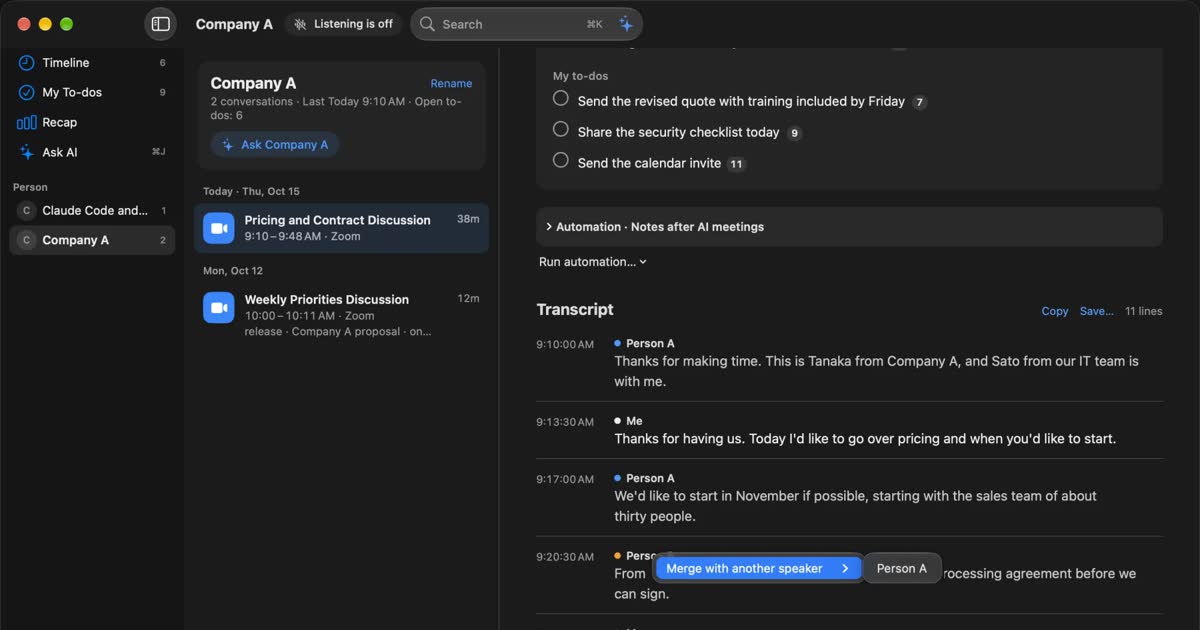
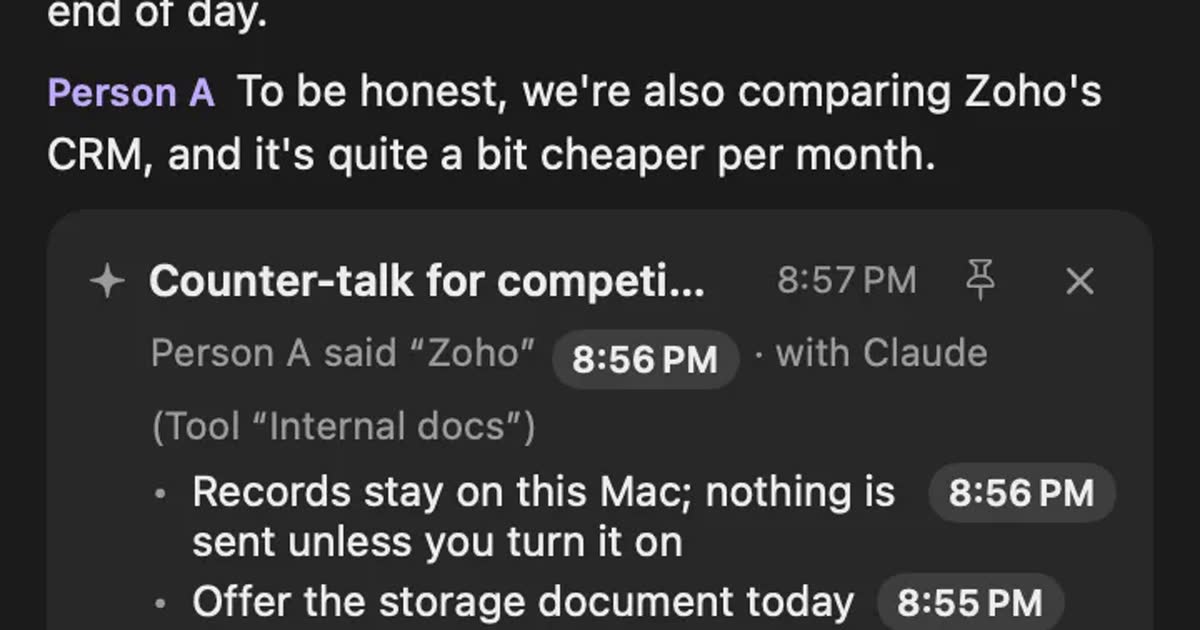
tl;dv alternatives compared: when you do not want a bot in the meeting
For people looking for a tl;dv alternative. We compare the bot and bot-free recording, where the record goes, free limits and pricing, and who should stay on tl;dv and who fits Recall.
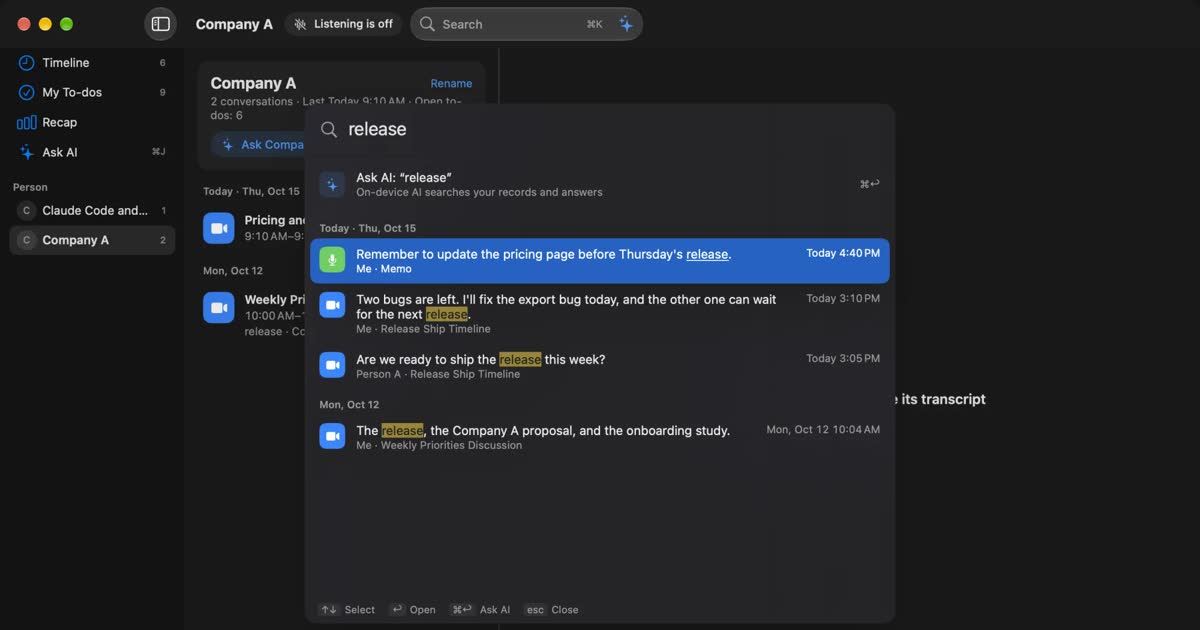
Hedy alternatives compared: choosing AI help during meetings
For people looking for a Hedy alternative. We split help during meetings into three forms and compare automatic suggestions, screen sharing, where processing happens and plan limits, including who should stay with Hedy and who Recall does not suit.
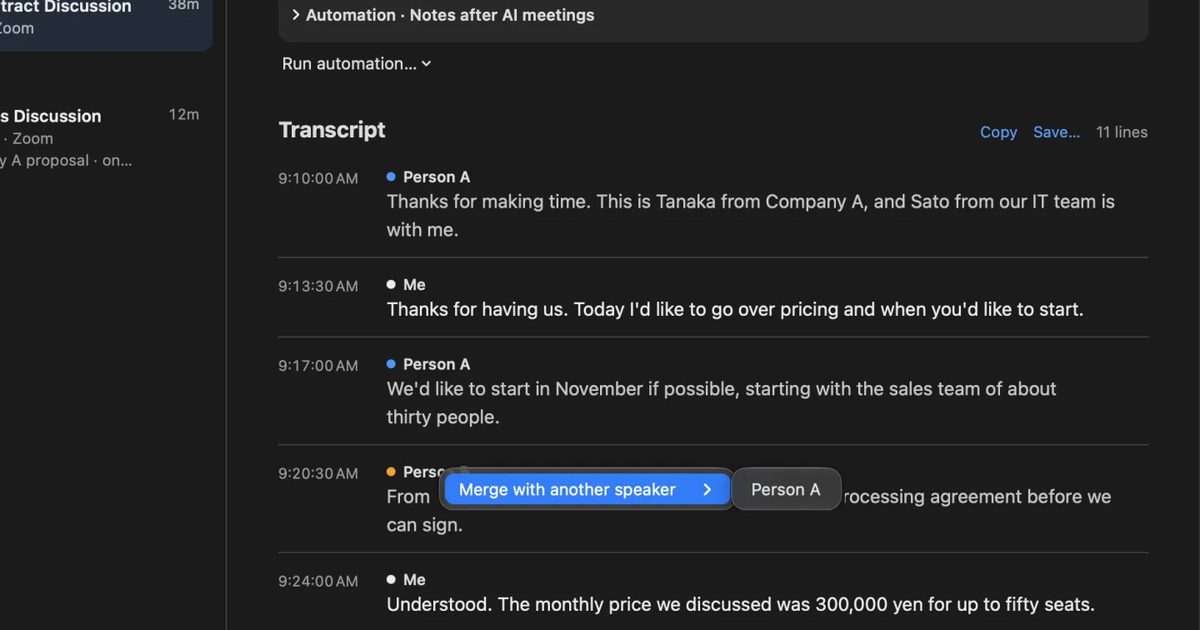
Notta alternatives compared: choosing when you worry about data leaks
For people looking for a Notta alternative. We split the worry about leaks into three, then cover what you can do within Notta, Privacy Mode, and how five products including Recall differ, and who they do not suit.
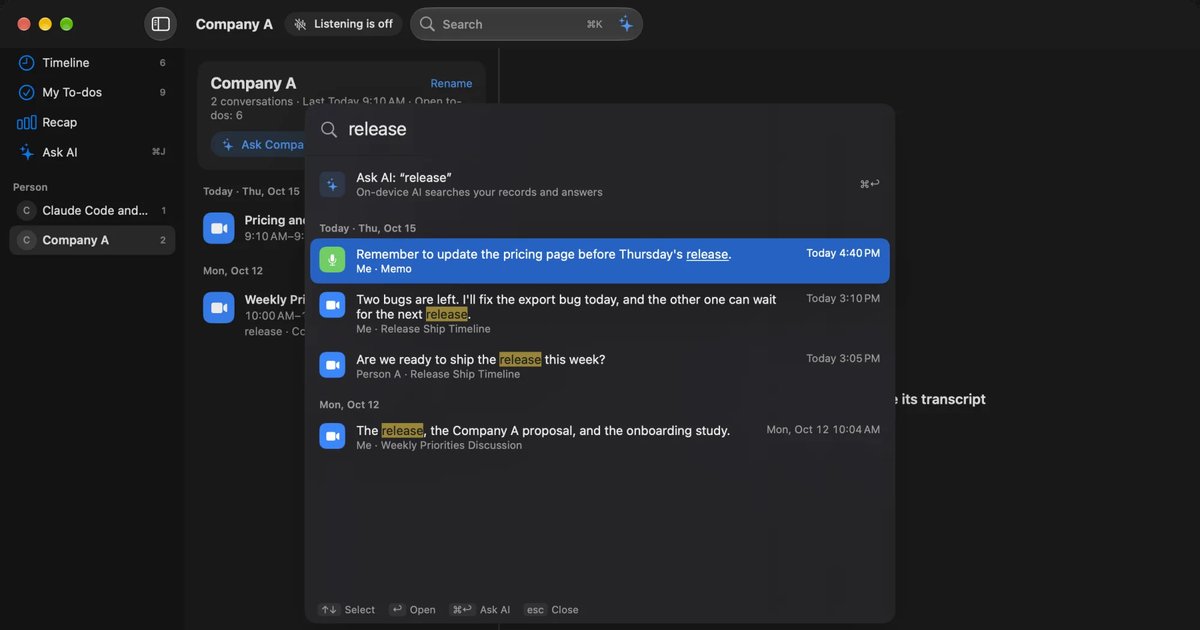
Fireflies.ai and Fathom alternatives: bot-free options compared
For people looking for a Fireflies or Fathom alternative. We compare bot and bot-free recording, the participant list, where records are kept, free limits and pricing against Recall, and who each one suits.
Limitless and Rewind alternatives: keeping conversations after the shutdown
Rewind has stopped recording and Limitless was acquired by Meta. What the official pages say today, how to export your data, alternatives by screen, conversation or wearable, and how Recall differs.