 Recall
Is Otter.ai safe? Five checks for any AI meeting notetaker, with official answers
Whether an AI notetaker is safe is not decided by its name. It depends on where the audio and text of your meetings are kept, where they are processed, what they are used for, who can see them, and how participants find out. Here is how to check those five points, and what Otter, Notta, Rimo Voice, Granola and tl;dv say on their own pages, as checked on November 13, 2026.
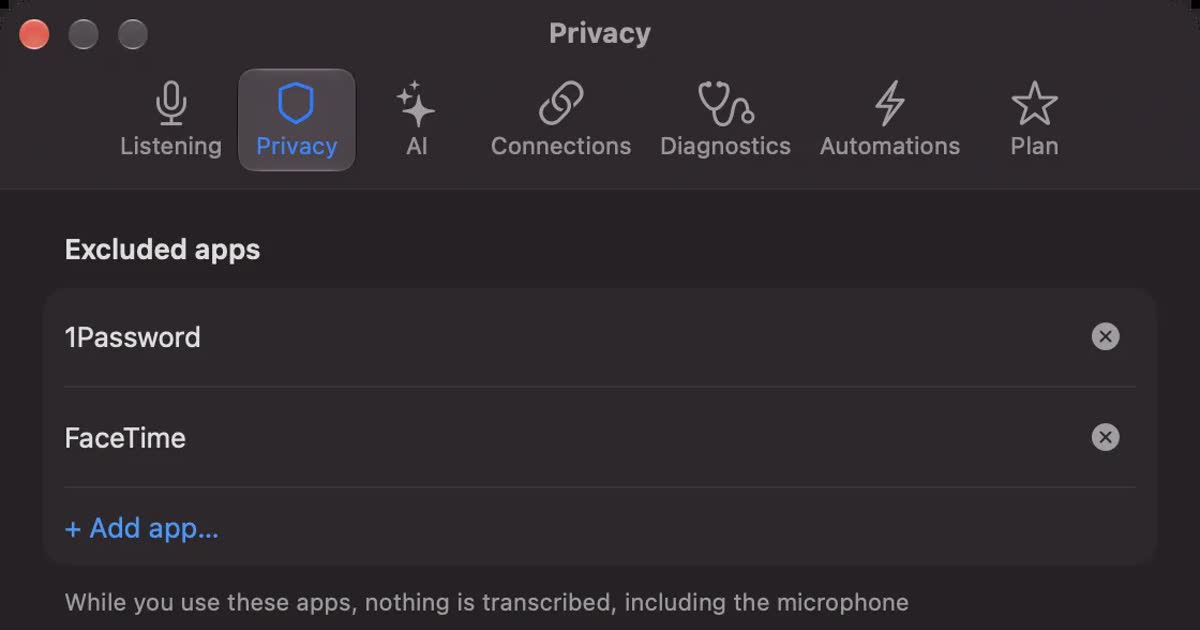
This article is written by KOROMO K.K., the company that makes Recall, a transcription app for the Mac. Recall can be used for meeting notes too, so we are not neutral. For that reason, everything about other products comes from their official pages and help centers, and each source is linked in the text. Whichever product you choose, you can run it through the same five checks.
The short answer
- A “secure” label does not settle it. ISO 27001 and SOC 2 show that a company has controls for handling information. How long audio is kept, whether it trains AI, and who can open a share link are separate questions, and they change with the plan and the settings.
- Transcription and summaries are often handled by different companies. Notta, for example, says it transcribes with a speech recognition partner in Japan and summarizes with Anthropic’s Claude. Both receive the meeting’s contents.
- Training can be on by default on free or personal plans. Of the five tools, tl;dv and Rimo Voice say they do not train on customer data on any plan. Notta and Granola have plans or settings that stop it, and Otter says it trains on de-identified data.
- Most leaks come from how a tool is used, not how it is built. “Anyone with the link” sharing, a bot that joins meetings automatically, and an account without two-factor authentication can all expose a meeting without anyone breaking into the provider.
- For confidential meetings, start from tools that do not send anything. For HR, customers’ personal data or unannounced numbers, transcribing on the device without keeping audio leaves far less to check. In exchange, the device itself needs protecting.
Is Otter.ai safe?
Otter has a SOC 2 Type 2 report, encrypts stored data with AES-256 on AWS in the United States, and offers two-factor authentication on every plan (Privacy & Security), so its company-level controls are in place. Three points are still worth checking before you rely on it: training, auto-join and the lawsuit.
- Training: Otter says it de-identifies user data with its own method before training its models, and that audio recordings and transcripts are not manually reviewed by a human. Its privacy policy says it trains its own AI on de-identified audio and on transcripts (which may contain personal information), and that data labeling providers help create training and evaluation data (Privacy Policy). We did not find a setting or a plan that turns this training off on the pages we checked.
- Auto-join: once you connect a calendar, Otter Notetaker can join meetings automatically. Otter suggests stricter organizations choose the setting where members pick each meeting by hand (Recording permissions, auto-join). That keeps it out of meetings you did not mean it to attend.
- The lawsuit: in August 2025, a class action was filed in federal court in Northern California claiming Otter recorded meetings without participants’ consent (NPR, August 15, 2025). We found no report of a judgment. This article does not decide whether anything was unlawful.
In short: for meetings where processing in a US cloud and training on de-identified data are acceptable, Otter can be used with auto-join limited and sharing restricted. For meetings where either is not acceptable, consider a product that says it does not train on your data, or one that processes on the device; the checks below show how to tell. Pricing, languages and alternatives are in Otter alternatives compared.
Where to start
If you already know what worries you, start at that section. If you are deciding for a team, the question list near the end can be used as it is.
| Your situation | Read next |
|---|---|
| You want the whole picture of what can go wrong | Where leaks actually happen |
| You worry your tool trains on your meetings | Does it train AI? and Settings you can change today |
| You use Notta and want to know if it is risky | Is Notta risky? |
| You are choosing between products | Five tools and Recall on the same checks |
| You need to ask IT or a manager | Questions to settle before your team adopts one |
Where leaks actually happen
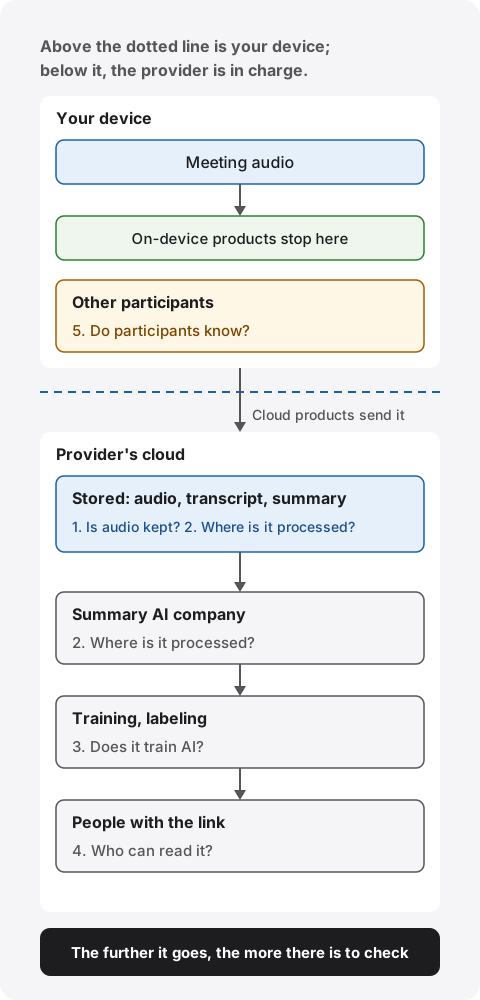
Leaks from an AI notetaker happen on one of six paths: in transit, provider storage, AI subprocessors, training, sharing, or accounts. Which one you worry about decides which page you need to read.
| Path | What happens |
|---|---|
| In transit | Audio or text is read on its way to the provider. Major services encrypt with TLS, so this is the least likely path. Check: Processing. |
| Provider storage | Stored audio or transcripts get out through a breach or a misconfiguration. The longer things are kept, the more records are exposed. Check: Audio. |
| AI subprocessors | Content goes to an outside AI company for summaries and stays there for that company’s retention period. Check: Processing. |
| Training and labeling | Meeting audio becomes training data for speech recognition or AI, sometimes seen by people or contractors who label it. Check: Training. |
| Sharing and auto-join | A share link is forwarded, notes are emailed to every invitee, or a bot joins a meeting it should not. Check: Sharing, participants. |
| Accounts and devices | A reused password lets someone into the account, a laptop is lost, or exported files are left around. Check: Audio, sharing. |
The first four are on the provider’s side; the last two are on the user’s side. Certifications and security pages mostly cover the first four. The last two are prevented with user and admin settings in any product.
Five things to check
For each check below: what to look for, where to find it, and what the main tools say officially. Everything was checked on November 13, 2026. Plans and terms change, so confirm on the linked pages before you sign up.
1. Is audio kept?
What to check: whether recorded audio is stored, for how long, and whether deleting it removes it at once or leaves it in a trash folder or backups for a while.
How to check: search the help center for “retention”, “delete” and “trash”. Products that do not keep audio usually say so plainly on their security page. If a page does not say, assume audio is kept and confirm.
- Otter: deleted conversations stay in the trash for 30 days and are then permanently deleted from its servers. You can empty the trash at once (Delete a conversation).
- Notta: its business FAQ says recordings are kept in its cloud until you delete them (business FAQ). Deleted notes go to the trash and are permanently deleted after 30 days (trash). Backups are taken daily and kept for up to 180 days; how long permanently deleted data stays in backups is not stated on the pages we checked.
- Rimo Voice: deleting removes the original audio and transcript from its servers completely and cannot be undone; the title, length and date needed for billing remain (security measures). How long it keeps files you do not delete is not stated on the pages we checked.
- Granola: says it does not store meeting audio on Mac and Windows and transcribes in real time. Transcripts and notes are kept indefinitely unless you delete them (Security).
- tl;dv: stores recordings. On Pro they are kept as long as you stay a customer; on Free they are scheduled for deletion after three months (how long recordings are kept).
Keeping audio lets you listen again and fix transcription errors. But audio carries everyone’s voice and tone exactly as spoken. If you use a product that keeps it, set a retention period and decide how unused records get deleted, so a leak would expose less.
2. Where is it processed?
What to check: where transcription and summaries each happen: on the device or in the provider’s cloud; if in the cloud, whose servers and in which country; and which company’s AI writes the summary.
How to check: on the security page, search for “AWS”, “Google Cloud”, “region” and “data center”; in the privacy policy, search for “subprocessor” and “third party”. Companies that publish a subprocessor list name their summary AI provider and its country there.
- Otter: stores data on AWS in the United States (Privacy & Security). Its subprocessor list names Anthropic for AI features and OpenAI for evaluating outputs (Subprocessors).
- Notta: stores data in AWS’s Tokyo region (business FAQ). Transcription uses a third-party speech recognition partner in Japan (AI training), and summaries use Anthropic’s Claude (LLM security). On paid Premium plans and above (Notta notes this may vary by payment method), the desktop app’s Privacy Mode handles recording and transcription entirely on the device with no automatic upload to Notta’s cloud; cloud summaries and sharing are paused or limited meanwhile (Privacy Mode).
- Rimo Voice: stores data encrypted in data centers in Japan. Summaries use OpenAI’s API, and data sent there is deleted after 30 days; it may also use Claude or Gemini (security measures).
- Granola: transcribes and summarizes in the cloud, using providers such as Deepgram and AssemblyAI for transcription and OpenAI and Anthropic for summaries, and stores data on AWS in the United States (Security).
- tl;dv: says all its data centers are in Europe. Summaries use Anthropic, and meetings are split into small parts and reordered before they are sent (Security commitment). Its privacy policy says Anthropic is used through Google Cloud’s Vertex AI (Privacy Policy).
“Stored in our country” tells you whose laws govern storage. But if the summary AI belongs to a company elsewhere, your content is with that company while it is processed. Check where data is stored and where it is processed separately.
3. Does it train AI?
What to check: whether meeting audio or transcripts are used to train the provider’s or a subprocessor’s AI; if so, whether you can stop it, on which plans, and whether it is on by default; and whether people listen for training.
How to check: search the privacy policy and help center for “train”, “machine learning”, “improve our services” and “de-identified”. “Improving our services” can include training. A promise that outside AI providers will not train on your data is separate from what the company does with its own models, so read both.
- Otter: de-identifies data and trains its own AI on it, and says audio and transcripts are not manually reviewed by a human (Privacy & Security). No setting or plan to stop this was found on the pages we checked.
- Notta: says its speech recognition partner uses only randomly sampled data to train its engine. Training is off on the Enterprise and Business Plus plans (AI training, Business Plus) and on for other plans. Other AI features, such as summaries, are not used for training on any plan.
- Rimo Voice: since October 1, 2025, does not use customer data to train AI on any plan (AI training policy).
- Granola: trains on anonymized data and lets you opt out in settings; training is off by default only for Enterprise users (Security). On free and Business plans, you turn it off yourself.
- tl;dv: says no customer data is used to train AI (Security commitment).
“Trained on de-identified data” is not the same as “not used for training”. Removing names does not remove what was said. If a contract forbids sharing a client’s information with third parties, choose a plan or setting that does not train on your data.
4. Who can read it?
What to check: who can open a share link, whether it needs a sign-in, whether you can add an expiry or password, whether notes go to meeting participants automatically, and whether an admin can block sharing outside the company, and on which plan.
How to check: search the help center for “share”, “link”, “external sharing” and “auto-share”. Admin settings articles list what can be blocked and on which plan. If the default is not written down, create a note and check it in your own account.
- Otter: conversations are private by default. Links can be limited to chosen people, opened by anyone with the link (including people without an Otter account), or opened by anyone in your workspace (Share a conversation). Admins can restrict sharing outside the workspace on Enterprise (Enterprise settings).
- Notta: external sharing is turned on per note. Once on, anyone with the link can open it without signing in; you can set an expiry and a password (share links). Only owners on Business or higher can turn external sharing off for the workspace (restricting external sharing).
- Rimo Voice: offers sharing with named people and links anyone can open (sharing). Blocking link sharing is a paid add-on for business plans, and notes in personal folders are not covered. On the Pro plan, notes from meetings recorded through calendar sync are shared with participants automatically by default (auto-share).
- Granola: notes are private until you share them. Links can be set to anyone with the link, only your company, or private (sharing controls). Enforcing a setting for everyone is for Enterprise admins.
- tl;dv: you choose between anyone with the link (which makes a meeting entirely public) and people with access; there is also a setting to email recordings to participants automatically (sharing recordings).
An “anyone with the link” link reaches people you did not intend once it is forwarded or pasted into a chat. When sharing outside the company, add an expiry and password, or share with named people. Auto-sharing with participants is convenient, but if outsiders are on the invite, they get the notes too.
5. Do participants know?
What to check: whether other participants can see that the meeting is being recorded, whether a bot joins as a participant or recording happens without one, whether the product helps with notice and consent, and which meetings a bot joins automatically once a calendar is connected.
How to check: search the help center for “bot”, “auto-join”, “notify” and “consent”. Articles on recording without a bot say whether participants are notified.
- Otter: Notetaker joins as a named participant, and once a calendar is connected it can join automatically. Emails that warn every guest 5 to 10 minutes before recording are sent when that setting is enabled (Recording permissions).
- Notta: Notta Bot joins as a participant, and hiding its recording notice banner is not available on the Free plan (Notta Bot). With botless recording, no bot appears in the participant list and other participants are not notified; Notta says getting consent is the user’s responsibility and it does not do so on the user’s behalf (botless recording).
- Rimo Voice: its meeting bot joins online meetings as a participant and has to be admitted (meeting bot). We did not find official guidance on getting participants’ consent.
- Granola: does not add a bot to the call and does not auto-join or auto-record (Security). Because participants cannot see it, it tells users to always get consent when transcribing others (getting consent).
- tl;dv: its bot joins auto-recorded meetings as an attendee. For auto-recorded meetings, a consent setting replaces the meeting link with a consent page and does not record people who decline (Consent Collection).
A visible bot is not a substitute for telling people. And a product without a bot is invisible to the other side. Either way, the reliable approach is to say at the start that you are transcribing, where it is kept, and that you will stop if anyone objects. For example: “I’m transcribing this meeting so I can check details later. The record stays in our company account and won’t be shared outside. Tell me if you’d rather I stop.” Saying where it is kept and who sees it lets the other side decide. Do not use one where recording is prohibited or your workplace rules do not allow it.
Five tools and Recall on the same checks
The biggest differences between the five are how they treat training and which plan lets you block external sharing. Here are the findings in one table, with our own Recall in the last row on the same checks. “Not stated” means the official pages did not say; it does not mean “no”.
| Tool | The five checks |
|---|---|
| Otter | Audio: Kept. Trash 30 days Processing and storage: Cloud (AWS, United States). AI by Anthropic Training: De-identified training. Opt-out not stated Block external sharing: Enterprise How it joins: Bot, can auto-join |
| Notta | Audio: Kept until deleted. Trash 30 days Processing and storage: Cloud (AWS Tokyo). Summaries by Claude. Privacy Mode on device in the paid desktop app Training: Speech recognition training except Business Plus and Enterprise Block external sharing: Business and above How it joins: Bot, or botless without notice |
| Rimo Voice | Audio: Kept. Deletion is immediate and final Processing and storage: Data centers in Japan. Summaries by OpenAI and others Training: None on any plan Block external sharing: Paid business add-on (not personal folders) How it joins: Bot |
| Granola | Audio: Not kept (Mac, Windows) Processing and storage: Cloud (AWS, United States). Summaries by OpenAI, Anthropic and others Training: De-identified training. Opt-out in settings Block external sharing: Enterprise How it joins: No bot |
| tl;dv | Audio: Kept. Free: 3 months Processing and storage: Data centers in Europe. Summaries by Anthropic Training: None Block external sharing: Not stated How it joins: Bot (consent page available for auto-recorded meetings) |
| Recall | Audio: Not kept Processing and storage: On this Mac. Summaries by on-device AI (when Apple Intelligence is on, except when you choose an outside AI for organizing meetings on Pro) Training: Records never reach us Block external sharing: No share links How it joins: No bot |
What certifications and two-factor authentication tell you
A certification is outside evidence of a provider’s controls; it does not answer the five checks above. On their official pages, Notta lists ISO 27001 and SOC 2 Type 2; Otter, Granola and tl;dv list SOC 2 Type 2; Rimo Voice lists ISO 27001 and ISO 27017. Otter says its policies are built on the ISO 27001 framework rather than claiming the certification.
ISO 27001 certifies a system for managing information, ISO 27017 adds controls for cloud services, and a SOC 2 Type 2 report is an auditor’s check that controls actually worked over a period. None of them promises “no training” or “no stored audio”. If your company wants to see a report, the usual route is to ask the sales team.
Two-factor authentication protects the user-side path: the account. Otter and Rimo Voice say it is available on all plans. Notta’s business FAQ says it does not currently support multi-factor or two-step authentication. For Granola and tl;dv we found no description of two-factor authentication on the pages we checked (both describe SSO).
Settings you can change today
Without switching products, settings and plans can narrow many of the paths. From the official descriptions above, here is what you can do in each product today; where only an admin can change it, we say so.
- Otter: turn on two-factor authentication. If a calendar is connected, choose the setting where you pick each meeting Notetaker joins. Turn on the emails that warn participants before recording. Share links with restricted access as a rule, and when you delete a conversation, empty the trash too.
- Notta: delete records you are done with, and empty the trash. Add an expiry and password to external share links. To stop external sharing, an owner on Business or higher turns it off. To stop speech recognition training, choose Business Plus or Enterprise. There is no two-factor authentication, so use a password only for Notta.
- Rimo Voice: turn on two-factor authentication. If you record through calendar sync on the Pro plan, auto-sharing with participants is on by default, so review it for meetings with outsiders. To ban link sharing across the organization, consider the business plan add-on (personal folders are not covered).
- Granola: on free or Business plans, opt out of training in settings. Set the default for share links to your company only or private. No bot joins, so say at the start that you are transcribing.
- tl;dv: if you use auto-recording, use the consent page (Consent Collection). Share only with people you give access to, and decide per meeting whether to email recordings to participants. Remember that Free recordings are scheduled for deletion after three months.
Three things apply to every product: tell people at the start that you are recording, do not keep records you no longer need, and shut off accounts when someone leaves or changes roles. You can decide all three as practice, before any product feature.
Is Notta risky?
We found no official notice of a Notta data leak. The points to watch are that training depends on the plan, records stay until you delete them, and there is no two-factor authentication.
- Official breach notices: we found no official Notta announcement of a user data leak in its news or in searches. Its report on a login outage on March 10, 2026 says there was no data leak, tampering or unauthorized access (incident report). Not finding a notice does not prove nothing happened.
- Storage and operator: data is stored in AWS’s Tokyo region. In Japan, the service is run by a company based in Chiyoda, Tokyo (company profile).
- Points to watch: speech recognition training stops only on Business Plus and Enterprise; on other plans, a partner company in Japan may train on your audio. Records stay until you delete them. There is no two-factor authentication, and external share links open without a sign-in.
If you can accept these three, or avoid them with plans and settings, staying with Notta is a reasonable decision. You can also use Privacy Mode in the paid desktop app (Premium and above) for confidential meetings only. Notta’s pricing, what Privacy Mode does and stops, and alternatives are in Notta alternatives compared.
Choose by how sensitive the meeting is
You do not need one product for every meeting. Sorting meetings by content leaves less to check.
| Meeting | Examples | Approach |
|---|---|---|
| Public | Webinars, briefings for outsiders | Cloud products are rarely a problem. Choose for easy sharing. |
| Routine internal | Weekly syncs, status checks | Use a plan or setting without training, block external sharing, and set a retention period. |
| Confidential | HR, customers’ personal data, unannounced numbers, contract negotiations | Transcribe on the device without keeping audio, or do not use a notetaker. If cloud, only plans with no training, blocked external sharing and retention settings. |
Processing on the device removes most of the four provider-side paths. In exchange, records live on your own device. Decide on disk encryption (FileVault on a Mac), the login password, and what happens if the device is lost. Ways to transcribe only on a Mac are compared in How to transcribe locally on a Mac.
Treat meetings with outsiders as one level more sensitive. The other company may have its own rules on AI notetakers, and even if yours allows it, they may not agree to being recorded. Asking “may we transcribe this?” with the invitation saves stopping on the day. If your product auto-shares with participants, tell them in advance that everyone on their side will receive the notes.
Questions to settle before your team adopts one
When you ask IT or a manager, having answers to these makes the conversation quick. Each can be answered from the provider’s official pages or sales team.
- Is audio stored? For how many days? After deletion, how long does it stay in the trash and in backups?
- Which company processes transcription and summaries, and in which country?
- Is meeting content used to train the provider’s or a subprocessor’s AI? On which plans is it not?
- Who can open share links? Can admins block external sharing? Is auto-sharing with participants on by default?
- Does a bot join meetings? Once a calendar is connected, which meetings does it join automatically?
- Are two-factor authentication and SSO available? How are accounts and records shut off when someone leaves?
- Which certifications (ISO 27001, SOC 2 and so on) does the provider hold, and can you see the reports?
- Is there an internal rule on telling participants? What about meetings with outsiders?
How Recall handles the five checks
Recall does not keep audio and stores records on this Mac. Here is how it does on the same five checks. The conditions are as stated on Privacy and data and Pricing.
- Audio: not saved. It is discarded as soon as it is turned into text.
- Where it is processed: listening and transcription happen on this Mac. Records are stored on this Mac and are not sent to our servers. Summaries and to-dos are made by on-device AI when Apple Intelligence is on (except when you choose an outside AI for organizing meetings on Pro).
- Training: records never reach us, so we cannot train on them. When you turn on a Pro feature that sends records to your own Claude, ChatGPT, Gemini or similar, what you send is handled by that company.
- Sharing: there are no share links. To give someone a transcript, you copy it or save it as a text file yourself; that file is then managed by whoever has it.
- Participants: no bot joins, so others cannot see it. Please tell them it is being transcribed; example wording is in Common questions on the home page.
Part of a record leaves the Mac only when you turn on a Pro feature yourself, and what is sent and where is listed in When records leave the Mac. Downloading models, checking the license and checking for updates send no records. Encryption of records is left to macOS FileVault, so we recommend keeping FileVault on.
Listening and transcription are free with no limit. On Free, you can view and search the last 14 days of records. Records are kept for 90 days by default on Free and forever on Pro, and you can choose from 7 days up (How long records are kept). Pro is ¥980 a month or ¥9,800 a year (tax included).
Free to use · No account needed · macOS 26 or later · Mac with Apple silicon · By downloading, you agree to the Terms of Service
Recall does not suit you if: you need Windows or iPhone, you want to keep audio to listen again, you want to share notes with your team by link, or your Mac runs a version before macOS 26 or has an Intel chip. In those cases, use the five checks above to choose another product’s plan and settings.
Common questions
Is Otter.ai safe to use for work?
Otter has a SOC 2 Type 2 report, encryption, and two-factor authentication on every plan. It processes in a US cloud and trains on de-identified data, with no opt-out found on its pages. If both are acceptable for your meetings, limit auto-join and sharing; if not, look at products that do not train or that process on the device.
Are AI meeting notes safe?
It depends on the product, plan and settings. Check audio storage, where processing happens, AI training, sharing and telling participants, and pick what fits how sensitive your meetings are. Certifications alone do not decide it.
Are meeting recordings used to train AI?
It varies. As of November 13, 2026, tl;dv and Rimo Voice say they do not train on any plan. Notta’s speech recognition partner may train on audio except on Business Plus and Enterprise, Granola lets you opt out, and Otter says it trains on de-identified data.
Can I stop Otter from training on my data?
On the official Otter pages we checked on November 13, 2026, we did not find a setting or plan that stops training. Otter says it de-identifies data first and that people do not review recordings.
Do I need participants’ consent?
Tell participants you are transcribing. Notta’s and Granola’s help pages also say consent is the user’s responsibility. Laws differ by country and state, and some US states require everyone’s consent. Check your workplace rules too. This article is not legal advice.
Is Notta a Chinese company? Where is my data?
In Japan, Notta is run by a company based in Chiyoda, Tokyo, and it says data is stored in AWS’s Tokyo region. Summaries use Anthropic’s Claude. The five checks tell you more about safety than the company’s nationality.
Are free plans riskier?
Not necessarily, but free and personal plans often lack admin controls such as no-training options or blocking external sharing. For work meetings, choose a plan with those controls, or a product that does not send records out.
What if someone else brings an AI notetaker bot into my meeting?
You can ask the host what is being recorded, where it is kept, and whether it is shared outside. If the meeting’s content cannot be recorded, ask them to remove the bot or pause recording for that topic. Some products record without a bot, so if it matters, ask at the start whether anything is being recorded.
Can data leak through a former employee’s account?
It can. If someone used a notetaker with a personal account, records and calendar connections remain after they leave, and while a connection remains, a bot may keep joining meetings. For company use, choose a plan where admins can shut off accounts, and add deleting records and removing connections to offboarding.
Can I use one in confidential meetings?
Your workplace rules come first. Even where allowed, it is safest to transcribe on the device without keeping audio, or to use only plans with no training, blocked external sharing and retention settings. If neither works, not using a notetaker in that meeting is a valid choice.
About this information: checked on November 13, 2026. Information about other products is from their official pages, help centers and privacy policies; the Otter lawsuit is from news reports. Plans and terms change, so confirm on the official pages before you sign up or roll one out. This article covers general points to check and is not legal advice.
macOS 26 or later · Mac with Apple silicon · By downloading, you agree to the Terms of Service
Get the product overview (PDF) by email →
Related articles
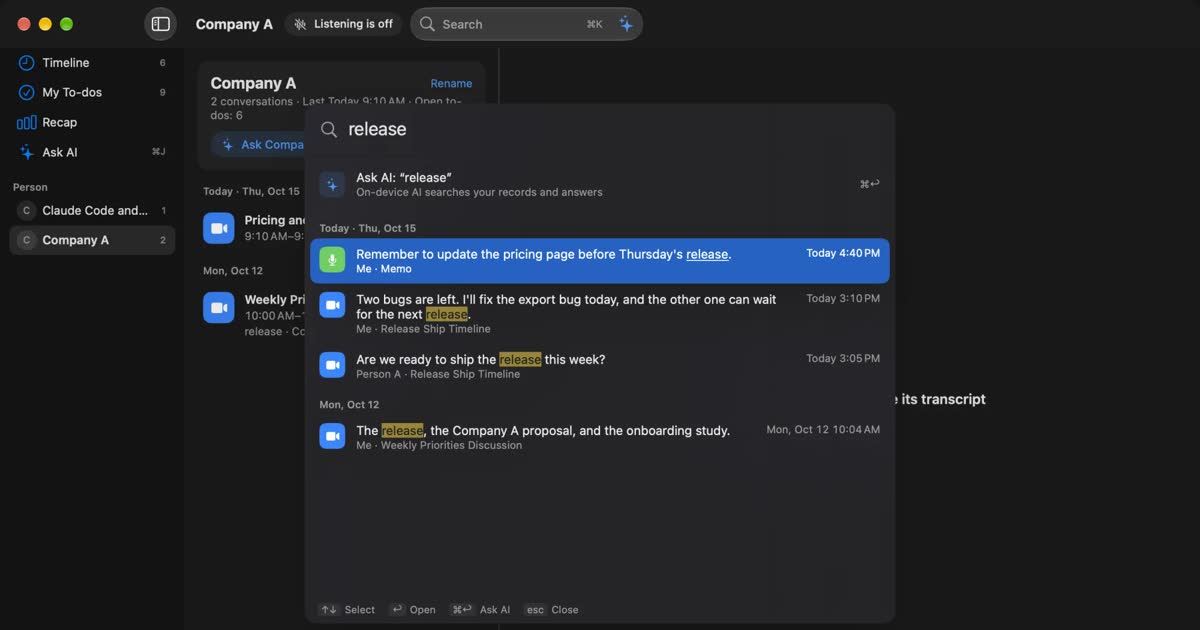
Notta alternatives compared: choosing when you worry about data leaks
For people looking for a Notta alternative. We split the worry about leaks into three, then cover what you can do within Notta, Privacy Mode, and how five products including Recall differ, and who they do not suit.
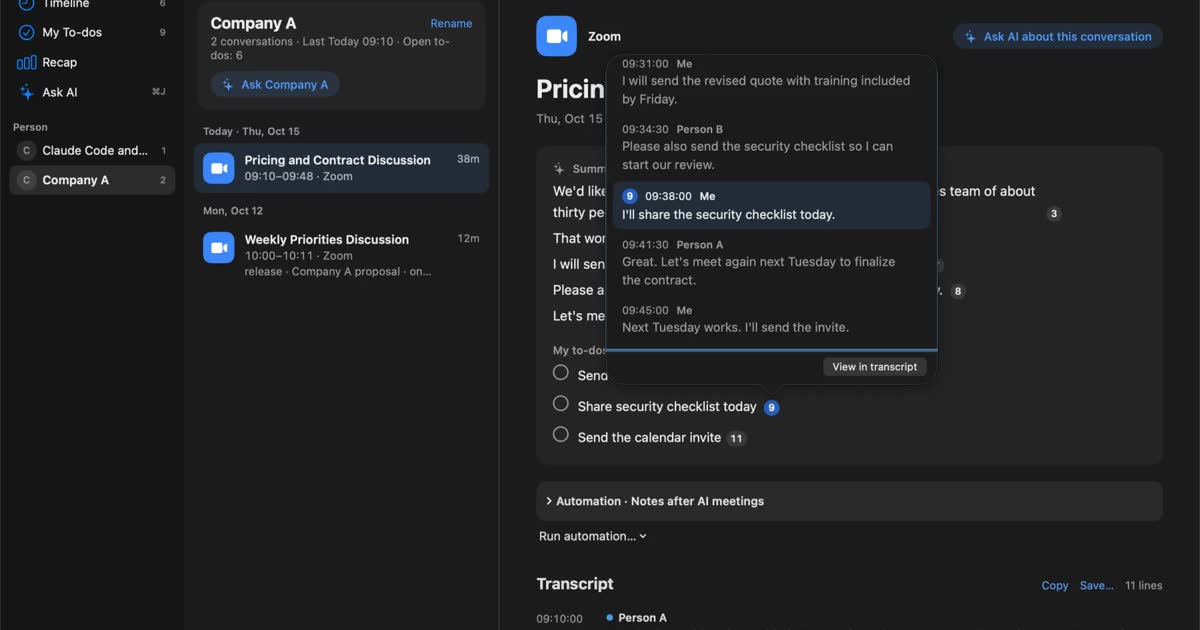
How to transcribe locally on a Mac: keeping meetings inside your company
How to transcribe on a Mac without sending audio to the cloud. Compare Notes, MacWhisper, Aiko, whisper.cpp, Recall and more, and check the four places records can still leave.
Granola AI alternatives: Granola vs Otter and Recall compared
For people looking for a Granola AI alternative. We compare languages, Granola vs Otter, where notes are processed and stored, how to opt out of training, and pricing from official sources, including who should stay with Granola and who Recall does not suit.