 Recall
Limitless and Rewind alternatives: keeping conversations after the shutdown
Rewind has stopped recording and Limitless was acquired by Meta. What the official pages say today, how to export your data, alternatives by screen, conversation or wearable, and how Recall differs.
In short: Rewind no longer records, and Limitless can no longer be bought
The facts first. Rewind (Rewind AI) has been sunset, and screen and audio capture stopped on December 19, 2025. Limitless (Limitless AI), the company that made Rewind, was acquired by Meta, and new sales of its Pendant wearable ended on December 5, 2025. You can no longer buy a Pendant from Limitless or start recording with Rewind.
If you already own a Pendant, the official page says existing customers are supported throughout 2026 (outside Brazil, China, the EU, Israel, South Korea, Turkey and the UK, where service ended on December 5, 2025), and past meetings stay viewable throughout 2026. What happens after 2026 is not stated on the official pages as of the day we checked. If there are records you want to keep, export them first.
To choose a replacement, start from what you used Rewind or Limitless to find. If you searched what was on your screen, look at an app that records the screen. If you kept conversations out and about, look at a wearable recorder. If you wanted the words from meetings and videos you heard on your Mac, a Mac conversation recorder such as Recall fits.
This article is written by KOROMO K.K., the company that develops the Mac transcription app Recall. Our own product is in the comparison, so read with that in mind. We checked the status of Limitless and Rewind on November 13, 2026, using the announcement and FAQ on the Limitless website and the official help center.
| Your situation | Where to read next |
|---|---|
| You still have Rewind or Limitless records | First: export and delete |
| You are looking for a replacement | Choose by what you used it for |
| Where records stay is the concern | Where records stay |
Where things stand
Rewind stopped recording on December 19, 2025, and the Pendant is officially supported through the end of 2026. The top of the Limitless website has been replaced by an announcement from co-founder and CEO Dan Siroker that Limitless has been acquired by Meta. Here is what the announcement and its FAQ say, in date order.
| When | What happened |
|---|---|
| December 5, 2025 | New Pendant sales end. Limitless stops being available in Brazil, China, the European Union, Israel, South Korea, Turkey and the United Kingdom |
| December 19, 2025 | The latest Rewind update disables all screen and audio capture. Users in the regions that lost service, such as the EU and the UK, had to download their data by this date, after which their accounts and data were permanently deleted |
| Throughout 2026 | Existing Pendant customers are supported. Continuing customers get the Unlimited Plan free. Past meetings recorded with the desktop and web apps stay viewable |
| 2027 and later | Not stated on the official pages |
The announcement says non-Pendant functionality such as Rewind is being sunset. The Limitless desktop and web apps can no longer record either. Only the Pendant keeps recording, and continuing customers need to agree to the updated Privacy Policy and Terms of Service.
Some help center articles still describe pricing and free recording minutes from before the acquisition. In this article we treat the announcement and FAQ on the home page as the source for current status.
What Rewind and Limitless did
Rewind was a Mac app that recorded your screen and audio so you could later find what you had seen or heard. Records were kept on the Mac, and the help article on where Rewind data is points to where they are stored.
Limitless came from the same company and had two forms. One was the Pendant, a recorder you wear. According to the help article on Pendant storage, the Pendant records voices and sends the audio to your phone, which uploads it to the cloud for processing and storage. The other was the desktop and web app for recording meetings.
Both were built on the idea of always recording and searching later. They differed in whether they also kept the screen, or went with you outside.
Keep using the Pendant until the end of the year?
Whether to keep the Pendant until the end of the year depends on whether you have settled on another way to keep conversations outside. Continuing customers need to agree to the updated Privacy Policy and Terms of Service that followed the acquisition.
- Fine to continue: You have not yet chosen another way to keep conversations out and about. You have read the new terms and decided you can agree. You have committed to exporting before the end of the year.
- Better to stop: You want to keep searching the same records in the same place after 2026 (the official pages say nothing about it). You use it at work and your employer has not reviewed the post-acquisition terms.
Even if you continue, export your records first. If an export fails right before the end of the year, there is no time to try again.
First: export and delete your records
Limitless records need exporting, while Rewind records are already on your Mac, so for those you decide whether to keep or delete them. Before you choose a replacement, deal with the records you have. No replacement carries over Rewind's or Limitless's search as it was, and Recall cannot import exported records. Exported audio files can be transcribed again with a file tool such as MacWhisper. Anything you want to keep, export and store yourself.
Export your Limitless records
The official export instructions are as follows.
- Open the Limitless web app (app.limitless.ai) or desktop app and choose Data Exports on the left.
- If you also want the audio, check Include audio files.
- Select Request Export. Large exports can take 30 to 90 minutes, and you get an email when it is done.
- When it shows Completed, click Download.
If a large export fails, the help suggests exporting one or two months at a time. The support period the official page states runs through the end of 2026 (December 31, 2026), which falls in the busy end of the year, so do it early.
If you want your data gone after exporting, there are instructions for deleting your account and data. If you are not going to keep using the Pendant, deleting after you export means fewer records left somewhere you no longer watch.
Find and delete your Rewind records
Rewind records are on your Mac. The help article on where Rewind data is says this Terminal command opens the folder.
open ~/Library/Application\ Support/com.memoryvault.MemoryVault
If you would rather not use Terminal, paste ~/Library/Application Support/com.memoryvault.MemoryVault into Go to Folder in the Finder Go menu. The help also says there is no supported API for the data. The records no longer grow, but screen and audio recordings are large and often hold things you would not want seen. If you do not need them, follow the delete and uninstall instructions: from the Rewind icon in the menu bar choose Settings…, then Storage, then Delete all data, move the app to the Trash, and remove Rewind from Login Items in System Settings.
If you trash the app without deleting the data, the records stay on your Mac. Check before you sell or give away the Mac.
Where to keep the exported records
An export holds whole conversations and, if you chose it, the audio too, so it is a very personal file. Decide where it will live before you export.
- Keep it encrypted: On a Mac, keep it on the internal disk with FileVault on. If you move it to an external disk, encrypt that disk.
- Keep it out of shared folders: A cloud folder you share with a team can be opened by others. If you put it there, check who it is shared with.
- Decide how long to keep it: The records hold other people's voices and words. Decide how long to keep them and delete them when you no longer need them.
- Decide how you will find things: Exported text has no app to search it in. Folders by year or month let you search it later with Finder, and audio files can be transcribed again with a file tool such as MacWhisper.
Choose by what you used it for
No single product replaces both Rewind and Limitless. The kind of tool you need depends on what you were recording in order to find later.
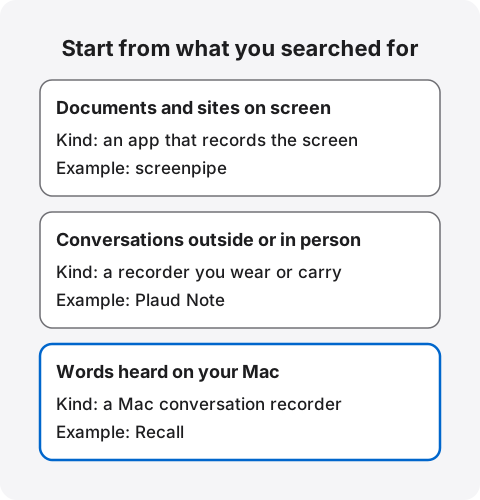
| What you searched for | Kind of tool | Example |
|---|---|---|
| Documents and sites you saw on screen | An app that records the screen | screenpipe |
| Conversations out and about or in person | A recorder you wear or carry | A recorder such as Plaud Note |
| Words from meetings and videos you heard on your Mac | A Mac conversation recorder | Recall |
To search your screen: an app that records it
Rewind's signature was letting you search what had been on your screen. To keep that, look for an app that records the screen. For example, screenpipe says it keeps your screen, audio and app history locally, and that raw history stays local by default. Recall does not record the screen, so it does not fit this use.
If you use Windows, Copilot+ PCs running Windows 11 have a feature called Recall. According to Microsoft's support page, once you opt in it saves a snapshot of your screen every few seconds and when the active window's content changes, encrypts it and keeps it on the PC's own drive. It says snapshots are not shared with Microsoft or third parties. It needs a PC with a 40 TOPS NPU, 16 GB of memory, 256 GB of storage and more, and it does not run on a Mac. Despite the shared name, it is a different product from the Recall in this article, KOROMO K.K.'s Mac app.
Screen recording also captures passwords and other people's messages. Whatever you choose, decide which apps to exclude and keep the retention short before you start.
When you choose an app that records the screen, check these four things.
- Where it processes: Whether reading text on screen and summarizing happen on the Mac or in the cloud.
- What you can exclude: Whether banking and password apps and private chats can be left out.
- How much space it takes: Screen recordings are larger than text-only records. Check free space on your Mac and settings that delete old records automatically.
- Whether it hands records to outside AI: For features that let AI read your records, what is sent and where.
To keep conversations outside: a recorder
If you used the Pendant for conversations out and about or in person, the replacement is a recorder you wear or carry. A Mac app cannot keep conversations where the Mac is closed. We compare recorders in PLAUD NOTE alternatives. Like the Pendant, Plaud Note sends audio through your phone to the cloud for transcription.
The difference from the Pendant is how it starts. The Pendant was built to record all day, while Plaud Note records when you press its button. A conversation you forget to start is not kept. Decide first whether you want to record all day or only the conversations that matter, and the choice becomes clearer.
To search words you heard on your Mac: Recall
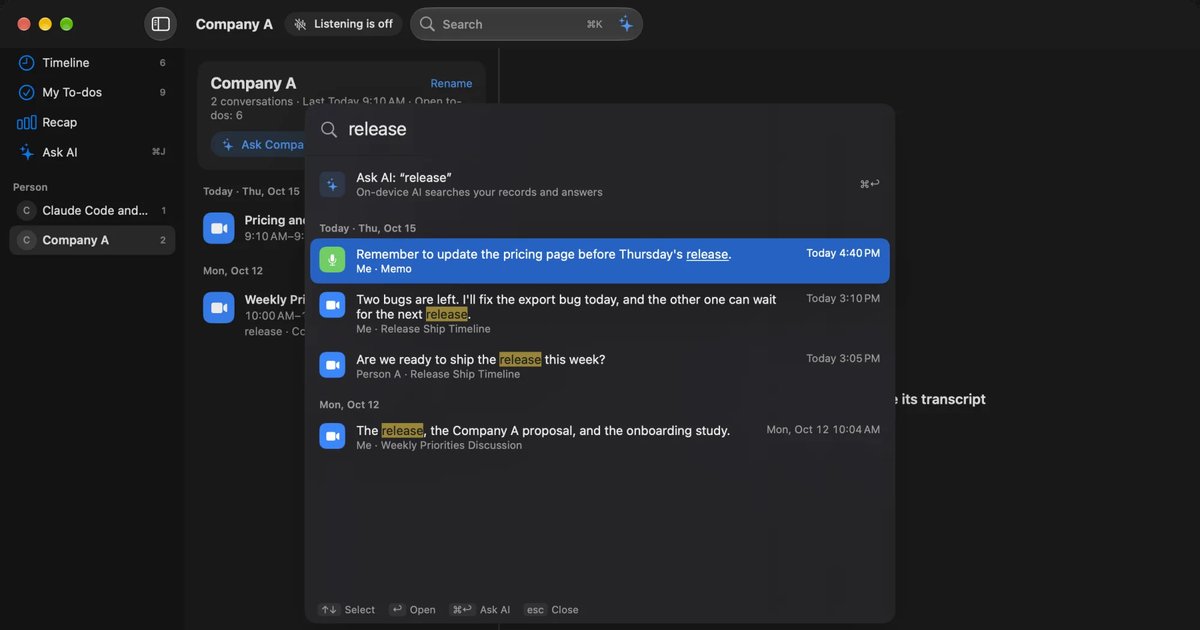
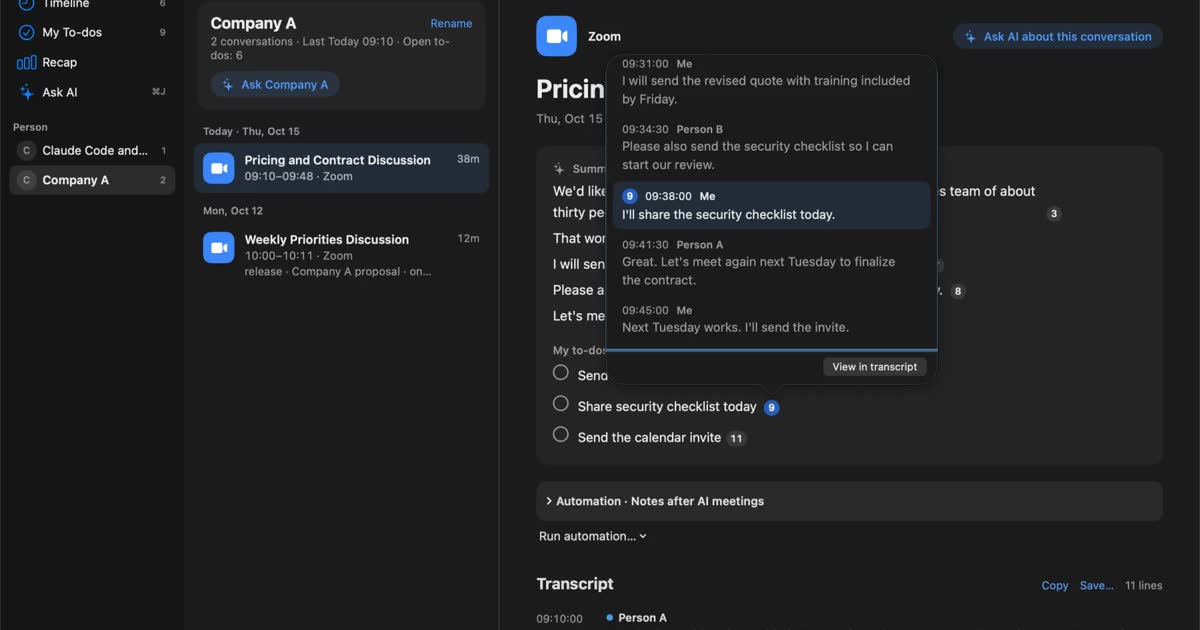
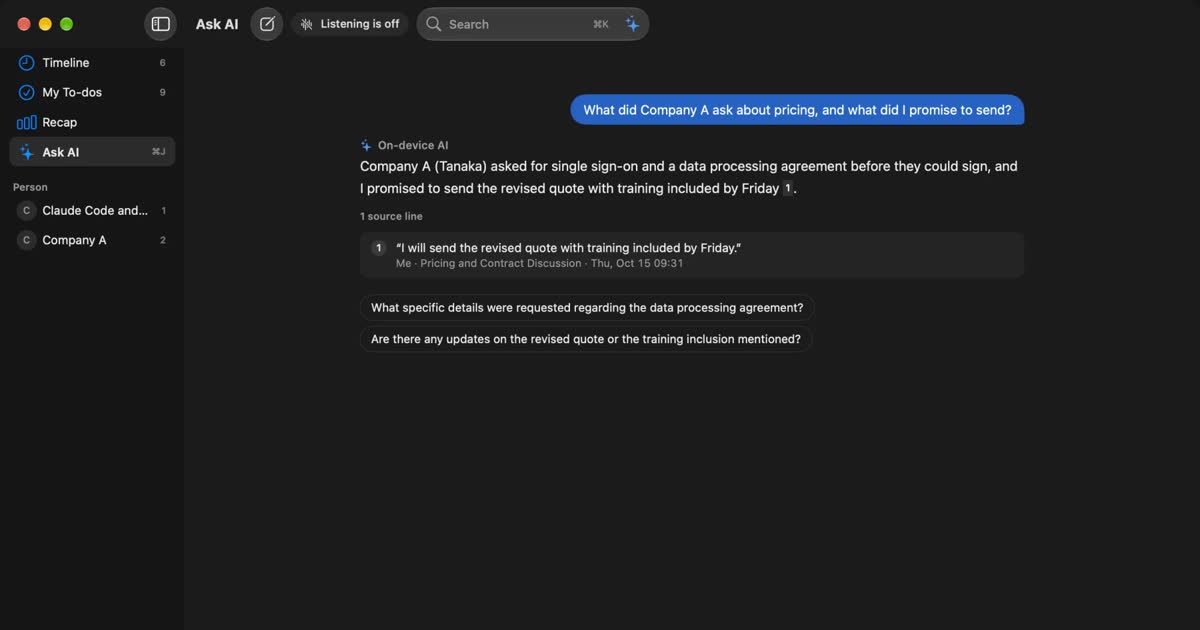
If you mainly used Rewind or the Limitless desktop app to keep web meetings and webinars, Recall works on a similar idea. It stays in the Mac's menu bar and turns the microphone and the sound your Mac plays into text with no action on your part. It works with any meeting tool, and no bot joins the meeting. You search words with ⌘K, and Ask AI answers with the numbers of the original utterances it used.
Unlike Rewind, it keeps neither the screen nor the audio. What stays is the text made from voices, and what is built from it, such as summaries.
Other ways to keep conversations on a Mac
Besides Recall, Granola, Otter and MacWhisper can keep meetings you hear on a Mac. Only Recall is always listening; the others start per meeting.
| How it starts | Audio | |
|---|---|---|
| Granola | Open the meeting's note or click a notification | Deleted after transcription |
| Otter | A bot joins the meeting, or you record | Kept. You can replay it |
| MacWhisper | Hand it a file, or start a recording | Kept inside the app |
| Recall | Listens automatically once installed | Discarded once it is text |
The details for the three products come from our comparison articles, checked against each official page in November 2026. Prices and features can change, so check the official pages before you use them.
Granola lets AI fill out your own notes from the meeting. The free tier keeps the last 30 days of history. Transcription and summaries happen in the cloud, and records are kept on AWS in the US. It is a candidate if you want to share notes with a team. See Granola alternatives.
Otter suits people with many meetings in English, and it also supports Japanese. The free tier allows 300 minutes a month, 30 per conversation, and keeps the latest 25 conversations. It keeps audio you can replay, which is close to how some people used Rewind. Records are kept in the cloud. See Otter alternatives.
MacWhisper transcribes audio files on your Mac. File transcription and more are free, and Pro is a one-time €64. If you want to transcribe audio files you exported from Limitless again, MacWhisper fits, not Recall. See MacWhisper vs Recall.
Limitless and Recall compared
The main difference between the Limitless Pendant and Recall is where records are made and whether they pass through the cloud. You cannot start using Limitless today, so this table is for seeing what changes before you switch. Rewind kept your screen and audio on the Mac and has not recorded since December 19, 2025, so it is left out of the table. The Limitless column comes from its official site and help.
| Limitless Pendant | Recall | |
|---|---|---|
| Status today | No new sales. Existing customers supported throughout 2026 | Available |
| Form | Wearable recorder and a phone app | App that stays in the Mac's menu bar |
| What it records | Voices around the Pendant | The Mac's microphone and the sound the Mac plays. No screen |
| Processing and storage | Uploaded through the phone to the cloud for processing and storage | Transcribed and stored on the Mac |
| Audio | Kept. You can set it to delete automatically | Discarded once transcribed. You cannot listen again |
| Out and about | Yes | No |
| Languages | 103 (Pendant and phone app) | Japanese or English, chosen in settings |
| What you need | The Pendant, a phone and a Limitless account | A Mac with Apple silicon on macOS 26 or later. No account |
| Price | Unlimited Plan free for continuing customers | Free costs nothing. Pro ¥980 a month, ¥9,800 a year (tax included) |
The Limitless details come from its privacy page and the supported languages article. Recall's details are on the Features and Pricing pages. We have not compared accuracy on the same audio, so we make no claim about which is more accurate.
What is free in Recall
Recall Free has no limit on transcription. The app shows, and ⌘K searches, the last 14 days. Default retention is 90 days on Free and unlimited on Pro, and you can choose from 7 days up. Records older than 14 days stay saved during the retention period and can be seen on Pro.
Free includes summaries and questions with on-device AI. Summaries and to-dos are made when Apple Intelligence is on. Answers to questions need Apple Intelligence only on Macs with less than 16 GB of memory. Pro adds viewing and searching records older than 14 days, monthly and yearly reviews, and connections to your own AI and outside tools. Plans and licenses has the details.
If you used Rewind to find things from months ago, Free's 14 days will not be enough. Plan on Pro in that case.
What you give up moving to Recall
- Screen: Documents and sites on your screen are not kept.
- Audio: You cannot listen again or check a wrong word by ear.
- Out and about: Conversations where the Mac is closed are not kept. It does not run on phones or Windows.
- Past records: Rewind and Limitless records cannot be imported.
- Several people in person: With your voice registered, other voices reaching the microphone are separated as “Person (in person)”, but however many there are, they count as one. People heard through the Mac are separated by estimate, up to four.
Where records stay
Pendant records stay in the cloud, while Rewind and Recall records stay on the Mac. When you choose a product that is always recording, check where records travel and stay before you look at features. As this acquisition shows, the promises about how records are handled can themselves change when the company does.
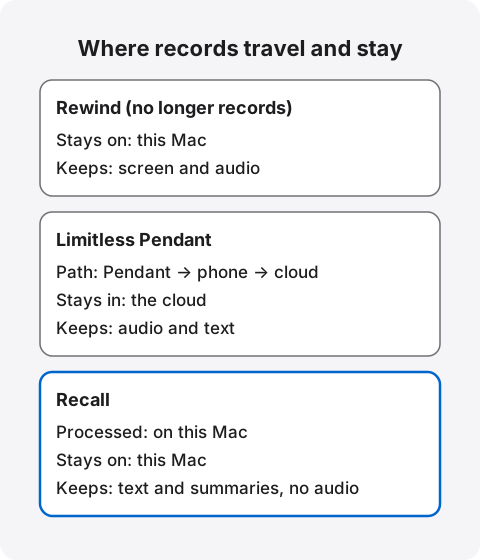
Limitless
Pendant records go through your phone to the cloud, where they are processed and stored. The privacy page describes encryption in transit and at rest, exporting and deleting records, and an audio retention setting (a day, a week, a month, a year or forever). Records stay until you delete them or close your account. Continuing customers need to agree to the updated privacy policy that followed the acquisition.
Recall
Recall discards audio as soon as it becomes text. Transcripts and summaries are kept on the Mac and are not sent to our servers. We hold no copy of your records, so we cannot delete them or hand them to another company. In return, preparing for a lost Mac is up to you. Encryption is left to macOS FileVault, so we recommend turning it on.
Records leave the Mac when you use a Pro feature you turned on, and when you copy or save them yourself. Those features include answering with your own Claude, ChatGPT or Gemini, and letting outside AI tools read records. When records leave the Mac lists everything sent and where. Downloading the model, checking a Pro license and checking for updates also use the network, but no records are included.
Recall is also a product whose terms can change with the company that runs it. That is true of every product, so include whether you can keep records in your own hands and export them in your criteria. You can export Recall transcripts by copying or saving them yourself. What to check if you worry about leaks from AI meeting notes has the full list.
Who Recall suits, and who it does not
Recall suits people who mainly kept web meetings on their Mac with Rewind or Limitless and need neither the screen nor the audio. It does not suit people who want to search their screen, keep conversations outside, or listen again.
Recall suits you if
- You mainly used Rewind or the Limitless desktop app to keep web meetings on your Mac.
- You do not need the screen, and finding the words you heard is enough.
- You want to keep only text on your Mac, with no audio.
- You want to stop leaving conversations in the cloud.
- You want to search what you heard in webinars and videos too.
Free to use · No account needed · macOS 26 or later · Mac with Apple silicon · By downloading, you agree to the Terms of Service
How it fits different work
If you used Rewind or the Limitless desktop app for work, here is how Recall can take its place.
- Sales and customer work: Find what the other side said in a web sales call by searching a company or product name with ⌘K. Conversations line up by person, and what you promised gathers into to-dos.
- Manager one-on-ones: Personal matters are recorded, so tell the person and choose a short retention. You can choose from 7 days.
- Research and learning: Explanations in webinars and videos become text too, so you can find words from a video you watched last week. Charts shown on screen are not kept.
- Interviews: If you need to check the wording of a quote by ear, choose a tool that keeps audio. Recall discards audio and does not suit this.
Recall does not suit you if
- You want to search what was on your screen.
- You want to wear something that keeps conversations out and about, like the Pendant.
- You want to keep the audio itself and listen again.
- You want to use Windows, a phone, an Intel Mac or a Mac before macOS 26.
- You want to keep searching your past Rewind or Limitless records in the same place.
- Many of your conversations are in languages other than Japanese and English.
Because it stays running, Recall uses some CPU and battery. Because it is always listening, it may hear conversations you would rather not keep, so it offers pause, apps you exclude from recording, and deleting the last 15 minutes.
How to switch
Switch in this order: export, look back, try, delete, tell people. Rewind no longer records and Limitless support runs only through this year, so there is little time to run tools side by side.
- Export: Export your Limitless records with Data Exports and decide where to store them.
- Look back: List what you actually opened Rewind or Limitless to find over the past year: the screen, conversations outside, or words you heard on the Mac.
- Pick a kind: Use the table above to pick a kind of tool and try it for a week. Recall can be tried on Free.
- Delete: Once the new tool is enough, delete your Limitless account and Rewind records.
- Tell people: Let the people around you know how you now keep records.
Telling people is the same for every product
Limitless says that, under its Terms of Service, Pendant users must proactively give notice to and seek consent from everyone they record (privacy page). Recall does not appear in a meeting's participant list, and that is exactly why you should tell people you are transcribing. Suggested wording is in the FAQ on the home page. Do not use any of these products where recording is prohibited or where your workplace rules do not allow it.
Frequently asked questions
Does Rewind still work?
It cannot record. According to Limitless, the latest update disabled all screen and audio capture starting December 19, 2025. Past records stay on your Mac until you delete them.
How long will the Limitless Pendant keep working?
The official page says existing Pendant customers are supported throughout 2026, outside Brazil, China, the EU, Israel, South Korea, Turkey and the UK. As of November 13, 2026, the official pages say nothing about 2027 and later. You cannot buy a new one.
Can I still buy a Limitless Pendant?
Not from Limitless. New sales ended on December 5, 2025. The official pages say nothing about devices bought secondhand, and support is stated only through 2026, so it is not a way to start fresh.
How do I export my Limitless data?
Use Data Exports in the web or desktop app, and choose whether to include audio. Large exports take 30 to 90 minutes, so do it before the end of 2026.
Can I import Rewind or Limitless records into Recall?
No. Recall has no way to read audio files or past transcripts. Keep your exported records separately.
Can Recall record my screen?
No. Recall keeps only text made from the microphone and the sound your Mac plays. To search your screen, choose an app that records it, such as screenpipe.
What will Meta do with Limitless?
The announcement says the team is joining Meta to build AI-enabled wearables together. No specific product has been announced.
Will Limitless records in Japan disappear right away?
Japan is not among the regions that lost service on December 5, 2025. Past meetings are stated to stay viewable throughout 2026. The official pages say nothing about 2027 and later, so export before the end of the year.
Can I transcribe exported Pendant audio again?
Not with Recall, which cannot open audio files. To transcribe audio files on your Mac, use a file-focused tool such as MacWhisper.
Is there a free replacement?
Recall Free has no limit on transcription, and viewing and search cover the last 14 days. For other products' free tiers, check their official pages.
What languages does Recall support?
Recall transcribes in Japanese or English, chosen in settings. If you often talk in other languages, a multilingual cloud product fits better.
Does Recall work without the internet?
Once its model is ready, Recall can listen, transcribe and use on-device AI with no connection.
Checked on November 13, 2026. Details about Limitless and Rewind come from the announcement, FAQ and privacy page on the Limitless website and from its official help center. Some help articles still describe things from before the acquisition, so we treated the announcement as the source for current status. What is offered can change, so check the official pages. This article is a general comparison, not legal advice.
Free to use · No account needed · macOS 26 or later · Mac with Apple silicon · By downloading, you agree to the Terms of Service
Get the product overview (PDF) by email →
Related articles
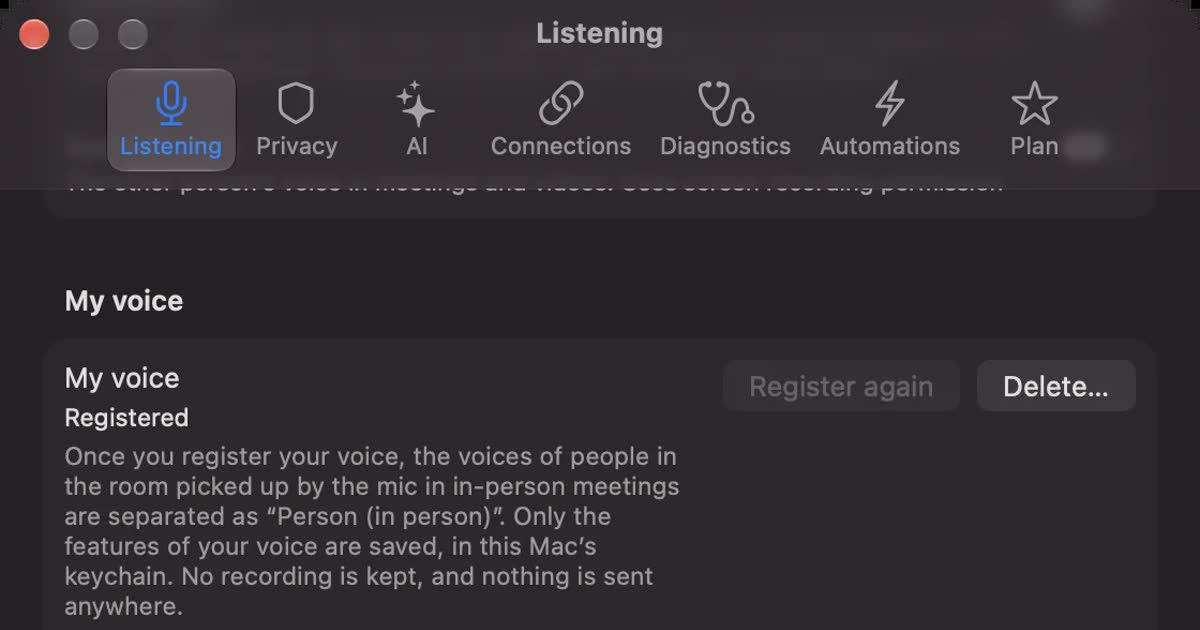
PLAUD NOTE alternatives: choosing between a recorder and an app
Looking for a PLAUD NOTE alternative? Compare a dedicated recorder with Recall by where you talk, saved audio, cloud handling and three-year cost, and see who each suits.
How to transcribe locally on a Mac: keeping meetings inside your company
How to transcribe on a Mac without sending audio to the cloud. Compare Notes, MacWhisper, Aiko, whisper.cpp, Recall and more, and check the four places records can still leave.
Granola AI alternatives: Granola vs Otter and Recall compared
For people looking for a Granola AI alternative. We compare languages, Granola vs Otter, where notes are processed and stored, how to opt out of training, and pricing from official sources, including who should stay with Granola and who Recall does not suit.