 Recall
PLAUD NOTE alternatives: choosing between a recorder and an app
Looking for a PLAUD NOTE alternative? Compare a dedicated recorder with Recall by where you talk, saved audio, cloud handling and three-year cost, and see who each suits.
In short: where you talk decides between a recorder and an app
In short, a dedicated recorder like PLAUD NOTE suits you if you want to keep conversations out and about, in person and on the phone, and Recall suits you if you want the meetings and webinars you hear on your Mac turned into text with no action on your part. What matters is not the length of the feature list but where the conversations you want to keep actually happen. After that, two questions settle it: do you want to keep the audio, and are you comfortable leaving transcription to the cloud?
This article is written by KOROMO K.K., the company that develops the Mac transcription app Recall. Our own product is in the comparison, so read with that in mind. The product's official spelling is Plaud Note, so from here on we write Plaud Note for the recorder and Plaud for the service and the company. We checked the details for Plaud and the other companies on their official pages on November 2, 2026. We have not compared accuracy on the same audio, so we make no claim about which is more accurate. Some of the official pages we cite are in Japanese.
| Your situation | Where to read next |
|---|---|
| You make many calls or spend your days out | Think about where you talk |
| Confidentiality is the concern | Where audio and text stay |
| Cost is the question | What one and three years cost |
How a dedicated recorder differs from an app
The biggest difference is where sound is picked up and where it becomes text. Plaud Note records on the device, moves the audio to the phone app, and transcribes in the cloud. Recall stays on your Mac, turns the microphone and the Mac's own sound into text on the spot, and discards the audio.
| Plaud Note | Recall | |
|---|---|---|
| Form | Card-shaped recorder and a phone app | App that stays in the Mac's menu bar |
| How it starts | Press and hold the button on the device | Listens automatically with no action |
| What it hears | Conversations near the device and phone calls | The Mac's microphone and the sound the Mac plays |
| Transcribed | In the cloud | On this Mac |
| Summaries | Cloud AI | On-device AI by default. Pro can use outside AI |
| Audio | Kept. You can listen again | Discarded once transcribed. You cannot listen again |
| Speakers | Separated with speaker labels | Up to four people heard through the Mac are separated by estimate. With your voice registered, people in the room count as one |
| Languages | More than 112 | Built mainly for Japanese and English |
| What you need | The device, a phone and a Plaud account | A Mac with Apple silicon on macOS 26 or later. No account |
| Free tier | Starter, 300 minutes a month, comes with the device | Transcription has no limit. View and search the last 14 days |
| Paid | Pro ¥1,400 a month billed yearly, ¥3,000 billed monthly | Pro ¥980 a month, ¥9,800 a year (tax included) |
| Sharing | Link sharing. A Team plan for groups | Copy or save the transcript and pass it on yourself |
The Plaud details come from the Plaud Note Pro page, the plans page and the file transfer support article. Prices are for Japan. Recall's details are on the Features and Pricing pages.
A Plaud device can record before anything reaches your phone. It has 64GB of storage and needs no network at the moment of recording. That is a real strength over Recall, which needs a Mac that is open and running. In return, Recall asks for no button press, and there is no device to carry or charge.
Plaud has three current devices
The current devices differ in shape and pickup range. Prices are the tax-included figures in the official comparison table.
| Price and continuous recording | Best for | |
|---|---|---|
| Plaud Note | ¥27,500. Up to 30 hours | In-person meetings and calls. Pickup up to 3 m |
| Plaud Note Pro | ¥30,800. Up to 30 hours, up to 50 hours in its long-battery mode | Large meeting rooms and calls. Pickup up to 5 m |
| Plaud NotePin S | ¥27,500. Up to 20 hours | Wearing it while you record. In-person recording only |
If you also want calls, choose Plaud Note or Plaud Note Pro. Plaud's help also says the pin-shaped Plaud NotePin does not record calls.
Keep the audio, or discard it
This is the biggest fork between a recorder and an app. Plaud keeps audio, so you can check a transcription mistake by ear later. That suits interviews where tone and wording matter, and checks where the exact words count. Keeping recordings also means keeping the job of managing them.
Recall discards audio once it becomes text, so you cannot listen again. If the text is wrong, it stays wrong. In return, people's voices do not pile up as records. That suits meetings where you would rather not keep voices, and uses where searching the words is enough. Neither is the right answer in general. It depends on what you will want to check later. If you want to check by ear, choose a recorder. If searching words is enough, choose Recall.
The daily effort
A recorder adds four actions to your day: carrying, charging, pressing the button and transferring. Plaud Note Pro says it can record a week of meetings on one charge, so charging is a small burden. Recordings move over Bluetooth when you connect the app, large files can use Wi-Fi Fast Transfer, and on iOS you can turn on background transfer when the device is nearby. It gets easier with habit, but on days you leave it behind, nothing is kept.
Recall has no daily actions as long as the Mac is running. You never forget to start, but it may also hear conversations you would rather not keep. That is why it offers pause, apps you exclude from recording, and deleting the last 15 minutes. It removes the effort of starting and asks you to decide when to stop.
What you can do after recording
Both answer questions about your records in a way that leads back to the original words. Ask Plaud traces an answer back to the audio, and Recall's Ask AI numbers the utterances it relied on. The difference comes after that.
Plaud leans toward producing work. The Plaud Intelligence page describes more than 10,000 summary templates, generated documents and spreadsheets, and connections to Google Calendar, Slack and Notion, some in preview. AutoFlow can automate transcription, summary and sending by email.
Recall leans toward supporting your own memory. What you said you would do gathers into a to-do list, conversations line up by person, and a weekly review is built for you. During a meeting, the Live Panel can summarize what has been said so far. If you want documents for a team, Plaud fits. If you want to track what you promised, Recall fits.
Think about where you talk
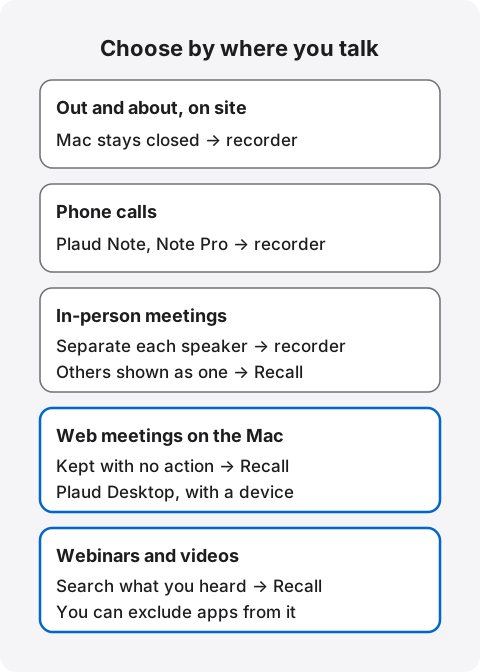
If you are unsure, think back over last week and count your conversations by place. If most were away from the Mac, look at a recorder. If most were on the Mac, look at Recall.
Out and about, on site: a recorder fits
Recall runs on a Mac, so conversations where the Mac stays closed are not kept. It does not run on phones or Windows. If you have many talks at client sites or checks in the field, a recorder you can carry in a pocket or wear as a pin fits. No app replaces it in places you cannot bring a Mac.
In-person meetings: a recorder has the edge
Recall can keep in-person meetings, with conditions. If you register your voice, other people's voices reaching the microphone are separated as “Person (in person)”. They are recorded as one however many there are, so you cannot tell who said what. Without a registered voice, everything on the microphone counts as you.
Plaud separates speakers with labels, and Plaud Note Pro describes pickup up to 5 m. If you want to tell several people apart in a meeting room, a recorder is the better design. We have not measured how far a Mac's microphone reaches. If you plan to use it in a large room, try it from your actual seat.
Phone calls: a recorder fits
Plaud Note and Plaud Note Pro attach to a phone and record calls. Recall has no phone call recording. If keeping calls is your main goal, that settles it.
Web meetings on the Mac: Recall fits
Recall takes the other side's voices from the Mac's sound, so there is no bot to add and nothing to start. It estimates up to four people heard through the Mac and separates them as Person A, Person B and so on. It does not matter which meeting tool you use.
Plaud can also record the sound of a Mac or Windows PC without a bot, through Plaud Desktop. You can choose meeting detection, a notification or automatic recording. However, the plans page says Plaud Desktop is only for people who bought a device. Processing happens in the same cloud as with the device.
Webinars and videos: Recall fits
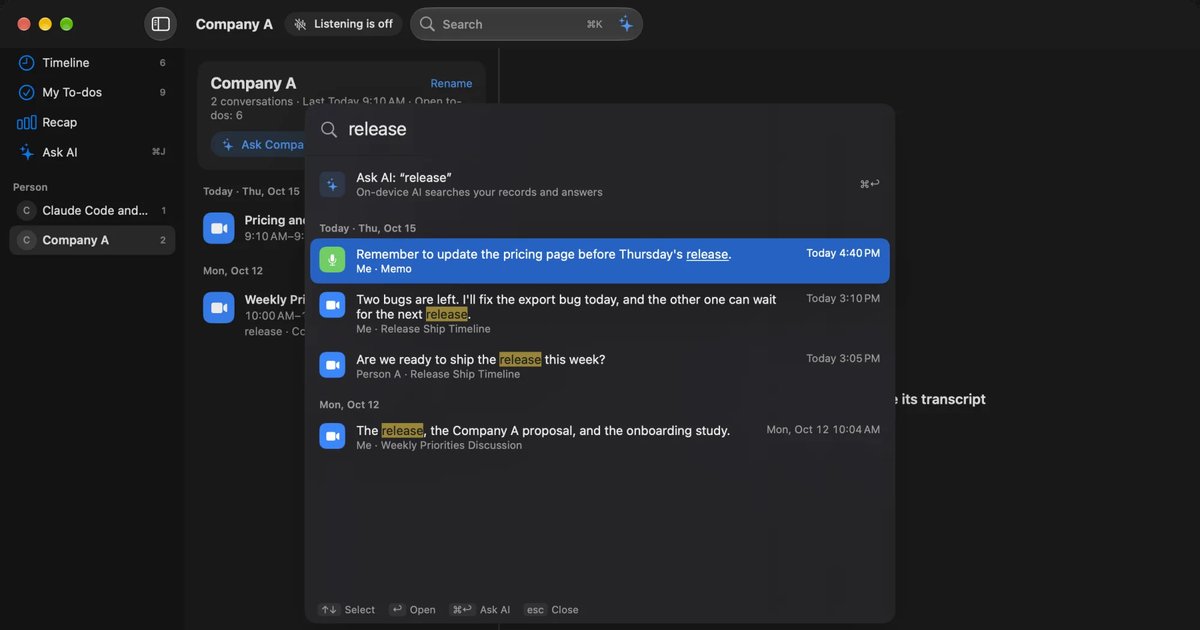
Unless paused, Recall also turns what the Mac plays into text and makes it searchable with ⌘K. That is for finding the name you heard in a video last week. You can exclude apps such as banking from recording, and pause for 15 minutes or an hour.
By kind of work
If place does not settle it, think about the shape of your work. These are guides based on the differences in features.
Field sales: If most talks are in person at client sites, a recorder fits. If most are internal meetings and web sales calls, Recall takes less effort. You are handling the other company's information, so first check that a confidentiality agreement does not restrict entering it into outside services.
Manager one-on-ones and interviews: Personal matters are recorded, so tell the person and keep the retention short. Recall lets you choose from 7 days. With Plaud, you delete what is synced to the cloud, or use it with sync off.
Journalism and interviews: If you need to confirm the wording of quotes, choose a recorder that keeps audio. Recall discards audio and does not suit this.
Lectures and training: In a classroom, a recorder fits. For online training you watch on the Mac, Recall fits. Some lectures do not allow recording, so check the organizer's notice first.
Medical and legal work: With any product, check your organization's rules and guidelines first. Plaud describes HIPAA compliance and includes glossaries for fields such as medicine and law. Recall has no features specifically for this use.
Where audio and text stay
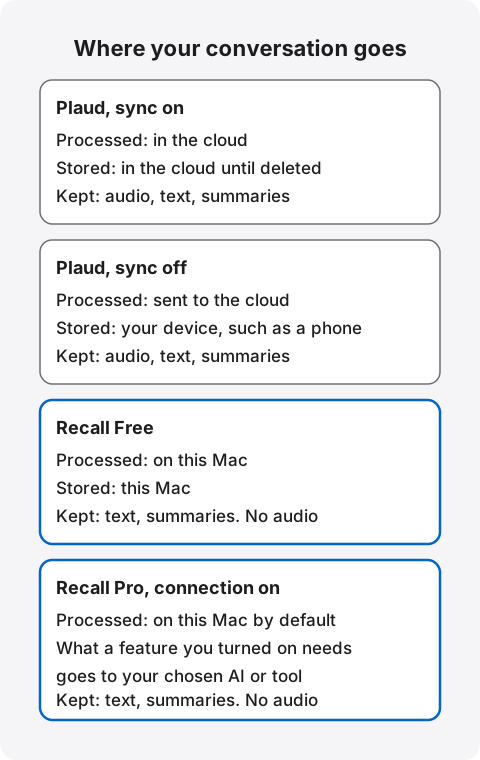
Plaud processes audio and text in the cloud and, depending on your setting, stores them there. Recall discards audio and keeps text and summaries on the Mac. Neither, though, means nothing ever leaves.
How Plaud processes and stores
Plaud's Trust Center says all data is transferred to the cloud for processing. Audio and transcripts are stored in the cloud only when sync (Private Cloud Sync) is on. With sync off, it says the data is deleted from the cloud once it has been returned to the phone.
According to the support article on AI processing, transcription and summaries are provided by OpenAI, Google and Microsoft, with retention and training prohibited by contract. The Trust Center says users outside Europe rely on large language models hosted in the US. If sending audio out for processing is itself against your rules, sync off does not meet them.
With sync on, the security support article says records are kept until the user deletes them or cancels the account. In a Team workspace, the sync support article says sync is always on and cannot be turned off. That article is for an older app version, so check the latest guidance when you roll it out.
What Plaud has in place
- Training: Your data is not used by default. It is used only if you explicitly opt in.
- Encryption: TLS 1.2 or above in transit and AES-256 at rest.
- Certifications: The support article lists ISO 27001, ISO 27701 and SOC 2 Type II. It also describes compliance with HIPAA, GDPR and EN 18031.
- Loss: Recordings leave the device once moved to the phone. Only the bound account can open the data, and support can unbind the device so its data is deleted.
- Staff access: Staff do not routinely access data. Access is limited to support you request, investigating faults or security incidents, and legal requirements.
- Location: The support article says Japanese accounts use AWS Japan.
There is one point to confirm about location. The Japanese company page says user information and audio are kept on servers in the US, which does not match the support article. This may be a difference in when each was written. If location is a requirement, confirm with Plaud before you sign up.
How Recall processes and stores
Recall discards audio as soon as it becomes text. Transcripts and summaries are kept on the Mac and are not sent to our servers. Default retention is 90 days on Free and unlimited on Pro, and you can choose from 7 days up. On Free, the app shows the last 14 days. Older records stay saved during the retention period and can be seen on Pro.
Records leave the Mac when you use a Pro feature you turned on, and when you copy or save them yourself. Those features include answering with your own Claude, ChatGPT or Gemini, letting outside AI tools read records, and passing records to a command in a workflow. When records leave the Mac lists everything sent and where. Downloading the model, checking a Pro license and checking for updates also use the network, and your IP address and similar details reach those services. No records are included.
In return, protecting them is your job. Preparing for a lost Mac is up to you, because we hold no copy of your records. Encryption is left to macOS FileVault, so we recommend turning it on.
This does not mean cloud products are dangerous. A cloud service whose operator handles monitoring and backups and a device you manage yourself protect against different things. What to check if you worry about leaks from AI meeting notes has the full list.
What to check at work
If you will use either on work devices or in work meetings, raise these points with your IT team. Some workplaces do not allow personal recorders in meeting rooms at all.
- Which countries and companies the audio and text pass through.
- Where they stay after processing, and for how long.
- Who does what if a device is lost.
- Whether personal devices and apps are allowed.
- How you will tell the other people in the meeting.
What one and three years cost
A recorder costs money up front, so the monthly difference matters more the longer you use it. We calculated the cost for one person from the official prices for Japan. It assumes today's prices continue and excludes the Mac or phone.
| Combination | One year | Three years |
|---|---|---|
| Plaud Note and Starter (300 min/month) | ¥27,500 | ¥27,500 |
| Plaud Note and Pro, yearly (1,200 min/month) | ¥44,300 | ¥77,900 |
| Plaud Note and Unlimited, yearly | About ¥67,500 | About ¥147,500 |
| AutoMemo S and Premium, yearly (30 hours/month) | ¥34,600 | ¥64,200 |
| Notta Premium, yearly (1,800 min/month) | ¥14,220 | ¥42,660 |
| Recall Free (no transcription limit; view and search cover the last 14 days; deleted after 90 days by default) | ¥0 | ¥0 |
| Recall Pro, yearly (no limit) | ¥9,800 | ¥29,400 |
Here is the calculation. Plaud Pro is ¥1,400 a month billed yearly, so ¥16,800 a year, and Unlimited is ¥3,333.33 a month, so about ¥40,000 a year. Notta's prices are the tax-included figures in its pricing article. AutoMemo's are the device price on its purchase page and the tax-included figures on its plans page. We could not find whether Plaud's plan prices include tax, so we used the figures as shown.
When you estimate, count your monthly time first. Starter's 300 minutes is 5 hours. A one-hour meeting every weekday is 1,320 minutes over 22 days. That exceeds Plaud Pro's 1,200 minutes, so you would need Unlimited or an extra transcription pack. If you run out you can still record, but transcription stops until the next cycle, and unused minutes do not carry over.
Recall costs nothing only if you already own a compatible Mac. If you would need a new one, include that. On Pro, using your own AI with an API key adds that company's usage fees.
Which plan to choose
With Plaud, stay on Starter if 5 hours a month is enough. Rather than paying right after you buy, use it for a month and look at your real minutes. If about 20 hours a month is enough, Pro billed yearly is the better deal. Plaud's own guidance is that Unlimited makes sense above 20 hours of recording a month. Monthly billing, ¥3,000 for Pro and ¥5,000 for Unlimited, is an option for short periods. For organizations there is a Team plan, which includes single sign-on and a data processing agreement. Its launch price through November 30, 2026 is ¥3,373.33 per person a month billed yearly (first year only), or ¥5,016 billed monthly. The regular price is ¥4,216.67 a month billed yearly, or ¥6,270 billed monthly.
With Recall, Free is enough if seeing the last 14 days is all you need. The price does not change with the amount you transcribe. You need Pro if you want to search records older than 14 days, or connect your own AI or outside tools.
Other recorders and apps to look at
If you are torn between a recorder and an app, there are three more options besides Plaud and Recall. AutoMemo is a recorder from Japan, Notta is a cloud service you can also use on a phone, and MacWhisper is an app for files that can run entirely on a Mac.
| Where it records and processes | Price | |
|---|---|---|
| AutoMemo S | Dedicated device, PC or phone. Processed in the cloud | Device ¥19,800. Trial 1 hour a month, Premium ¥1,480 a month |
| Notta | Phone, web and PC. Processed in the cloud. The PC app also has a mode that transcribes on the device | Free 120 min a month, 3 min per session. Premium ¥1,980 a month |
| MacWhisper | On the Mac. Can also use outside AI | Free version. Pro is a one-time €64 |
AutoMemo is a candidate if you want a recorder at a lower device cost. Its official site says the device records offline within its free memory, and you can also record from a PC or phone. Audio and text are stored in the cloud. If call recording matters, Plaud Note's guidance is clearer.
Notta is a candidate if you want to see first whether a phone is enough. No device means no upfront cost. Prices are on its pricing page. Plaud's app is built to pair with a device, and its own explanation assumes the main features start from a bound device. Notta alternatives compared covers how Notta differs from Recall.
MacWhisper is a candidate if you want to transcribe audio files from a recorder or phone on your Mac. Its official page says it can process with local models and record web meetings without a bot. It also suits people who prefer a one-time purchase. Recall cannot read audio files, so it cannot do this. See MacWhisper vs Recall.
Before buying a recorder, see if a phone is enough
If you only want in-person conversations, it is worth trying a phone app first. AutoMemo's trial gives 1 hour a month, and Notta's Free gives 120 minutes a month with 3 minutes per session. Put the phone on the table and see whether it picks up voices in your meetings, and whether not being able to use the phone while recording bothers you.
If it does not bother you, you avoid the device cost. If taking out your phone every time feels like work, or you want to record while on the phone, that is when a recorder earns its place. Its value is less about audio quality figures and more about recording with one button, without using your phone.
Who each one suits
Wanting to keep conversations can mean different things depending on how you work. We start with who Plaud suits.
Plaud Note suits you if
- Many of your conversations happen where the Mac stays closed, such as sales visits, field work or interviews.
- You also want to keep phone calls.
- You want to record several people separately in a meeting room.
- You want to keep audio and listen again later.
- You mainly use Windows or a phone.
- You often talk in languages other than English.
- You do not want to add load to your Mac.
Recall suits you if
- Most of your conversations are web meetings on the Mac, and you want to keep them without pressing record.
- You want to keep only text on your Mac, with no audio.
- You want transcription and summaries done on the Mac. Free includes summaries and questions with on-device AI. Summaries and to-dos need Apple Intelligence on. Answers to questions need it only on Macs with less than 16 GB of memory.
- You want to search what you heard in webinars and videos too.
- You would rather not buy and carry another device.
Free to use · No account needed · macOS 26 or later · Mac with Apple silicon · By downloading, you agree to the Terms of Service
What is free in Recall
Features that run on the Mac are in Free: transcription, ⌘K search, questions and summaries with on-device AI, the Live Panel, the assistant (commitments and due dates) and the weekly review. Pro adds viewing and searching records older than 14 days, monthly and yearly reviews, and connections to your own AI and outside tools. Every feature that sends records out is a Pro feature, so on Free, records leave only when you copy or save them and pass them on yourself. Plans and licenses has the details.
Recall does not suit you if
- You want to use Windows, a phone, an Intel Mac or a Mac before macOS 26.
- You want to keep conversations where you do not bring a Mac.
- You want to keep phone call recordings.
- You want to keep the audio itself and listen again.
- You want to separate several people in an in-person meeting.
- You want a team to share the same minutes by link.
- You want to read recorded files and transcribe them.
On Pro, if the license cannot be checked for 14 days in a row, Pro features stop. They return when you reconnect. Listening and transcription continue as on Free, but records older than 14 days are hidden. Because it stays running, Recall also uses some CPU and battery.
If neither fits
If a team wants to build the same minutes together, a cloud product designed around sharing suits you better than a personal recorder or Mac app. Notta's Business plan, with team workspaces and CRM connections, is that kind of product. If you only need recorded files turned into text and nothing new recorded, MacWhisper is enough. If recording is not allowed at all, the answer is no product and notes by hand.
What to check before you buy
Finding out after buying that a recorder does not fit is a hassle, so try it on your own conversations first. Recall is free to try. Plaud's official store offers a 30-day return guarantee and a one-year warranty. Terms may differ if you buy from another retailer, so check with them.
A week of trying covers your usual in-person meetings, web meetings and calls. If you try both in the same week, tell people first, then compare at the end of the week which records helped.
What to look at when you try
- Names: How well company, product and people's names come out.
- Speakers: Check in-person and online separately.
- Missed conversations: How many you forgot to start in a week. This shows whether pressing a button suits you.
- Finding things: Whether a week later you can find a remark from a word or a person.
- Monthly time: Whether the minutes you actually transcribed fit the plan's limit.
Using both is also an answer
You can use a recorder in person and on calls, and Recall for meetings on the Mac. Recall on Free adds no cost. But your records split into two places. A recorder's audio cannot go into Recall, so you search them separately. If you run both in an in-person meeting, the same conversation stays in two places, so decide which one keeps it.
Telling people is the same for both
A recorder is small, and Recall does not appear in a meeting's participant list. That is exactly why you should tell people you are recording or transcribing. Plaud's plans page also asks you to tell participants and get their agreement before recording. Recall's suggested wording is in the FAQ. Do not use any of these products where recording is prohibited or where your workplace rules do not allow it.
Moving from a recorder to Recall
If you already use Plaud and are moving to Recall, deal with your past records first. Recall cannot import past audio or transcripts. Plaud says canceling a paid plan does not delete records, and you move to Starter and can still see them. Delete anything you want gone yourself. Turning sync off leaves what is already in the cloud, so that needs deleting separately. Going the other way, from Recall to a recorder, copy or save the transcripts you want to keep.
Frequently asked questions
Can I use Plaud with just the app, without the device?
You can get the app and create an account, but the main features assume a bound device. Starter is tied to a device too, and may be removed 30 days after your last bound device is gone. To try without a device, look at Notta or Recall.
Does Plaud Note work with no monthly fee once I buy it?
Yes. The device includes Starter, with 300 minutes of transcription a month at no extra charge. Beyond that you need Pro, Unlimited or an extra pack. You can still record over the limit, but transcription stops until the next cycle.
Can Recall keep in-person meetings?
Yes. It transcribes voices reaching the Mac's microphone. If you register your voice, others are separated as “Person (in person)”, but however many there are, they count as one. To tell several people apart, a recorder fits better.
Do they work without the internet?
A Plaud device records offline, but transcription needs processing in the cloud. Once its model is ready, Recall can listen, transcribe and use on-device AI with no connection.
Is what I say to Plaud used to train AI?
According to Plaud, not by default. It is used only if you explicitly opt in, and its AI providers are bound by contract not to retain or train on the data. By default, Recall does not send records off the Mac.
Which is more accurate, Plaud Note or Recall?
We do not know. We have no results comparing them on the same audio, so we cannot say. Accuracy varies with the speaker, the microphone and the topic. Try them in your own meetings.
Can Recall replace a recorder?
For conversations you hear in front of a Mac, yes. It cannot replace one where the Mac stays closed, on phone calls, or for listening again. If most of your conversations happen away from the Mac, choose a recorder.
Can Recall transcribe audio from Plaud?
No. Recall has no way to read audio files. To transcribe audio files on your Mac, look at MacWhisper.
Do they work on Windows?
Recall does not work on Windows. Plaud works with the device, the phone app and Plaud Web in a browser. If you own a device, Plaud Desktop also works on Windows.
With a recorder, do I still need to tell people?
Yes, please tell them. Both Plaud and Recall assume you do. Do not use them where recording is prohibited or where your workplace rules do not allow it.
Checked on November 2, 2026. Details about other companies come from their official pages and help. Some of Plaud's pages do not match, possibly because they were written at different times. Prices and features can change, so check the official pages before you buy. This article is a general comparison, not legal advice.
Free to use · No account needed · macOS 26 or later · Mac with Apple silicon · By downloading, you agree to the Terms of Service
Get the product overview (PDF) by email →
Related articles
Limitless and Rewind alternatives: keeping conversations after the shutdown
Rewind has stopped recording and Limitless was acquired by Meta. What the official pages say today, how to export your data, alternatives by screen, conversation or wearable, and how Recall differs.
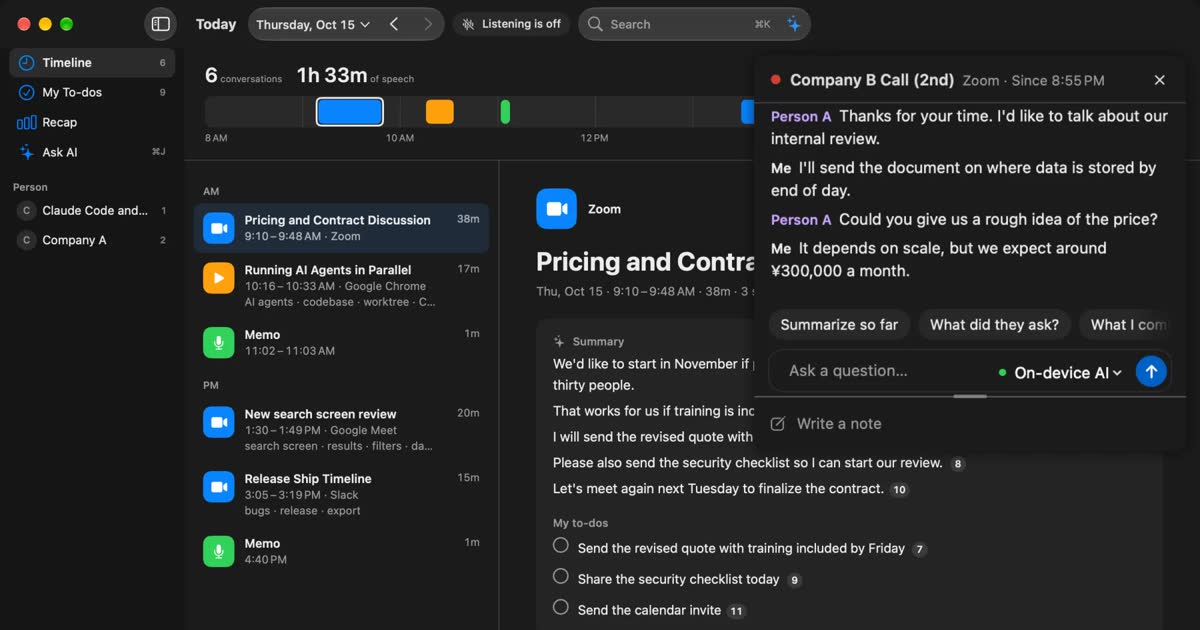
MacWhisper vs Recall: how they differ before you switch
Looking for a MacWhisper alternative? Compare audio files, always-on capture, saved audio, pricing and requirements, and see who each app fits.
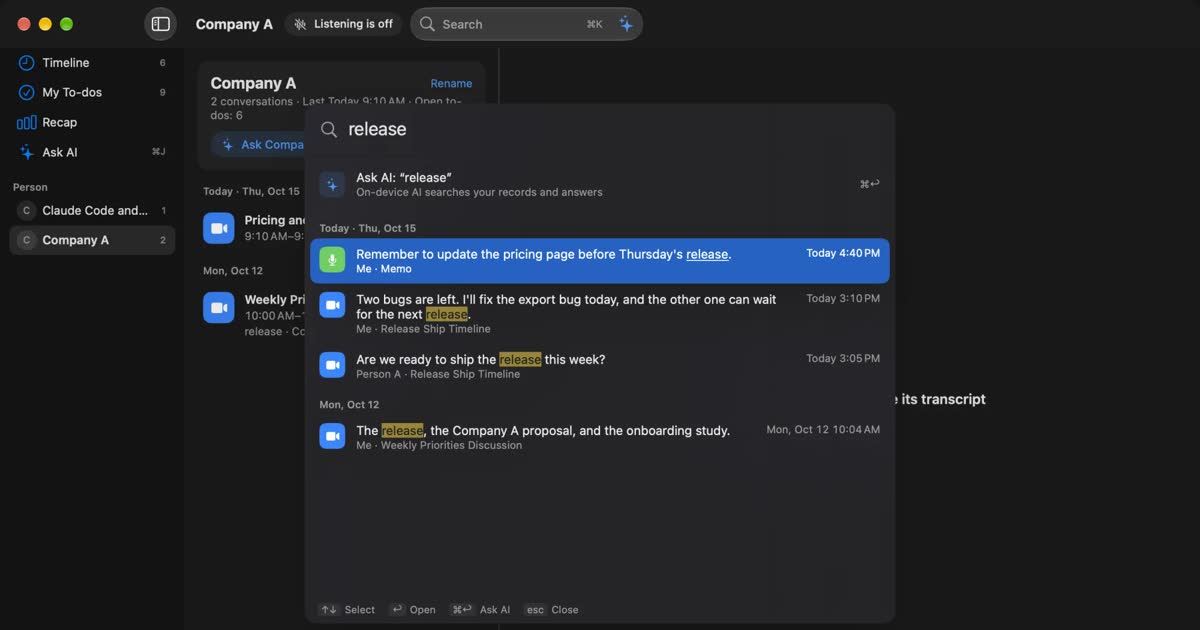
Notta alternatives compared: choosing when you worry about data leaks
For people looking for a Notta alternative. We split the worry about leaks into three, then cover what you can do within Notta, Privacy Mode, and how five products including Recall differ, and who they do not suit.
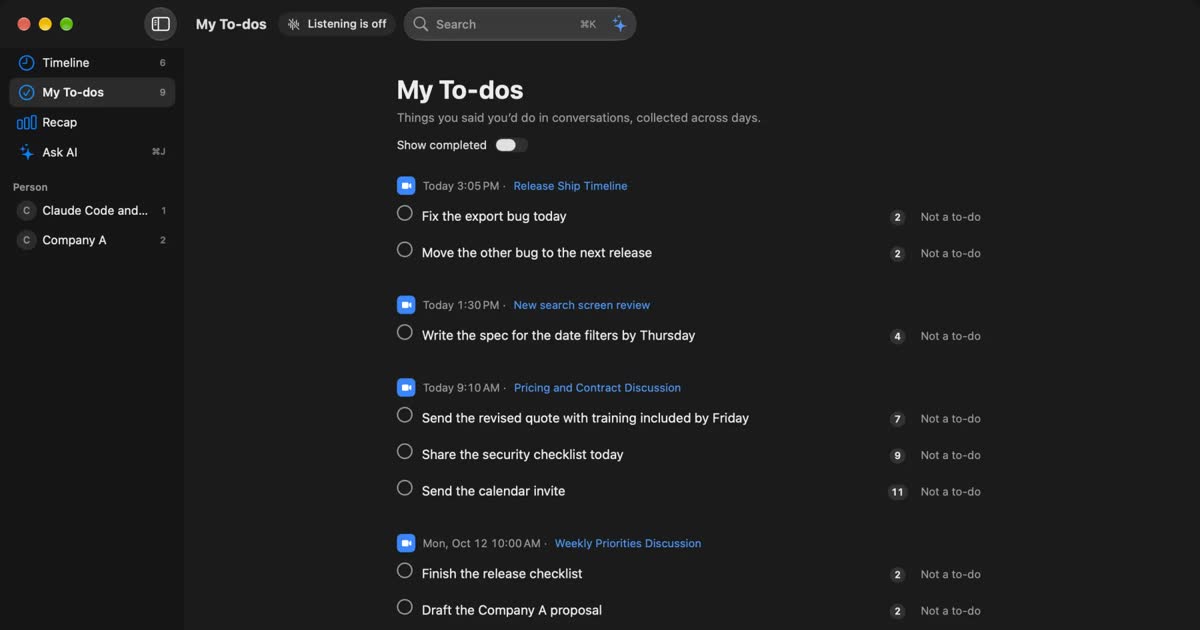
How to automate sales call notes: what to keep, what to say, and your CRM
A guide for sales and customer success. What to keep in call notes, phrases for telling the other side, how notes relate to your CRM, and how to choose among tools such as Notta and amptalk.
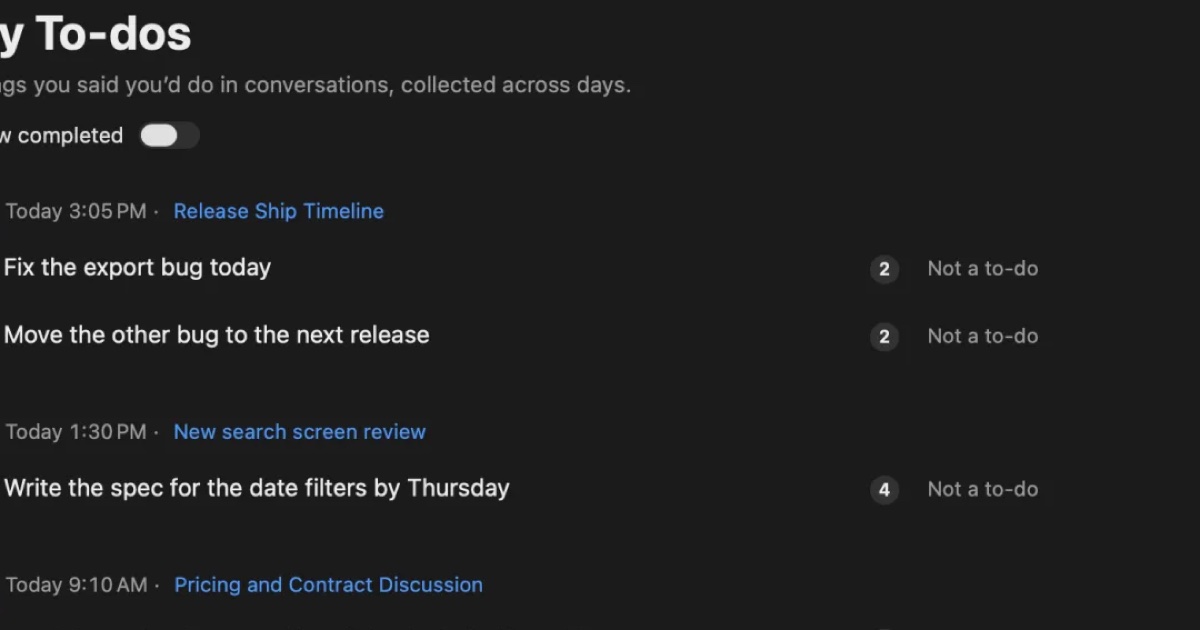
AutoMemo pricing, features, and how it differs from Recall
Sourcenext's AutoMemo: its pricing plans, how it records, and how it handles data, checked against its official pages and compared with Recall, which runs on your Mac. Who AutoMemo suits, and who Recall suits.