 Recall
AutoMemo pricing, features, and how it differs from Recall
Sourcenext's AutoMemo: its pricing plans, how it records, and how it handles data, checked against its official pages and compared with Recall, which runs on your Mac. Who AutoMemo suits, and who Recall suits.
The short answer: AutoMemo for recording anywhere, Recall for always keeping Mac meetings
AutoMemo transcribes and summarizes, in the cloud, audio recorded on a PC, a phone app, or its own voice recorder. It works on Windows, Mac and phones, and handles in-person meetings, field notes and recorded files. Audio is kept too, so you can listen again. If you record in more places than in front of a Mac, AutoMemo fits better.
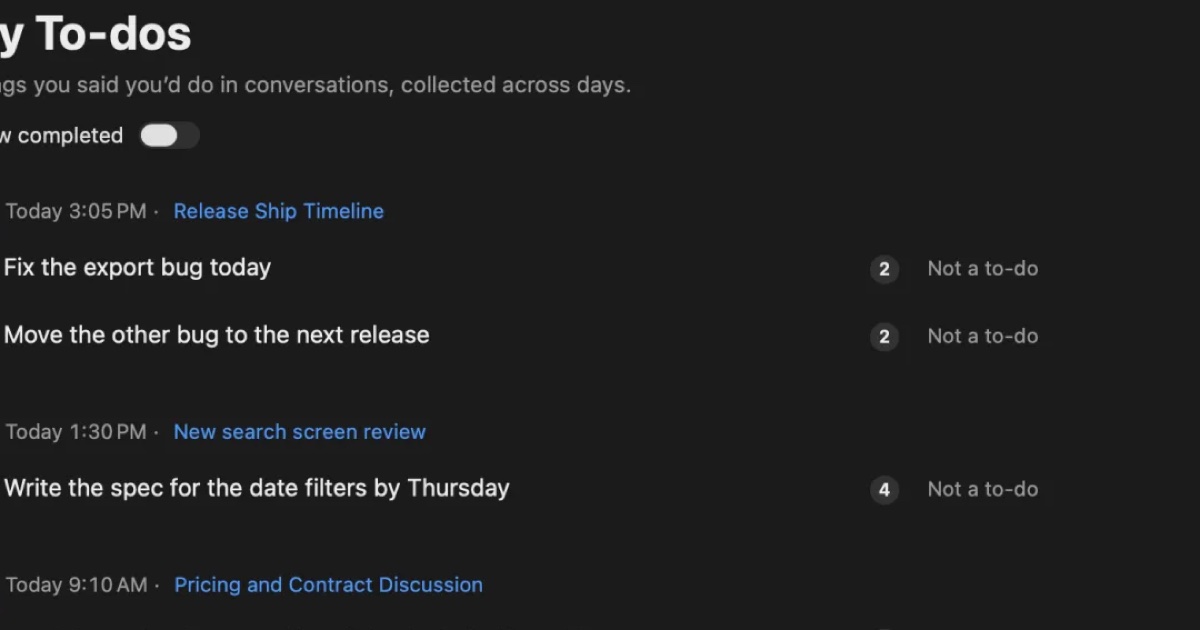
Recall is an app that keeps meetings and videos you hear on your own Mac, with no record button. It stays in the menu bar, listens automatically, and keeps the transcript and summary on this Mac. Transcription is unlimited even on the free plan. If you want meetings on your Mac kept without ever forgetting to record, Recall suits you.
This article is written by KOROMO K.K., which makes Recall. We are comparing our own product, so read it with that in mind. AutoMemo details were checked on November 14, 2026 on AutoMemo's official site, its pricing plans, and the RecText AI page. We have not compared accuracy on the same audio, so we do not claim either is more accurate.
What AutoMemo is
AutoMemo is a transcription AI from Sourcenext Corporation in Japan. Its site describes it as a transcription AI you use in a browser, and lists three ways to record:
- A computer: record Zoom, Teams and Google Meet meetings straight from the browser. Small in-person meetings can be recorded with the computer's microphone.
- A phone app: the AutoMemo App, on the App Store and Google Play. Put it on the table for an in-person meeting, or use it for voice memos on the move.
- Its own voice recorder: press the button and set it down. It is meant for sites where you cannot bring a computer or phone, and can record offline as far as its built-in memory allows.
Recorded audio is transcribed in the cloud, then summarized by AI. It separates speakers automatically and pulls out decisions and to-dos with owners and due dates. It also offers keyword search, sharing by viewing link or email, uploading audio and video files such as mp3, wav and mp4, automatic upload to Dropbox, Google Drive and OneDrive, export to kintone, and search from Microsoft 365 Copilot.
The comparison table on the RecText AI page lists 72 languages, and its FAQ says one recording can contain only one language, set before you record.
AutoMemo's pricing plans
For individuals there is a free trial plan and a Premium plan with 30 hours a month. The pricing page lists the following, tax included.
| Trial plan | Premium plan | |
|---|---|---|
| Price (tax included) | Free | ¥1,480 a month (first month free), or ¥14,800 a year paid at once |
| Transcription time | 1 hour a month | 30 hours a month |
| Summaries | Once per file | Unlimited |
| How long you can view data | 7 days | Unlimited |
If you run short, you can add 10 hours for ¥1,980 or 50 hours for ¥9,900 (tax included, valid for 180 days). People who bought the voice recorder or other listed products can view their data without a time limit even on the trial plan.
For businesses there is a Share plan in which members split transcription hours. It lists Share 100 hours at ¥19,800 and Share 600 hours at ¥99,000, usable for one year from registering the serial, with no limit on accounts. We could not find whether these include tax, so we give the amounts as shown.
Sourcenext also sells RecText AI, a one-time purchase (¥9,980) Windows program that transcribes entirely on the PC. It keeps everything off the internet, but has no speaker separation or summaries, and handles only Japanese and English.
AutoMemo vs Recall
AutoMemo handles recorded audio in the cloud, and Recall is a personal record app that runs inside the Mac. The main differences:
| AutoMemo | Recall | |
|---|---|---|
| Where it runs | A browser on Windows or Mac, iOS and Android apps, and its own voice recorder | An app on a Mac with Apple silicon running macOS 26 or later |
| How you start | Start a recording | Stays running and listens automatically |
| Meeting bot | None (computer recording) | None |
| Where transcription happens | The cloud | On this Mac |
| Audio | Saved in the cloud; play back at 0.5× to 2× | Discarded after transcription; no playback |
| Recorded files | Can be uploaded | Cannot be imported |
| Languages | 72; one language per recording | Japanese or English, chosen in settings |
| Free plan | 1 hour a month; data viewable for 7 days | Unlimited transcription; view and search the last 14 days |
| Paid plan | Premium ¥1,480 a month or ¥14,800 a year (tax included); 30 hours a month | Pro ¥980 a month or ¥9,800 a year (tax included); unlimited transcription |
Recall details are as on the Pricing and Features pages.
Where AutoMemo is strong
- Records anywhere: combine a computer, a phone and the voice recorder, including places like construction sites or factories where you cannot bring a computer.
- Works on Windows and phones: Recall is Mac only.
- Lets you listen again: the audio is kept, so you can check wording and numbers in the original voice.
- Transcribes files: audio and video recorded on other devices can be uploaded.
- Many languages: 72 are supported.
- Shared hours for teams: the Share plan does not cost more as people are added.
Where Recall is strong
Recall's strength is that what you hear is kept without any setup. It stays in the menu bar and listens to the microphone (your voice) and the Mac's sound (the other people in a meeting or video). You never forget to start a recording, and unplanned conversations are kept too.
There is also no monthly time limit. AutoMemo Premium is 30 hours a month: one hour-long meeting every weekday is 22 hours and fits, but adding videos or webinars can run past it. Recall's transcription is unlimited even on Free; Pro adds viewing and searching records older than 14 days, monthly and yearly reviews, and connecting your own AI and outside tools.
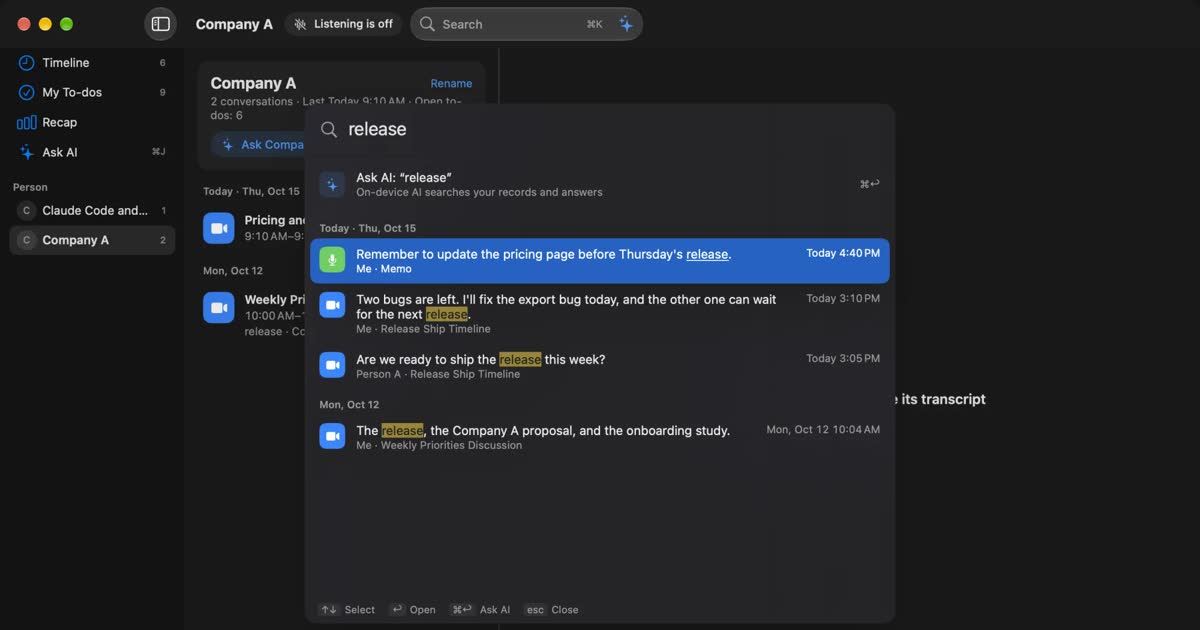
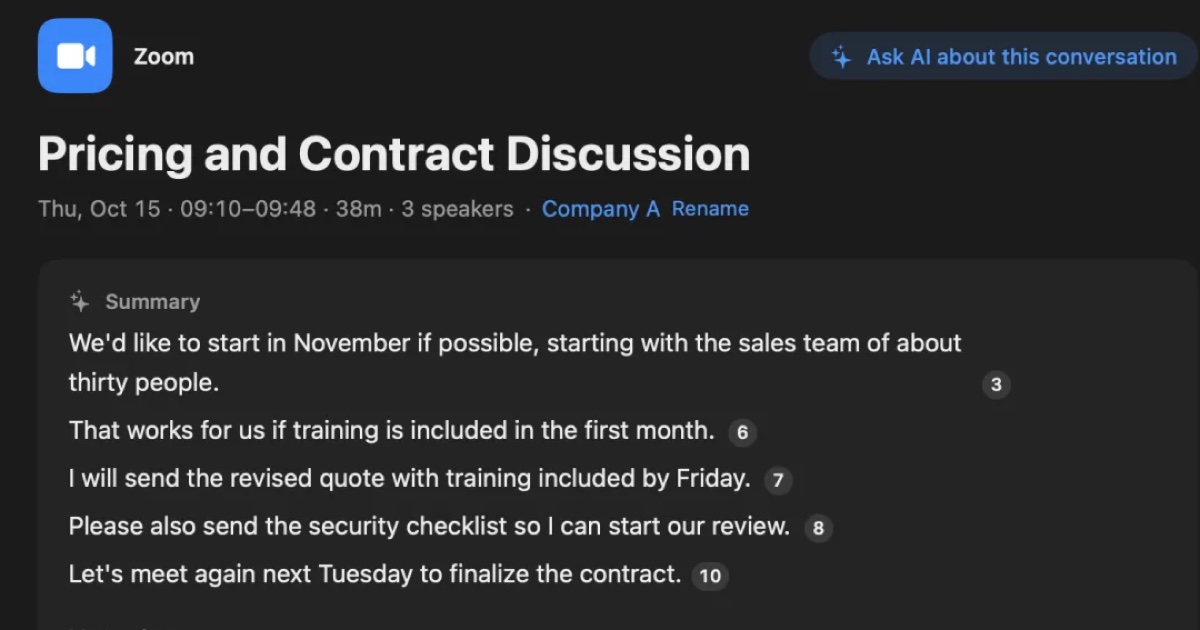
You can search what it keeps by words with ⌘K, and Ask AI answers with numbered links to the lines it is based on. When a conversation ends, the AI on this Mac writes a summary and what you need to do. Summaries and to-dos need Apple Intelligence turned on. Answers to questions need it only on Macs with less than 16 GB of memory. See Plans and license.
Keeping meetings on a computer
Both AutoMemo and Recall keep the other people in an online meeting without a bot. The difference is whether you start a recording.
AutoMemo records Zoom, Teams and Google Meet meetings from the browser. You start a recording for each meeting and stop it at the end. When the recording ends, it is transcribed in the cloud and summarized.
Recall has no recording step at all. It listens to the other people through the Mac's sound and to you through the microphone, with any meeting app. It estimates up to four other speakers in the Mac's sound and labels them Person A, Person B, and so on; you can name them. To keep something out, pause for 15 minutes, 1 hour, or until you resume from the popover, or delete the last 15 minutes after the fact.
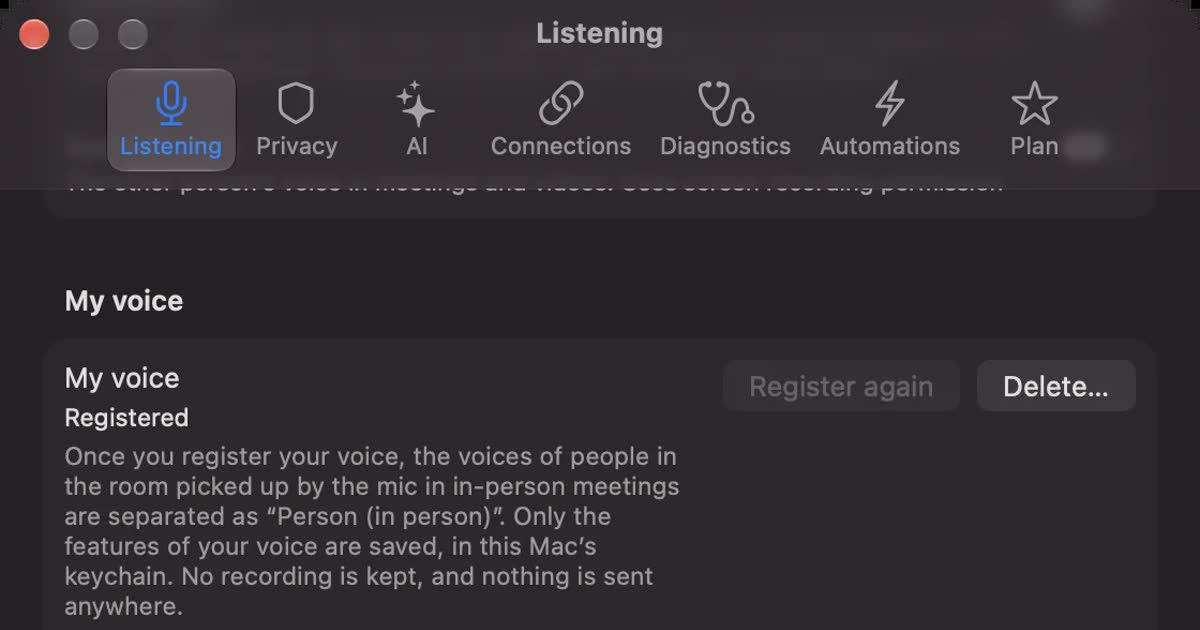
For in-person meetings, Recall listens through the microphone, and once you register your voice, everyone else in the room is recorded as one "Person (in person)", however many people there are. If you want to record from the middle of the table and separate each person, AutoMemo with a phone or its voice recorder fits better.
Neither shows a bot in the meeting, but not being visible does not mean recording is allowed. Tell people you are transcribing. Wording you can use is in the FAQ.
How data is handled
AutoMemo saves audio and text in the cloud; Recall saves only text on this Mac.
AutoMemo: audio and text in the cloud
According to its site, audio and transcripts are saved in the cloud with no limit on how long. Deleting removes the cloud data too, and shared download links stop working. Its security notes list ISO 27001 certification, encryption of data in transit and on its servers, a high-grade data center, protection against unauthorized access, and regular security scans, and say customers' audio is not used to train AI. We could not find the country or region where data is stored on the pages we checked.
Recall: the record stays on your Mac
Recall discards audio once it is transcribed and does not keep it. The transcript and summary are saved on this Mac and are not sent to our servers. The record leaves the Mac only when you use a Pro feature you turned on yourself (your own AI, connections to outside tools, workflow commands, and so on), or when you copy or save it and pass it on. The full list is in When records leave the Mac. Recall keeps no copy of your record, so protecting against a broken or lost Mac is up to you.
If you use either at work, check your workplace rules first. For the full set of checks, see Five checks for any AI meeting notetaker.
Cost over a year
For one person, a year costs ¥14,800 on AutoMemo Premium paid yearly and ¥9,800 on Recall Pro, both tax included, calculated from the official prices. Both start free, but their free plans are shaped differently.
| Product and plan | Cost for a year | Calculation and conditions |
|---|---|---|
| AutoMemo Trial | ¥0 | 1 hour a month; data viewable for 7 days |
| AutoMemo Premium | ¥14,800 (tax included) | Paid yearly. Monthly is ¥1,480 × 12 = ¥17,760. 30 hours a month |
| Recall Free | ¥0 | Unlimited transcription; view and search the last 14 days |
| Recall Pro | ¥9,800 (tax included) | Yearly; unlimited transcription |
If you use AutoMemo's voice recorder, the device costs extra. For Recall, if you do not have a supported Mac, include that cost.
Who each one suits
Whether you only record in front of a Mac mostly decides which fits.
AutoMemo suits you if
- You want to record in-person meetings or field work on a phone or a dedicated recorder.
- You also use a Windows PC.
- You want to keep audio to listen again, and transcribe recorded files.
- You have meetings in languages other than Japanese and English.
- Your team wants to share transcription hours.
AutoMemo does not suit you if
- You often forget to start recording and want everything you hear kept.
- You do not want conversations in the cloud (for transcription only on Windows, there is also RecText AI).
- You want to keep more than 30 hours a month, including videos and webinars.
Recall suits you if
- You want to keep meetings and videos you hear on your Mac without a record button or a bot.
- You want only text kept on your Mac, not conversations on outside servers.
- You want to start free without watching monthly hours.
Free to use · No account needed · macOS 26 or later · Mac with Apple silicon · By downloading, you agree to the Terms of Service
Recall does not suit you if
- You want to use Windows, a phone, an Intel Mac, or a Mac older than macOS 26.
- You want to keep audio to listen again, or transcribe recorded files.
- You need to separate several people in an in-person meeting.
- You have meetings in languages other than Japanese and English.
To compare more ways to record with a device, see PLAUD NOTE alternatives; for cloud transcription, see Notta alternatives compared.
FAQ
Can I use AutoMemo for free?
The trial plan is free and transcribes up to 1 hour a month. Summaries are limited to once per file, and data can be viewed for 7 days. The Premium plan's first month is free.
How much does AutoMemo cost?
As listed on November 14, 2026: Premium is ¥1,480 a month or ¥14,800 a year (tax included) for 30 hours a month. Extra time is ¥1,980 for 10 hours or ¥9,900 for 50 hours (tax included).
Can AutoMemo record Zoom or Teams meetings?
Yes. Its site says you can record Zoom, Teams and Google Meet meetings from a computer's browser without a bot.
Does Recall work on Windows or phones?
No. Recall runs only on Macs with Apple silicon running macOS 26 or later. If you also use Windows or a phone, choose a product that supports them, such as AutoMemo.
Is Recall more accurate than AutoMemo?
We do not know. We have not compared them on the same audio, so we cannot say which is more accurate. Accuracy depends on the speakers, the microphone and the topic. AutoMemo has a trial plan and Recall has a Free plan, so check with your own meetings.
If no bot is visible, do I still need to tell people?
Yes, tell them. This is the same for AutoMemo and Recall. Tell people you are transcribing, and stop if anyone objects. Do not use either where recording is prohibited or your workplace rules do not allow it.
Checked November 14, 2026. AutoMemo and RecText AI details come from AutoMemo's official site, pricing plans and RecText AI page. Prices and features can change, so check the official pages before you buy. This article is a general comparison, not legal advice.
Free to use · No account needed · macOS 26 or later · Mac with Apple silicon · By downloading, you agree to the Terms of Service
Get the product overview (PDF) by email →
Related articles
PLAUD NOTE alternatives: choosing between a recorder and an app
Looking for a PLAUD NOTE alternative? Compare a dedicated recorder with Recall by where you talk, saved audio, cloud handling and three-year cost, and see who each suits.
Notta alternatives compared: choosing when you worry about data leaks
For people looking for a Notta alternative. We split the worry about leaks into three, then cover what you can do within Notta, Privacy Mode, and how five products including Recall differ, and who they do not suit.
YOMEL pricing, features, and how it differs from Recall
YOMEL's pricing plans, how it listens without a bot, how it separates speakers, and how it handles data, checked against its official pages and compared with Recall, a personal Mac app. Which organizations YOMEL suits, and who Recall suits.
toruno pricing, free plan, and how it differs from Recall
Ricoh's AI minutes service toruno: its personal and business pricing plans, what its free plan covers, which meetings and devices it records, and how it handles data, checked against its official pages and compared with Recall, which stays running on your Mac. Who toruno suits, and who Recall suits.