 Recall
YOMEL pricing, features, and how it differs from Recall
YOMEL's pricing plans, how it listens without a bot, how it separates speakers, and how it handles data, checked against its official pages and compared with Recall, a personal Mac app. Which organizations YOMEL suits, and who Recall suits.
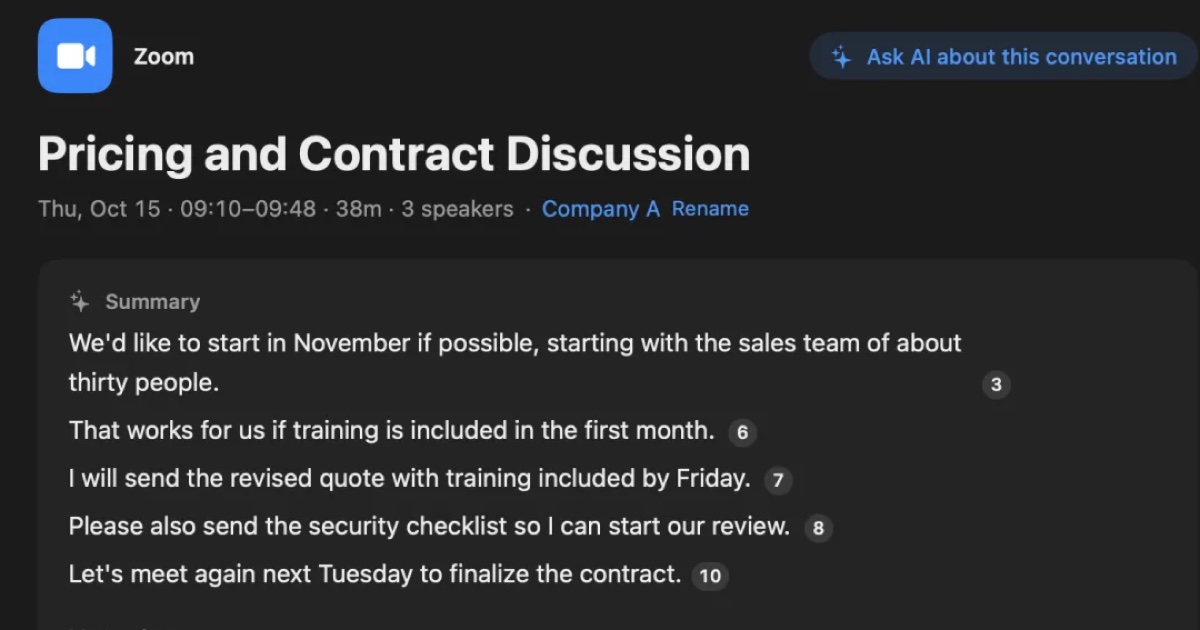
The short answer: YOMEL for company minutes, Recall for your own Mac record
YOMEL is a Japanese cloud AI meeting-minutes service built to cut the work of writing minutes at a company. You pay by hours used, and the smallest plan, Starter, is ¥28,000 a month before tax. It works on Windows and Mac, and in-person meetings can be transcribed by placing an iPhone on the table. It has department management, IP restrictions, and Salesforce and Slack integrations. If a team writes and circulates minutes, YOMEL fits better.
Recall is an app that keeps meetings and videos you hear on your own Mac as a personal record. It stays in the menu bar, listens automatically, and keeps the transcript and summary on this Mac. Transcription is free and unlimited. For your own review, Recall is enough.
This article is written by KOROMO K.K., which makes Recall. We are comparing our own product, so read it with that in mind. YOMEL details were checked on November 14, 2026 on YOMEL's official site and its security page. We have not compared accuracy on the same audio, so we do not claim either is more accurate.
What YOMEL is
YOMEL is an AI minutes service from PKSHA Infinity Inc. Its site calls it the easiest AI for meeting minutes to use: press start when the meeting begins, and it transcribes in real time and summarizes after the meeting. There is no URL to send to participants and no bot that joins the meeting.
The features its site lists for every plan include:
- Speech recognition: automatic transcription, automatic speaker identification, audio import, a custom dictionary, and a phone app for in-person meetings.
- Minutes: topic extraction, summaries, FAQ extraction, full-text proofreading, search and replace, a dedicated minutes editor, sharing by URL, custom summaries, and an AI chat.
- Management and coaching: departments and groups, watching meetings in real time, counter-talk suggestions (ideas for how to reply during a call), and alerts.
- Security: audit log downloads, IP restrictions, automatic removal of personal information, and permissions.
- Integrations: Salesforce and Slack.
Many of these features let managers watch meetings, such as departments, real-time viewing, and counter-talk suggestions. It is less a personal note tool than a tool for an organization to collect and use meeting records. The only other language it supports is English, as a paid option.
YOMEL's pricing plans
YOMEL's pricing has four tiers by hours transcribed a month. Its site lists the following, all before tax.
| Plan | Hours a month | Monthly price (before tax) |
|---|---|---|
| Starter | 30 hours | ¥28,000 |
| Standard | 130 hours | ¥95,000 |
| Business | 300 hours | ¥180,000 |
| Enterprise | 500 hours and up | ¥250,000 and up |
The English option adds ¥6,000 a month on Starter, ¥26,000 on Standard, ¥60,000 on Business, and from ¥100,000 on Enterprise, all before tax. The SSO option is ¥100,000 a month before tax. Meeting microphones and speakers are not included. Above 300 hours, the site asks you to talk to its sales staff.
The free trial lasts about two weeks and covers up to 10 hours. According to the site, a review period follows the trial, and once you sign up, the trial account and its data carry over to the paid service. It is a company trial-then-contract process, not a personal monthly sign-up.
YOMEL vs Recall
YOMEL is a cloud minutes service for organizations, and Recall is a personal record app that runs inside the Mac. The main differences:
| YOMEL | Recall | |
|---|---|---|
| Where it runs | A Windows or Mac browser, ideally Chrome, plus a dedicated app; an iPhone for in-person meetings | An app on a Mac with Apple silicon running macOS 26 or later |
| How you start | Press start when the meeting begins | Stays running and listens automatically |
| Meeting bot | None | None |
| Where transcription happens | The cloud (installation on company servers is also offered) | On this Mac |
| Summaries | Made in the cloud, with custom summaries | Made by the AI on this Mac when Apple Intelligence is on; Pro can use your own AI, which sends it off the Mac |
| Recordings | Kept on the server; a setting can keep none | Discarded after transcription; no playback |
| Recorded files | Can be imported | Cannot be imported |
| Sharing with others | By URL; managed by department and group | Copy or save the transcript yourself and pass it on |
| Price | From ¥28,000 a month before tax; trial of about two weeks and 10 hours | Free plan with unlimited transcription; Pro ¥980 a month or ¥9,800 a year, tax included |
Recall details are as on the Pricing and Features pages.
Where YOMEL is strong
- Works on Windows: it runs on Windows and Mac. Recall is Mac only.
- In-person meetings on an iPhone: open YOMEL on an iPhone and put it in the middle of the table.
- Imports recorded files: audio import is included.
- Organization controls: departments, permissions, IP restrictions, audit logs and SSO, plus ISO 27001 certification. It is easy to explain to an IT team.
- Connects to work tools: Salesforce and Slack integrations, and custom summaries in your company's format.
- Support: email accepted 24/7, answered on weekdays from 10:00 to 17:00 Japan time, according to its FAQ.
Where Recall is strong
Recall's strength is that what you hear is kept without any setup. It stays in the menu bar and listens to the microphone (your voice) and the Mac's sound (the other people in a meeting or video). There is nothing to start, so unplanned conversations are kept too.
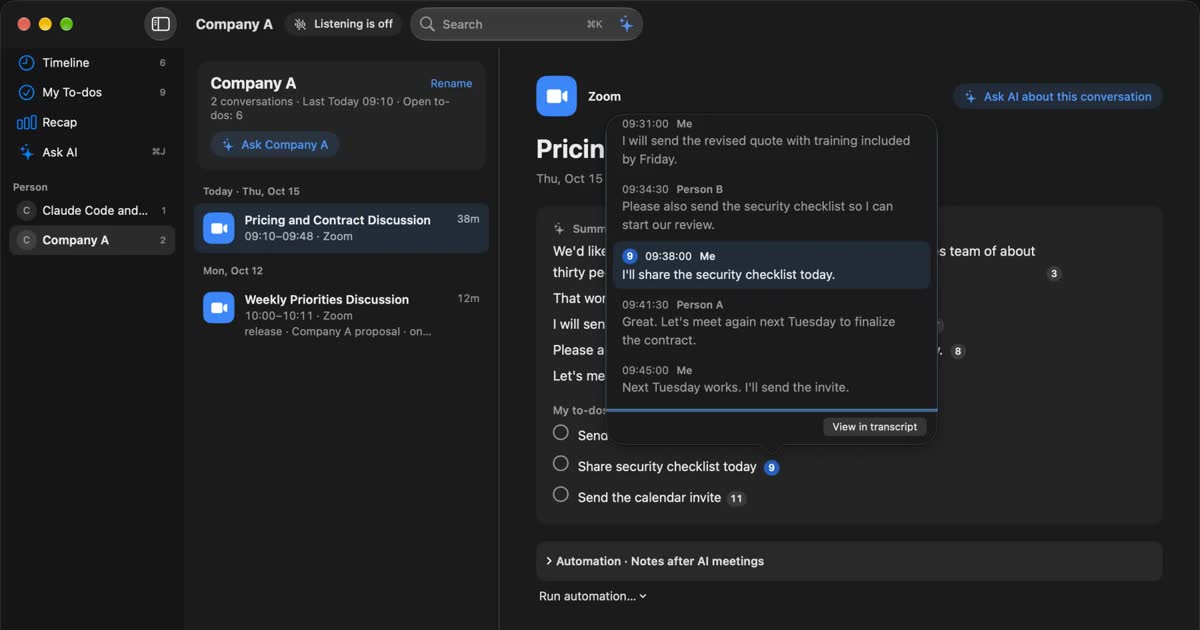
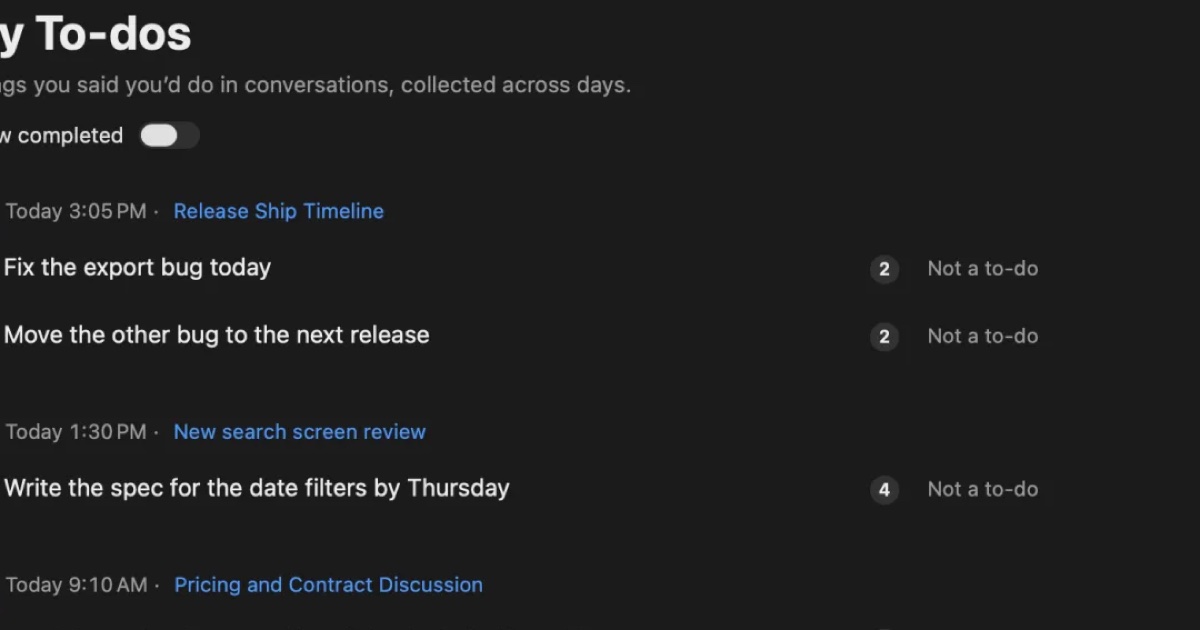
What it keeps is shaped for you to use later. You can search by words with ⌘K, and Ask AI answers with numbered links to the lines it is based on. When a conversation ends, the AI on this Mac writes a summary and what you need to do. Summaries and to-dos need Apple Intelligence turned on. Answers to questions need it only on Macs with less than 16 GB of memory. Transcription is unlimited even on Free; Pro adds viewing and searching records older than 14 days, monthly and yearly reviews, and connecting your own AI and outside tools. See Plans and license.
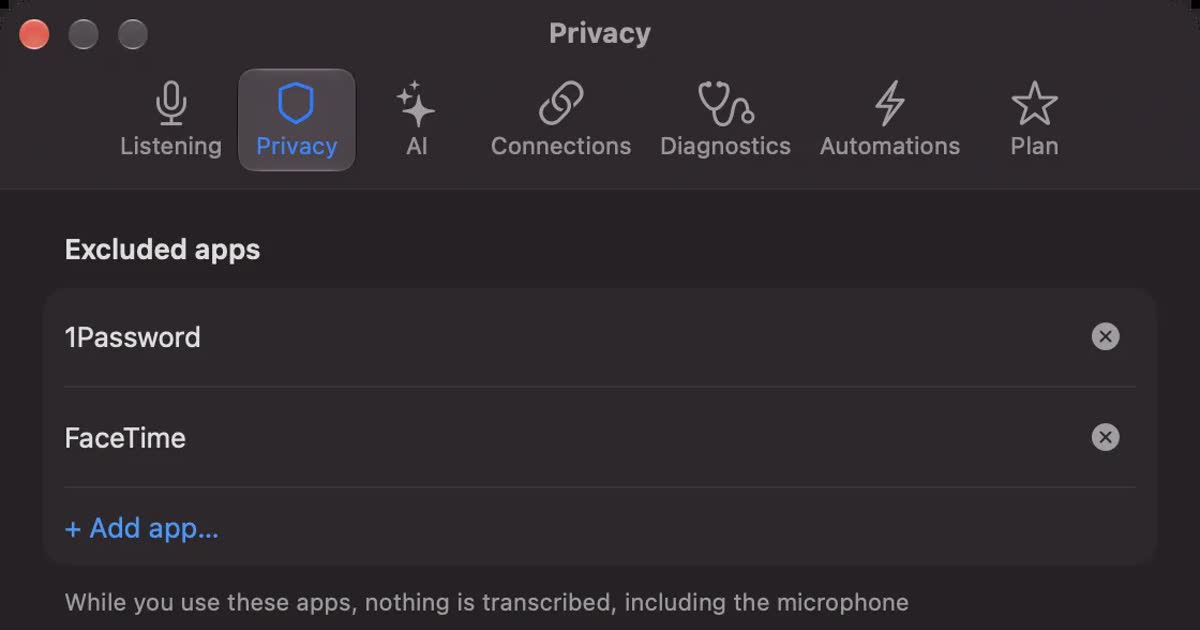
You can stop what you do not want kept: pause for 15 minutes, 1 hour, or until you resume from the popover, and delete the last 15 minutes after the fact.
How each one listens
Neither YOMEL nor Recall puts a bot into the meeting, but they differ in how listening starts and how speakers are separated.
YOMEL: a start button and a dedicated app
YOMEL's FAQ says it works with any web meeting tool, including Zoom, Meet, Teams and Webex, with no integration work. To hear the other people in an online meeting, you install its dedicated app. Any brand of microphone works, but to prevent feedback and improve accuracy it does not recommend a laptop's built-in microphone and speakers, and recommends an external headset or a meeting speakerphone.
Speakers are told apart automatically by the AI from their voices, with no need to set the number of people. Names appear as speaker A, speaker B, and so on; rename one and all of that person's lines change at once. Recognizing names automatically by voiceprint is described as still in research and development.
Recall: always running, listening to the Mac's sound
Recall has no step to start recording. It listens to the other people through the Mac's sound and to you through the microphone, so it works with any meeting app and needs no extra equipment. It estimates up to four other speakers in the Mac's sound and labels them Person A, Person B, and so on. You can name them.
For in-person meetings, Recall listens through the microphone. Once you register your voice, everyone else in the room is recorded as one "Person (in person)", however many people there are. If you need to separate several people in the room, YOMEL, with its iPhone app and speaker identification, fits better.
Neither shows a bot in the meeting, but not being visible does not mean recording is allowed. Tell people you are transcribing. Wording you can use is in the FAQ.
How data is handled
YOMEL keeps company data in the cloud (installation on company servers is also offered) and adds controls to protect it; Recall is built to keep the record on your Mac.
YOMEL: in the cloud (or on company servers), with controls added
YOMEL's security page says it offers IP restrictions, automatic removal of personal information, a setting that keeps no recordings on the server, installation on your own company servers, and more, and lists the items below. The pages we checked did not give the conditions or price for installing on company servers.
- Accepting access only from IP addresses you specify
- Automatically removing names, phone numbers, addresses, credit card numbers and similar details, and storing the text on the server with them removed
- A setting that keeps no recording files on the server at all
- Downloading user activity logs
- ISO 27001 certification
For summaries, its FAQ says the transcript sent to the summary AI is not used for training, as stated in the privacy policies of the outside generative AI services it uses. In other words, the transcript is sent to an outside generative AI service when it is summarized. A security checklist is also published. We could not find the country or region where data is stored on the pages we checked. If it matters, check the checklist or ask YOMEL.
Recall: the record stays on your Mac
Recall discards audio once it is transcribed and does not keep it. The transcript and summary are saved on this Mac and are not sent to our servers. The record leaves the Mac only when you use a Pro feature you turned on yourself (your own AI, connections to outside tools, workflow commands, and so on), or when you copy or save it and pass it on. The full list is in When records leave the Mac.
On the other hand, Recall has no way for an administrator to manage users together, and no audit logs. Recall keeps no copy of your record, so protecting against a broken or lost Mac is up to you. If your organization needs to manage records, a product like YOMEL fits better. For the full set of checks, see Five checks for any AI meeting notetaker.
Cost over a year
A year costs ¥336,000 before tax on YOMEL's Starter, and ¥9,800 including tax on Recall Pro, calculated from the official prices. YOMEL charges an organization by hours, not by person, and Recall is a one-person license, so the amounts are not directly comparable.
| Product and plan | Cost for a year | Calculation and conditions |
|---|---|---|
| YOMEL Starter | ¥336,000 (before tax) | ¥28,000 × 12 months; 30 hours a month |
| YOMEL Standard | ¥1,140,000 (before tax) | ¥95,000 × 12 months; 130 hours a month |
| Recall Free | ¥0 | Unlimited transcription; view and search the last 14 days |
| Recall Pro | ¥9,800 (tax included) | Yearly; one person; unlimited transcription |
To estimate YOMEL, count meeting hours. One hour-long meeting every weekday is 22 hours a month, within Starter's 30 hours. Adding up a whole team's meetings grows quickly. Recall costs nothing on Free, but if you do not have a supported Mac, include that cost.
Who each one suits
Whether you produce and manage minutes as an organization, or keep a record for yourself, mostly decides which fits.
YOMEL suits you if
- Your company or team writes minutes, shares them by URL and manages them.
- You also use Windows PCs, or want to record in-person meetings on an iPhone.
- IP restrictions, audit logs, SSO or automatic removal of personal information are requirements.
- You want minutes connected to Salesforce or Slack.
- You also need to transcribe recorded files.
YOMEL does not suit you if
- You are an individual with a budget of a few thousand yen a month. It starts at ¥28,000 a month before tax.
- You are an individual who wants to keep conversations off outside servers. Installing on company servers is an option for organizations.
- You want everything you hear kept without pressing start.
Recall suits you if
- You want to keep meetings and videos you hear on your Mac without a record button or a bot.
- You do not want conversations on outside servers.
- You want to start free, on your own, for your own review and to-dos.
Free to use · No account needed · macOS 26 or later · Mac with Apple silicon · By downloading, you agree to the Terms of Service
Recall does not suit you if
- You want to use Windows, a phone, an Intel Mac, or a Mac older than macOS 26.
- Your team needs to share the same minutes and have an administrator manage them.
- You want to keep audio to listen again, or transcribe recorded files.
- You need to separate several people in an in-person meeting.
To compare more cloud products that share minutes with a team, see Rimo Voice (now Rimo) vs Recall and Notta alternatives compared.
FAQ
How much does YOMEL cost?
As listed on its site on November 14, 2026: Starter is ¥28,000 a month for 30 hours, Standard ¥95,000 for 130 hours, Business ¥180,000 for 300 hours, and Enterprise from ¥250,000 for 500 hours and up. All are before tax, and English is an option.
Can I try YOMEL for free?
There is a free trial of about two weeks, up to 10 hours. The site says the trial account and data carry over if you sign up.
Does YOMEL put a bot in the meeting?
No. You press start when the meeting begins, with no URL for participants and no bot joining, according to its site. To hear the other people in an online meeting, you install its dedicated app.
Does Recall work on Windows?
No. Recall runs only on Macs with Apple silicon running macOS 26 or later. If you also use Windows, choose a product that supports it, such as YOMEL.
Is Recall more accurate than YOMEL?
We do not know. We have not compared them on the same audio, so we cannot say which is more accurate. Accuracy depends on the speakers, the microphone and the topic. YOMEL has a trial and Recall has a Free plan, so check with your own meetings.
If no bot is visible, do I still need to tell people?
Yes, tell them. This is the same for YOMEL and Recall. Tell people you are transcribing, and stop if anyone objects. Do not use either where recording is prohibited or your workplace rules do not allow it.
Checked November 14, 2026. YOMEL details come from YOMEL's official site and security page. Prices and features can change, so check the official pages before you sign up. This article is a general comparison, not legal advice.
Free to use · No account needed · macOS 26 or later · Mac with Apple silicon · By downloading, you agree to the Terms of Service
Get the product overview (PDF) by email →
Related articles
Rimo Voice (now Rimo) vs Recall: choosing a meeting notes tool
Comparing Rimo Voice (now Rimo) and Recall: where records live, bots, sharing, and cost, with Notta and AiNote in the picture, and who each one does not suit.
AutoMemo pricing, features, and how it differs from Recall
Sourcenext's AutoMemo: its pricing plans, how it records, and how it handles data, checked against its official pages and compared with Recall, which runs on your Mac. Who AutoMemo suits, and who Recall suits.
Is Otter.ai safe? Five checks for any AI meeting notetaker, with official answers
Is Otter.ai safe, and is any AI notetaker? Five checks (audio storage, where processing happens, AI training, sharing, telling participants), how to verify each, and what Otter, Notta, Rimo Voice, Granola and tl;dv officially say (checked November 13, 2026).
toruno pricing, free plan, and how it differs from Recall
Ricoh's AI minutes service toruno: its personal and business pricing plans, what its free plan covers, which meetings and devices it records, and how it handles data, checked against its official pages and compared with Recall, which stays running on your Mac. Who toruno suits, and who Recall suits.