 Recall
How to transcribe an audio file on a Mac: m4a and mp3 options compared
To turn an m4a or mp3 file into text on a Mac, the first question is whether the audio may leave your Mac. MacWhisper, Transcribe in Word for the web, Gemini and ChatGPT compared by format, length limit and what you pay, plus whether Notes and Voice Memos can read files and what to check when it fails.
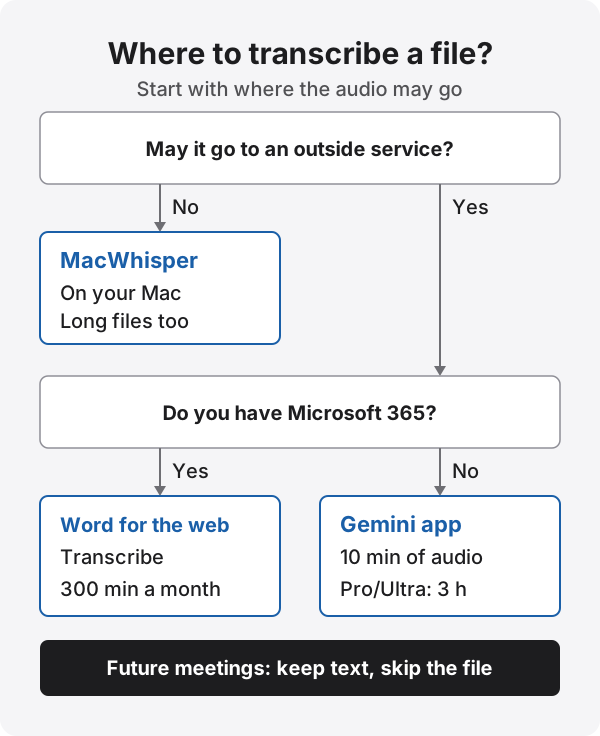
The short answer: MacWhisper if the audio can’t leave your Mac, Word or Gemini if it can
To turn an audio file you already have, such as an m4a or mp3, into text on a Mac, first decide whether that audio may go to an outside service. If it can’t, use MacWhisper, which transcribes on your Mac. If it can, use Transcribe in Word for the web when you have Microsoft 365, or attach the file to the Gemini app when you don’t, or when the recording is short.
Notes and Voice Memos, which come with your Mac, transcribe audio recorded in those apps. Apple’s guides don’t describe transcribing an audio file you bring in, so don’t count on them for files you already have.
This article is written by KOROMO K.K., which makes Recall, a transcription app for Mac. Recall can’t import audio files, so we don’t recommend it for this job; we mention it at the end as a way to keep future meetings as text. We checked each company’s details on their official help pages and websites on November 22, 2026. We have not compared these tools on the same audio, so we don’t rank their accuracy.
Ways to transcribe an audio file, compared
Here are the main options on a Mac, by file format, length limit, what you need to pay for, and where the audio is processed. All figures were checked on each company’s official pages on November 22, 2026.
| MacWhisper | Transcribe in Word for the web | Gemini app | ChatGPT | |
|---|---|---|---|---|
| Where audio is processed | On your Mac (you can also choose a cloud AI) | Microsoft’s service (needs an internet connection) | Google’s service | OpenAI’s service |
| Formats listed officially | mp3, wav, m4a, ogg, opus, mov, mp4 | .wav, .mp4, .m4a, .mp3 | No list; “most file types” | WAV, MP3, OGG, FLAC, AAC, M4A, audio-only WebM and MP4, and more |
| Length or size limit | Not stated on the website | 300 minutes a month with a Microsoft 365 subscription | Up to 10 minutes of audio in total; 3 hours with Google AI Pro or Ultra | Up to 512 MB per file; recordings up to 6 minutes with GPT‑6 Instant, which is used for transcripts |
| What you need | A free version (€0) and a one-time Pro license (€64) | A Microsoft 365 subscription | Free to use; Google AI Pro or Ultra for long audio | A paid plan or workspace; not available on Free |
| Best for | Recordings that can’t leave your Mac, long recordings, subtitles | Interviews and meeting recordings you want in Word with speaker labels | Short recordings of about 10 minutes you want as text quickly | Short recordings you also want summarized or organized |
The limits are measured differently: Word counts minutes per month, Gemini counts the total length of audio attached at once, and ChatGPT limits file size and the length the transcribing model handles. For a one-hour meeting recording, Word (within its 300 minutes a month) or MacWhisper is the realistic choice.
Keep it on your Mac: MacWhisper
MacWhisper is an app that transcribes audio and video files on your Mac. Its official website says it transcribes locally on your Mac with Whisper, Parakeet and other AI models, so sensitive content can be processed without leaving your Mac. Supported formats are mp3, wav, m4a, ogg, opus, mov and mp4.
- Install MacWhisper from its official website and open it. The website warns about scam sites posing as MacWhisper, so start from www.macwhisper.com
- Drag the audio file into the MacWhisper window
- When the text is ready, export it. The feature list on the website includes .txt and the .srt and .vtt subtitle formats
On the website, MacWhisper is free (€0) and MacWhisper Pro is a one-time €64 license. On November 22, 2026 we couldn’t tell from the feature list which features the free version includes, so check the pricing table before you buy. Speaker recognition and batch processing have been described as Pro features. A fuller comparison is in MacWhisper vs. Recall.
MacWhisper is also sold on the Mac App Store, and that version has different features from the one sold on the website. Check which version a description refers to before you choose.
If you have Microsoft 365: Transcribe in Word for the web
Transcribe in Word turns an uploaded audio file into text with timestamps and speaker labels, and lets you add the parts you choose to the document. Microsoft’s help says it supports .wav, .mp4, .m4a and .mp3, and that people with a Microsoft 365 subscription can transcribe up to 300 minutes of uploaded audio a month.
On a Mac, open Word for the web in a browser. The desktop version named in the help is Word for Microsoft 365 on Windows; the help doesn’t mention the Mac desktop app. It also says Transcribe works only in the new Microsoft Edge and Chrome, so don’t use Safari.
- Open Word for the web in Chrome or Edge and sign in with your Microsoft 365 account
- On the Home tab, open the arrow next to Dictate and choose Transcribe
- In the pane that opens, choose Upload audio and pick your file
- When the text is ready, rename the speakers and add the parts you need, or the whole transcript, to the document
Where the buttons are, what to check when it doesn’t work, and how it differs from Dictate are in How to transcribe in Microsoft Word.
Short recordings without a subscription: the Gemini app
You can attach an audio file to the Gemini app and ask for the full text. Gemini Apps Help says the total audio length can be up to 10 minutes, and that Google AI Pro or Google AI Ultra extends the total attachment length to 3 hours. You can add up to 10 files in one prompt, subject to availability.
For a voice note or a short meeting of about 10 minutes, you can try it without paying for anything. For longer audio, Google AI Studio is another option. How to read the limits and which Gemini tool to use are covered in How to transcribe with Gemini.
When you ask an AI, you may get a summary instead of the full text, or the text may stop partway. Ask clearly, for example “Transcribe every word as spoken, without leaving anything out,” and check that the end of the text matches the end of the recording.
Attaching to ChatGPT on a paid plan
ChatGPT has accepted audio file uploads since October 6, 2026. OpenAI’s help says audio uploads are available with paid ChatGPT subscriptions and workspaces, and not on the Free plan for now. Audio files can be up to 512 MB.
The same help, however, suggests GPT‑6 at Instant in Chat for transcripts, and in that case recordings can be up to 6 minutes long. For a full meeting recording, the three options above fit better. Steps and fixes are in How to transcribe with ChatGPT.
Can Notes or Voice Memos transcribe a file?
Notes and Voice Memos on Mac transcribe audio recorded in those apps. In the Notes User Guide for Mac, transcription is described for audio recorded with Record Audio from the Attachments button, on a Mac with M1 or later and in a supported language. Japanese is one of the listed languages.
In the Apple guides we checked on November 22, 2026, we found no description of putting an existing audio file into Notes or Voice Memos and getting a transcript. You can drag files into a note, but the guides don’t say a dropped audio file gets transcribed. Record future conversations in Notes or Voice Memos if you want Apple to transcribe them, and send files you already have to the tools above. Recording steps are in How to record and transcribe audio in Apple Notes and How to transcribe Voice Memos.
What to check when it doesn’t work
- The format isn’t accepted: Transcribe in Word takes .wav, .mp4, .m4a and .mp3. For other formats, use a tool with more formats, such as MacWhisper
- The recording is too long: The Gemini app allows 10 minutes in total (3 hours on Pro or Ultra), and Word allows 300 minutes a month. Use a tool with a bigger limit, or split the recording
- No Transcribe button in Word: Make sure you aren’t in Safari and that you are signed in with a Microsoft 365 account. Transcribe works in Edge and Chrome
- The AI returns a summary: Ask again for the full text as spoken, and check that it runs to the end of the recording
- Too many mistakes: Noise, a distant microphone and people talking over each other add errors. Fixes are in How to improve transcription accuracy
- Speakers aren’t separated: Transcribe in Word and MacWhisper Pro, among others, label speakers. How speaker separation works is in our speaker diarization guide
What to check before you upload a recording
Audio you give to Word, Gemini or ChatGPT is processed by that company’s service. Before uploading a meeting recording, check three things.
- Your workplace rules: whether meeting recordings may go to outside services. Many workplaces allow it only through company accounts
- The other people’s consent: whether the people in the recording know it will be transcribed, and by which service
- The service’s settings: when inputs may be read by people or used to improve AI, and how to turn that off. Personal and business plans can differ
If any of these worries you, use MacWhisper on your Mac. What to check when choosing a meeting AI is in Meeting AI and data safety, and ways to transcribe on your Mac are in How to transcribe locally on a Mac.
Keep future meetings as text without a file: Recall
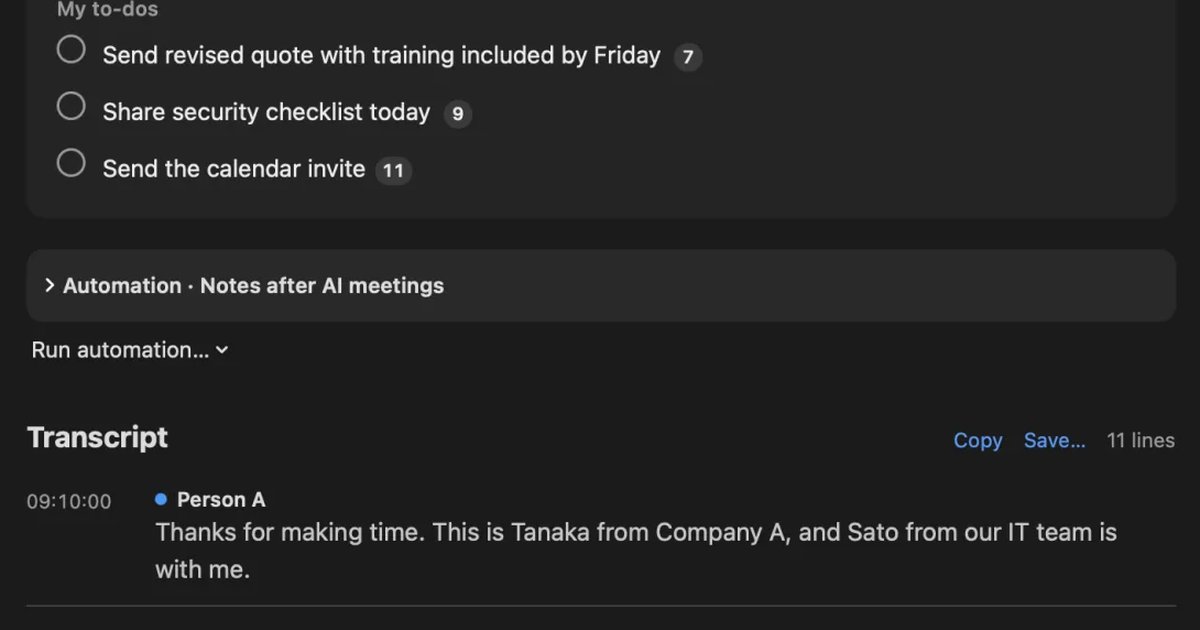
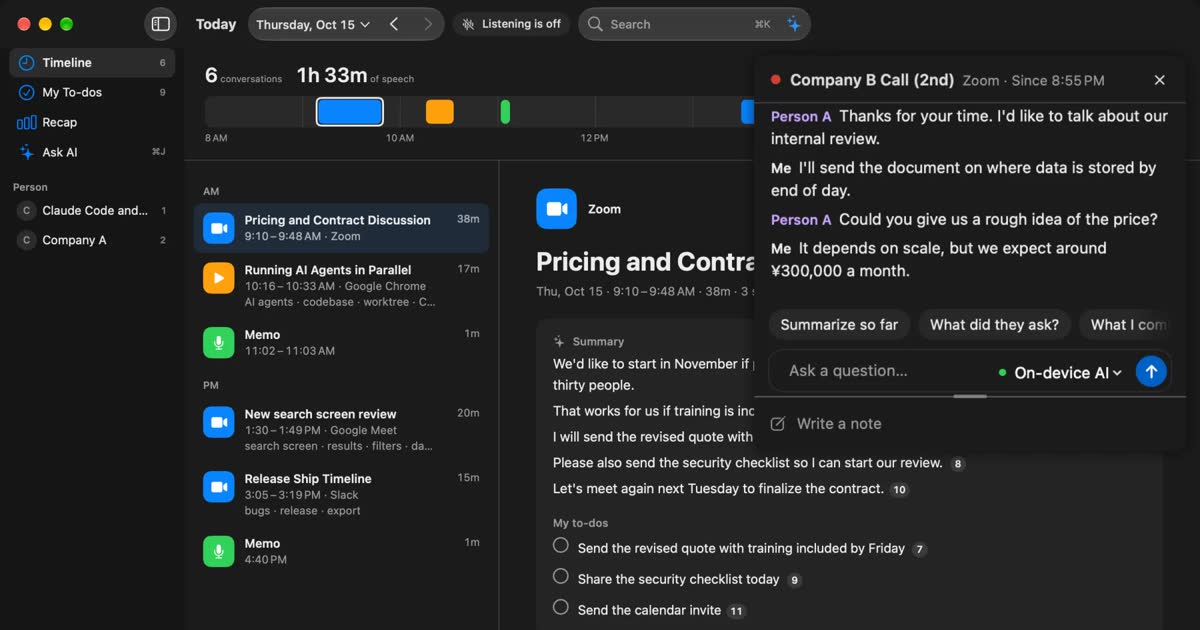
If you transcribe audio files because you record meetings and turn them into text later, you can skip the file and transcribe while you listen. Recall stays in the menu bar and turns your microphone and your Mac’s audio output into text. The other side of a Zoom or Teams meeting comes from your Mac’s audio, and your own voice from the microphone. There is no record button.
Recall can’t import audio files. Use the tools above for recordings you already have. Audio you play on your Mac is transcribed as Mac audio, but that takes as long as the recording plays.
- What is kept: text only. Audio is discarded once it is transcribed, so you can’t listen again in Recall
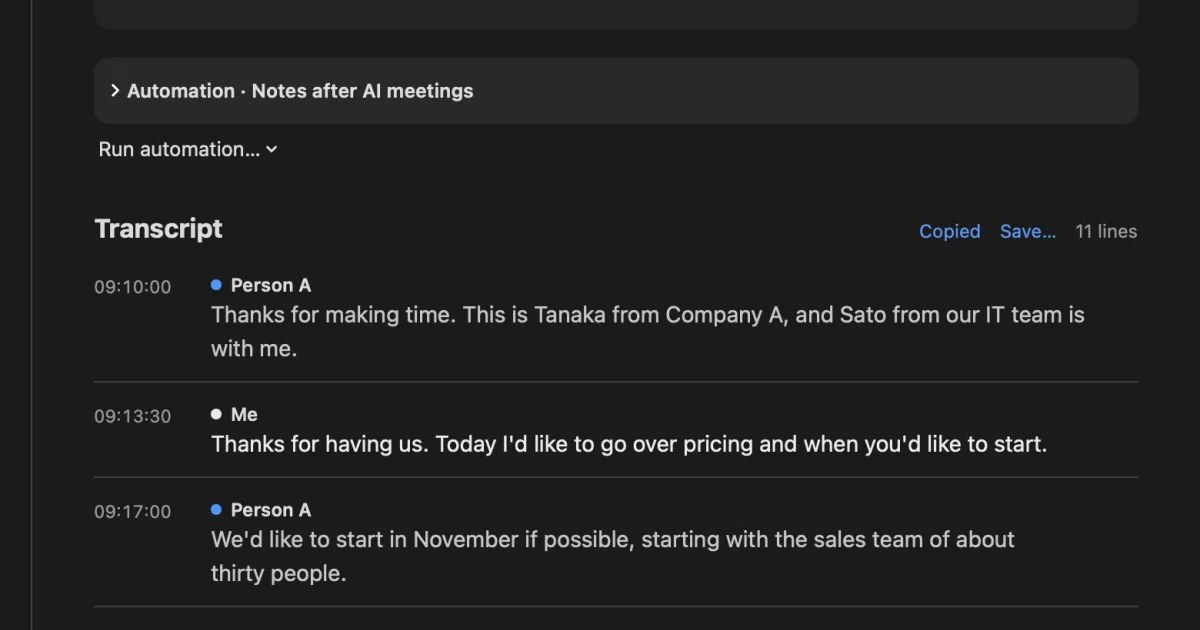
- After the conversation: this Mac’s AI writes a summary and your to-dos (when Apple Intelligence is on). You can also copy the transcript or save it as a text file
- Where records are kept: on this Mac. We don’t send them to our servers. They leave your Mac only when you use a Pro feature you turned on, or when you copy or save and share them yourself (When records leave your Mac)
- Price: Free has no transcription limit, and shows and searches the last 14 days. Pro is ¥980 a month or ¥9,800 a year, tax included
- Requirements: a Mac with Apple silicon on macOS 26 or later, plus permission for the microphone and for screen and system audio recording. You choose Japanese or English as the listening language in settings
Recall fits you if you
- want to stop recording meetings and transcribing the files afterwards
- forget to press record
- want text on your own Mac without keeping audio
Recall doesn’t fit you if you
- want to transcribe a recording file you have now (MacWhisper, Word or Gemini fit)
- want to keep the audio and listen again later
- use an Intel Mac or a Windows PC
Whatever you use, tell the other people at the start when you transcribe a conversation. Examples are in the FAQ.
Free to use · No account needed · macOS 26 or later · Mac with Apple silicon · By downloading, you agree to the Terms of Service
FAQ
Can I transcribe an audio file for free?
The Gemini app lets you try up to 10 minutes of attached audio in total without a subscription. MacWhisper also has a free version (€0), but check its official pricing table for what it includes before you rely on it. Transcribe in Word for the web needs a Microsoft 365 subscription, and ChatGPT audio uploads are for paid plans only.
Can I use an m4a file as it is?
Yes. In the official pages we checked on November 22, 2026, MacWhisper, Transcribe in Word for the web and ChatGPT all list m4a. Gemini Apps Help gives no format list and says most file types are supported.
Which is best for a recording over an hour?
MacWhisper on your Mac, or Transcribe in Word for the web within its 300 minutes a month if you have Microsoft 365. The Gemini app extends attachments to 3 hours in total with Google AI Pro or Ultra. ChatGPT handles recordings up to 6 minutes with GPT‑6 Instant, which is used for transcripts.
Can I transcribe without sending audio outside?
MacWhisper’s website says it transcribes locally on your Mac, so content can be processed without leaving your Mac. Word for the web, Gemini and ChatGPT send the audio to each company’s service.
Can I use Transcribe in desktop Word for Mac?
Microsoft’s help names Word for Microsoft 365 on Windows as the desktop version and doesn’t mention Mac. On a Mac, open Word for the web in Chrome or Edge.
Can Notes or Voice Memos on Mac transcribe an audio file I add?
Apple’s guides don’t describe transcribing an audio file you bring in. Transcription in Notes and Voice Memos is described for audio recorded in those apps. Use MacWhisper or Word for the web for files you already have.
Can Recall import audio files?
No. Recall turns your microphone and your Mac’s audio output into text as you listen. Audio you play on your Mac is transcribed, but it takes as long as the recording plays. Use MacWhisper or another tool for files you have.
Checked on November 22, 2026. MacWhisper details come from its official website (www.macwhisper.com); Word from Microsoft Support’s “Transcribe your recordings”; Gemini from Gemini Apps Help on attaching and analyzing files; ChatGPT from OpenAI’s help page on uploading files and audio and the ChatGPT release notes; Notes and Voice Memos from Apple’s Notes User Guide and Voice Memos User Guide for Mac. Limits and prices can change, so check each company’s latest pages before you use them.
Get the product overview (PDF) by email →
Related articles
MacWhisper vs Recall: how they differ before you switch
Looking for a MacWhisper alternative? Compare audio files, always-on capture, saved audio, pricing and requirements, and see who each app fits.
How to transcribe in Microsoft Word: Transcribe vs. Dictate, and what works on a Mac
To transcribe in Word, use Transcribe for recordings and audio files, and Dictate to write by speaking. Steps, which versions of Word support it, the 300-minute monthly limit, what to do on a Mac, fixes when it doesn’t work, and how to get meeting audio into text.
How to transcribe audio with Gemini: file limits, the app vs. AI Studio
Where you transcribe with Gemini depends on how long your audio file is. We compare the Gemini app, Google AI Studio, Gemini Notebook and Google Meet, cover why uploads fail, and list what to check before you share meeting audio.
How to transcribe Voice Memos on iPhone and Mac, and what to check when it doesn’t work
Voice Memos on iPhone and Mac can transcribe recordings so you can view, copy and search them. The steps, the device, OS and language conditions to check when no transcript appears, how to keep the text, and what to use for meetings and calls.