 Recall
How to transcribe audio with Gemini: file limits, the app vs. AI Studio
Where you transcribe with Gemini depends on how long your audio file is. We compare the Gemini app, Google AI Studio, Gemini Notebook and Google Meet, cover why uploads fail, and list what to check before you share meeting audio.
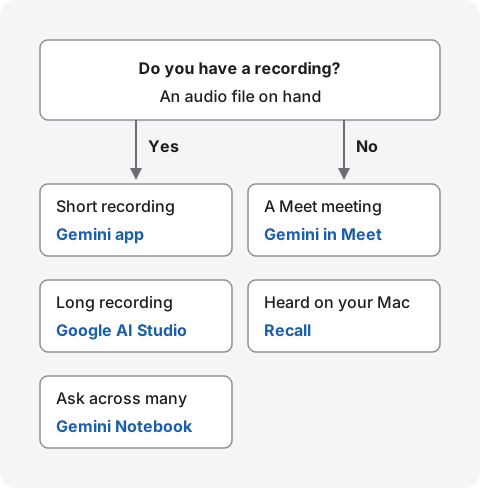
The short answer: short recordings in the Gemini app, long ones in Google AI Studio
To transcribe with Gemini, attach a recording and ask Gemini to write out everything that was said. On the free plan the Gemini app takes up to 10 minutes of audio in total (3 hours in total on Google AI Pro and Ultra), so it suits short recordings. For a longer meeting recording, Google AI Studio is the option: the Gemini API documentation says one prompt can hold up to 9.5 hours of audio.
If there is no recording, there is nothing to give Gemini. For a Google Meet meeting, use the Gemini notes built into Meet. For Zoom calls or videos you hear on your Mac, use an app that turns the sound into text without recording. Before you share meeting audio, check when your input may be read by people or used to improve the service. The free options have the broadest terms.
This article is written by KOROMO K.K., the developer of Recall, a transcription app for Mac. Our own product is among the options, so please read with that in mind. Google’s details were checked in its official help and the Gemini API documentation on November 8, 2026. We haven’t compared accuracy on the same recording, so we don’t rank accuracy.
Four places to transcribe with Gemini
Of the places that carry the Gemini name, four can transcribe. They differ in whether you need a recording and how long it can be.
| What you give it, and how long | Best for | |
|---|---|---|
| Gemini app | Audio files. Up to 10 minutes in total (3 hours on Google AI Pro and Ultra). Up to 10 files at a time | Quickly transcribing a short recording |
| Google AI Studio | Audio files. Up to 9.5 hours per prompt, per the Gemini API documentation | Long meetings and talks |
| Gemini Notebook (NotebookLM) | Audio files. Up to 200 MB and 500,000 words per source | Asking questions across many recordings |
| Gemini in Google Meet | No file needed. Takes notes during the meeting | Keeping the main points of a Meet meeting |
The first three take a recording you already have. They can’t help with a conversation nobody recorded. Gemini in Meet works inside the meeting, so it can’t be used for other meeting apps or for a conversation that is already over.
Transcribe an audio file in the Gemini app
In the Gemini app, attach an audio file to a chat and ask for a transcript. Gemini’s help on uploading files says you need to be signed in, and audio can be up to 10 minutes in total on the free plan, or 3 hours in total on Google AI Pro and Ultra.
On a computer
- Open gemini.google.com in a browser on your computer and sign in with your Google Account
- Type your request in the text box at the bottom
- Click the add-files icon, then “Upload files”, and choose the audio file
- Click the send icon
The help doesn’t list audio formats. It says Gemini supports “most file types”. It also doesn’t give steps for the phone apps, and we didn’t check them this time.
Asking so you don’t get a summary
If your request is vague, you may get the main points instead of the full text. To get everything, say what not to do as well. For example:
- Full text: “Write out everything as it was said, without summarizing or rephrasing.”
- Speakers: “Separate the speakers as Speaker 1, Speaker 2.”
- Times: “Add the time in the recording to each line as MM:SS.”
- Unclear parts: “Don’t guess at parts you can’t hear. Write [unclear].”
The speaker and time requests follow the examples in the Gemini API audio documentation. The audio alone can’t tell Gemini who each speaker is, so replace the labels with names yourself. Whatever you use, check names, company names and numbers against the recording before you share it.
Long recordings: use Google AI Studio
Google AI Studio is Google’s screen for developers to try the Gemini API in a browser. The Gemini API audio documentation describes what audio it handles:
- Length: up to 9.5 hours of audio in total per prompt
- Formats: WAV, MP3, AIFF, AAC, OGG, FLAC, M4A, Opus, WebM and more
- Quality: audio is downsampled to 16 Kbps, and multiple channels are combined into one
- How it’s counted: Gemini counts input in units called tokens. Each second of audio is 32 tokens, so one minute is 1,920 tokens. Paid-tier pricing is counted in the same units
The files documentation says each uploaded file can be up to 2 GB and is deleted automatically after 48 hours. You can’t download an uploaded file again, so keep the original recording.
What you can use for free
The Gemini API pricing page has a free tier, and access to Google AI Studio is part of it. On the free tier, though, what you send is used to improve Google’s products. On the paid tier it isn’t. Under the Additional Terms, using Google AI Studio directly counts as an unpaid service. But if the account you use has access to a Google Cloud project with active billing, or is a Google Workspace enterprise account, it counts as a paid service even when it costs nothing. Prices and per-model conditions change often, so check the same page before you start. The Gemini API Additional Terms of Service require you to be 18 or older.
When uploads fail, stop halfway, or come back as a summary
When it doesn’t work, the cause is usually a limit or the way you asked. Here are the likely causes, based on the official documentation.
The audio file won’t upload
- Length: the Gemini app’s free plan takes 10 minutes in total. Split long recordings, or use Google AI Studio
- Number: you can attach up to 10 files at a time
- Usage: once you reach the Gemini app’s usage limits, you wait for the reset. Limits reset every 5 hours, and there is also a weekly limit
- Work or school accounts: adding files from Google Drive needs an administrator to have turned on the Gemini app
- Format: the Gemini app’s help has no list of formats. If a file won’t go up, convert it to MP3, M4A or WAV, which the Gemini API documentation lists, and try again
The transcript stops partway
Even when Gemini can read the whole recording, there is a limit to how much one answer can write. Asking for a long meeting in one go may end partway. Ask in parts by time, such as “from 00:00 to 20:00”. The Gemini API documentation also shows asking for a transcript of a set time range.
You get a summary or a paraphrase
Change your request as in the examples above. If a part is still shortened, ask again for just that time range. When you want to quote someone exactly, listen to the recording to check the wording.
What to check before sharing meeting audio
A meeting recording holds other people’s voices and things that may not leave your company. Check where it goes and how it is handled first.
Gemini app
The Gemini Apps Privacy Hub says trained reviewers may read some chats to improve the service, and reviewed chats are kept for up to 3 years. It asks you not to enter confidential information you wouldn’t want a reviewer to see. Chats are kept in your account for 72 hours even when Keep Activity is off. Work and school Google Accounts may be under different data processing terms.
Google AI Studio
The Gemini API Additional Terms of Service say that on the free tier, what you send and the responses are used to provide and improve Google’s products, and people may read them. The terms ask you not to send sensitive, confidential or personal information to the free tier. On the paid tier, your prompts aren’t used for improvement and are logged only for a limited period.
Tell the other people
Whatever you use, if you record and transcribe a meeting, tell the people in it. If you’ll pass the audio to an outside AI, tell them that too. Follow your employer’s rules on generative AI if it has any. For the full list of things to check, see What to check if you worry about leaks from AI meeting notes.
Transcribing conversations you didn’t record
Gemini takes recordings. Meetings you didn’t record, or videos you heard on your Mac, need another way.
For Google Meet meetings: Gemini in Meet
Meet has a feature where Gemini takes notes in the meeting. It gives a summary and decisions, not a full transcript. Whether you can use it depends on the organizer’s plan. How it differs from a full transcript, and which plans include it, is in How to transcribe Google Meet.
For conversations you hear on your Mac: Recall
Recall is an app that stays in the menu bar and turns your mic and your Mac’s sound into text. Conversations you hear on your Mac, in Zoom, Teams, Meet or YouTube, become text. There’s no record button, and audio isn’t saved to a file. It’s discarded once it becomes text. The on-device AI does the transcribing.
Recall can’t import recordings. To transcribe one recording you already have, use the Gemini options in this article, or an app that reads files from How to transcribe locally on a Mac.
Connecting your own Gemini to Recall (Pro)
By default, Recall’s Ask AI is answered by the on-device AI, and neither questions nor records leave your Mac. On a Mac with less than 16 GB of memory, answering questions needs Apple Intelligence turned on.
On Pro, you can connect your own Gemini in Settings › AI and have Gemini answer questions about your records. Gemini connects with your own Google API key. What’s sent is your question and the excerpts and summaries found to answer it. Audio and full conversations aren’t sent. As What is sent explains, with a free-tier Gemini key, what you send may be used to improve Google’s services. The other people in the conversation haven’t agreed to that.
Recall’s conditions
- Mac: macOS 26 or later on a Mac with Apple silicon. Not available on Windows or phones
- Free: no limit on transcription; you can view and search the last 14 days. Records are kept for 90 days by default
- Pro: ¥980 a month or ¥9,800 a year (tax included). Records are kept with no time limit by default. If the license can’t be checked for 14 days in a row, Pro features stop
- When records leave the Mac: records stay on this Mac. They leave only when you use a Pro feature you turned on, or when you copy or save and share them yourself (the full list)
Recall fits you if
- You want daily meetings and calls kept as text without making recordings
- Your meeting app changes with who you meet: Zoom, Teams, Meet and others
- You want no audio kept, and the text on your own Mac
- You also want to ask your own Gemini about what you’ve kept (Pro)
- You use a Mac with Apple silicon on macOS 26 or later
Free to use · No account needed · macOS 26 or later · Mac with Apple silicon · By downloading, you agree to the Terms of Service
Recall doesn’t fit you if
- You want to transcribe one recording you already have (the Gemini app or AI Studio is enough)
- You want to do everything from transcript to summary inside Gemini
- You want to use it on Windows or a phone
- You want to keep the audio and listen again
Recall also runs during meetings. When others are in a meeting or call, tell them you’re transcribing. We don’t recommend recording people without them knowing.
FAQ
Can I transcribe with Gemini for free?
Yes. The free Gemini app takes audio files up to 10 minutes in total. Google AI Studio also has a free tier. On both free options, your input may be used for improvement or read by people.
How long a recording can it transcribe?
The Gemini app takes 10 minutes in total for free, and 3 hours in total on Google AI Pro and Ultra. Google AI Studio takes up to 9.5 hours per prompt, per the Gemini API documentation. Long answers may stop partway, so ask in time ranges.
Why won’t my MP3 upload?
It may be over the free 10 minutes, you may have reached the usage limits, or an administrator may not have turned on the app for your work account. The Gemini app’s help has no list of formats, so you can also try converting to M4A or WAV.
Can it separate speakers?
If you ask, it can label speakers as Speaker 1, Speaker 2 and so on. The Gemini API documentation has an example of this. The audio can’t tell it who is who, so replace the labels with names yourself.
How accurate is it in Japanese?
Google’s documentation gives no accuracy figures, and we haven’t compared tools on the same recording. Noise and overlapping voices add errors. Check names, company names and numbers against the recording.
Can I do this on a phone?
Gemini’s help on uploading files only gives steps for a computer. We didn’t check the phone apps this time. Recall is a Mac app, so it doesn’t run on phones.
Can NotebookLM transcribe?
Gemini Notebook (NotebookLM) help says audio files are transcribed when you import them, and the text is saved as a source. Each source can be up to 200 MB and 500,000 words, and audio without speech can’t be imported. It suits asking questions across many recordings more than writing out a full transcript.
Can I put a recording into Recall?
No. Recall turns your mic and the sound from your Mac into text as it happens. To transcribe a recording, use the Gemini app, Google AI Studio, or a Mac app that reads files.
Checked on November 8, 2026. The Gemini app’s limits and data handling come from Google’s Gemini Apps help and Privacy Hub; Google AI Studio’s limits and free tier from the Gemini API documentation, pricing page and Additional Terms of Service; Gemini Notebook (NotebookLM) from Google’s help; and Gemini in Meet from Meet’s help. We didn’t try Gemini’s screens or steps with our own account this time. Limits and terms change, so check each page’s latest version before you start.
The differences between Recall Free and Pro are in Plans and licenses.
Free to use · No account needed · macOS 26 or later · Mac with Apple silicon · By downloading, you agree to the Terms of Service
Get the product overview (PDF) by email →
Related articles
How to transcribe with ChatGPT: audio uploads vs recording meetings
Since October 2026, paid ChatGPT plans can transcribe attached audio files. How uploads, dictation, and Meetings and Record in the Mac app differ, what to do when an upload fails, and which settings to check before sharing meeting audio.
How to transcribe Google Meet: built-in, extensions, or your Mac
Whether Google Meet's transcript works depends on the organizer's plan. Compare the built-in feature and plans, extensions and bots, and on-device Mac apps.
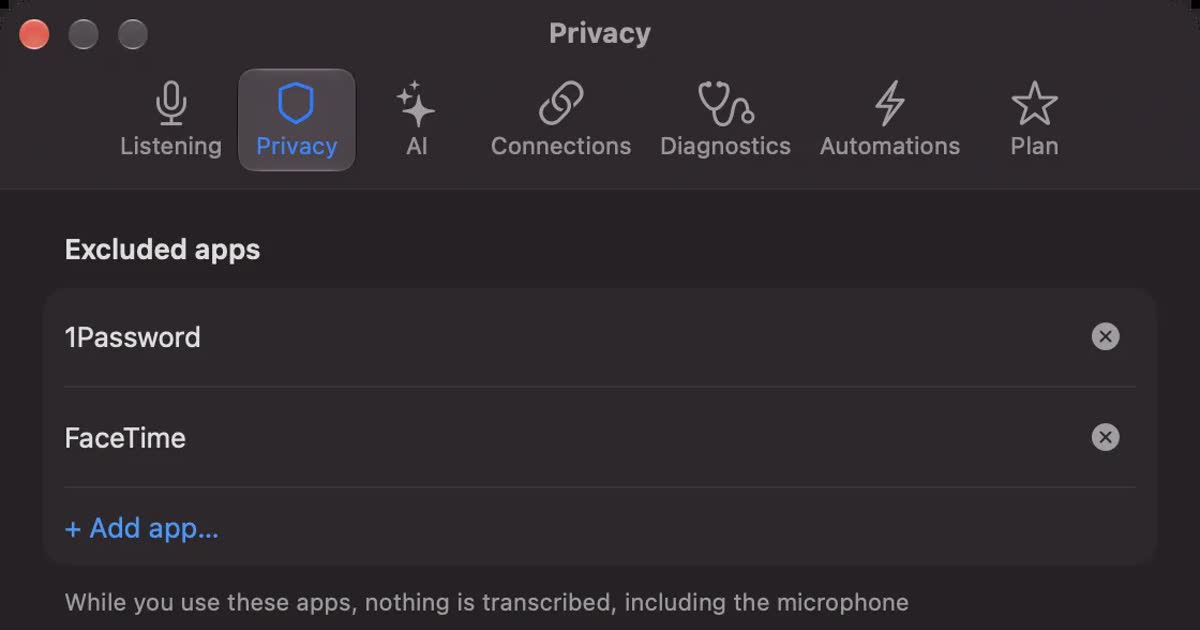
Is Otter.ai safe? Five checks for any AI meeting notetaker, with official answers
Is Otter.ai safe, and is any AI notetaker? Five checks (audio storage, where processing happens, AI training, sharing, telling participants), how to verify each, and what Otter, Notta, Rimo Voice, Granola and tl;dv officially say (checked November 13, 2026).
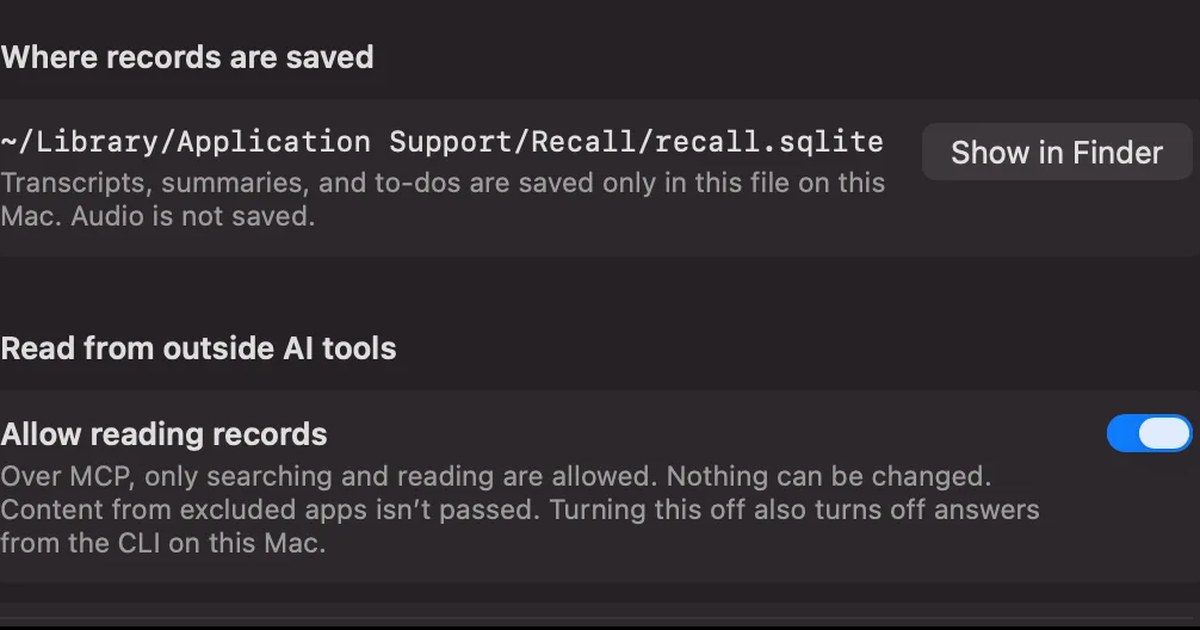
How to transcribe with Claude: audio files and turning transcripts into meeting notes
Claude’s help center lists no audio formats for upload, so the reliable way is to transcribe a recording first and then give Claude the text. Dictation and voice mode, /voice in Claude Code, how to ask for meeting notes, letting Claude read meeting records over MCP, and the settings to check first.