 Recall
Transcribe meetings on your Mac, automatically
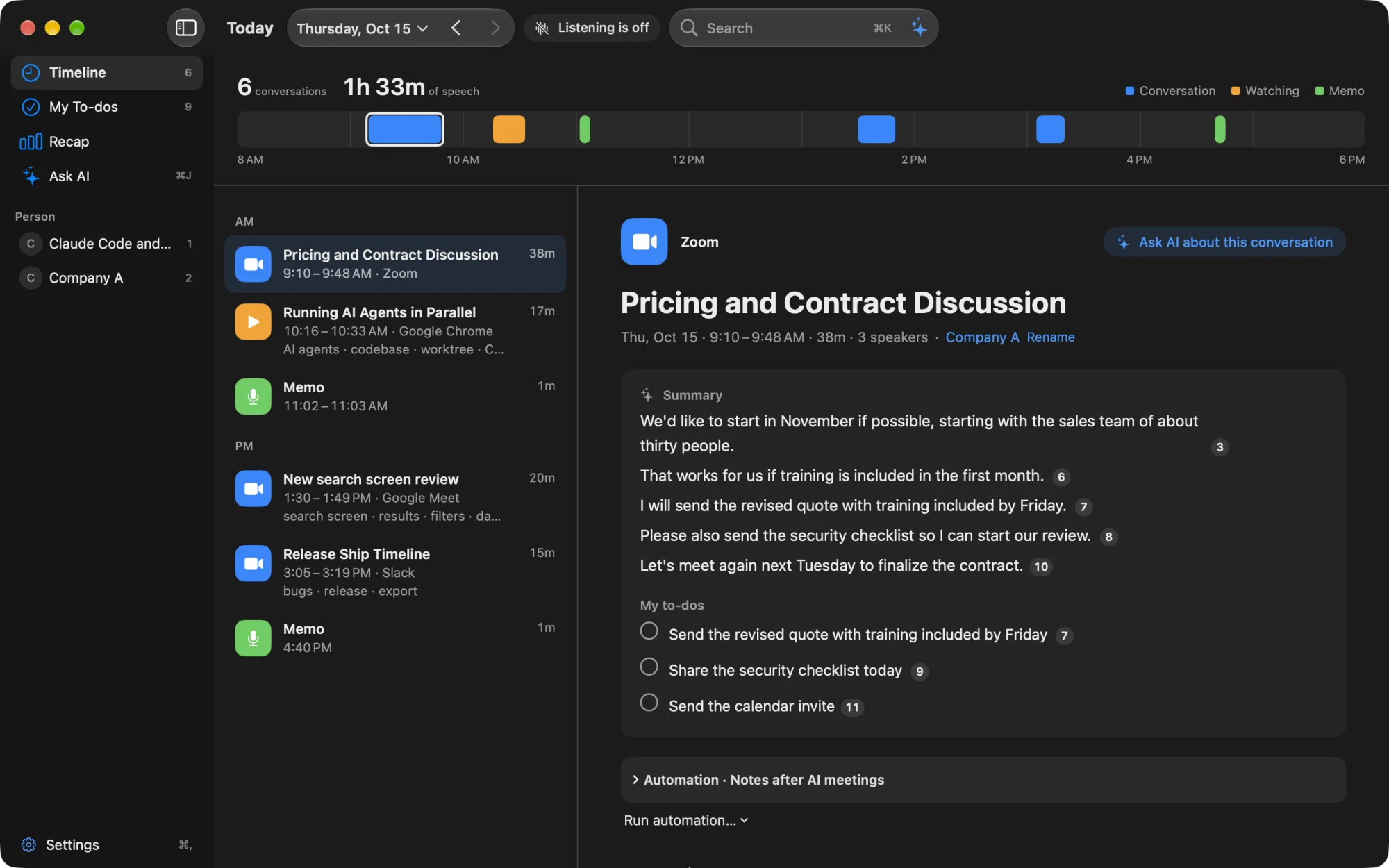
Recall lives in your Mac’s menu bar and automatically transcribes the meetings, sales calls and videos you hear. It turns each conversation into a summary and your own to-dos, and you can find it later by words or with AI. Transcription is free, with no limit.
Free to use · no account needed · macOS 26 or later on Apple silicon · By downloading, you agree to the Terms of Service · What to do after installing: Getting started
What it does
- Listens without a record button: it sits in the menu bar and transcribes the microphone (your voice) and the sound your Mac plays (the other side of a meeting or a video). No bot joins your meetings. Always-on listening
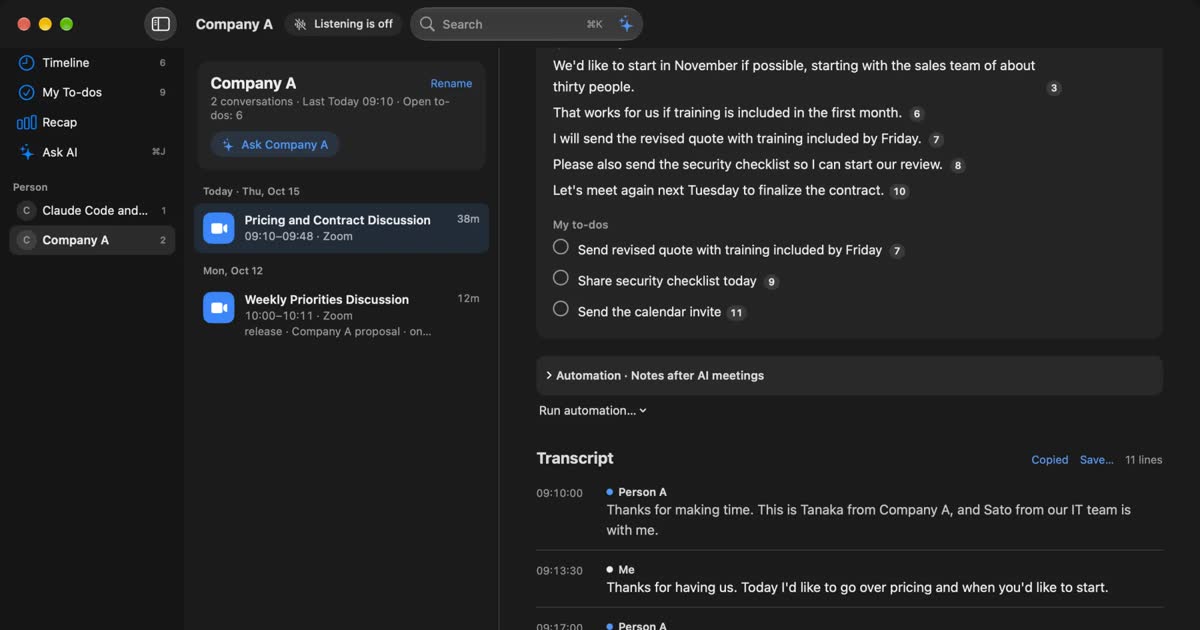
- Separates speakers: it estimates up to four people in your Mac’s sound and separates them as Person A, Person B and so on. You can name them yourself. Separating and merging speakers
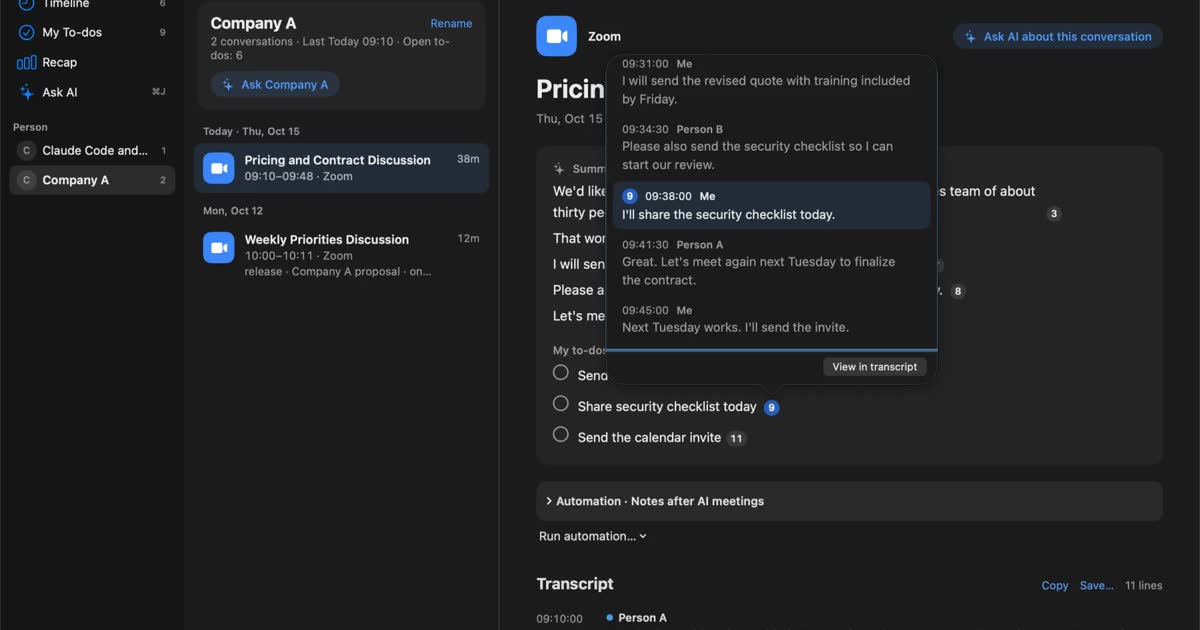
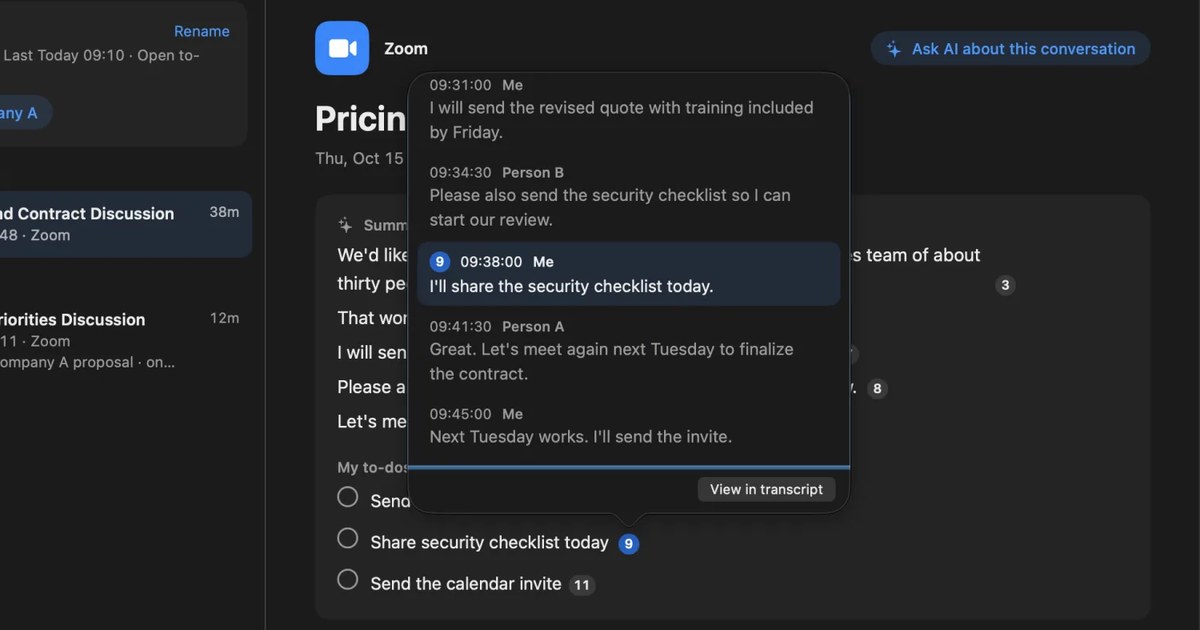
- Summaries and your to-dos: when a conversation ends, the on-device AI writes a summary and what you said you would do. They are made when Apple Intelligence is on. Summaries and to-dos
- Finds by words: press ⌘K and type words, or “last week” or “Zoom”, and go back to what was said. ⌘K search
- Ask AI: ask “Did we talk about pricing with Company A last week?” and it searches your records and answers with the lines it is based on. On a Mac with less than 16GB of memory, Apple Intelligence must be on. Ask AI
What it does not do
- Open audio files: it cannot transcribe recordings or videos you already have. See MacWhisper compared with Recall.
- Dictation: it does not type text from your voice. See how to use dictation on Mac.
- Playback: audio is discarded once it is transcribed, so you cannot listen again.
- iPhone, Windows or Intel Macs: it runs only on Macs with Apple silicon and macOS 26 or later.
Compared with other tools
| Tool | Good for | Where audio and records go |
|---|---|---|
| Recall | Keeping meetings and videos without pressing record, then summarizing and finding them | No audio is kept. Transcripts and summaries stay on this Mac |
| Voice Memos | Recording and transcribing short talks and spoken notes | Recordings are kept. With iCloud sync on, they are stored in iCloud too |
| MacWhisper | Transcribing audio files and videos you have, making subtitles | Recordings are kept in the app. Processed on the Mac by default |
| Notta | Transcribing in the cloud and sharing with others | Audio and transcripts are stored in the cloud (AWS Tokyo region) until you delete them |
| Granola | Sharing notes with a team across several devices | Processed in the cloud. Records are on AWS in the US, some also on the device |
Price
- Recall: Free: ¥0 (unlimited transcription; viewing and search for the last 14 days). Pro: ¥980/month or ¥9,800/year, tax included
- Voice Memos: Free, built into the Mac
- MacWhisper: Free: €0. Pro: €64, one-time
- Notta: Free: 120 minutes a month, 3 minutes per session. Premium: 1,800 minutes a month
- Granola: Free: last 30 days of history. Business: $14 per user a month
Details of other products are as checked on their official pages for each guide (November 2 to 10, 2026). They may change, so please check the official pages for the latest. Follow the names in the table to each guide for more.
Frequently asked questions
What can I do for free?
Transcription has no limit. Summaries, your to-dos, ⌘K search and asking the on-device AI are free too. On Free you can view and search records from the last 14 days. Older records are kept for your retention period (90 days on Free by default), and you can view and search them with Pro. See Pricing.
Does a bot join my meetings?
No. Recall transcribes what your Mac’s microphone hears and the sound your Mac plays. Recall never appears in a meeting’s participant list. Tell the other people that you are transcribing.
Does it work with Zoom, Google Meet and Teams?
Yes. It transcribes the other side’s voice from your Mac’s sound and your own voice from the microphone, so a meeting you hear on your Mac needs no setup in the meeting app.
Does it work without the internet?
Finding your records works offline. An internet connection is needed when the transcription and on-device AI models are first prepared, and for purchases, license checks and update checks.
Is my audio or are my records sent anywhere?
Audio is discarded once it is transcribed and is not kept. Transcripts and summaries are saved on this Mac and are not sent to our servers. Records leave the Mac only when you use Pro features you turned on yourself (such as your own AI, connections to outside tools or automations), and when you copy or save them and pass them on yourself. The full list is in When records leave the Mac.
Free to use · no account needed · macOS 26 or later on Apple silicon · By downloading, you agree to the Terms of Service
Related articles
How to transcribe locally on a Mac: keeping meetings inside your company
How to transcribe on a Mac without sending audio to the cloud. Compare Notes, MacWhisper, Aiko, whisper.cpp, Recall and more, and check the four places records can still leave.
How to transcribe Zoom meetings: built-in, cloud services, or on your Mac
Three ways to transcribe a Zoom meeting: built-in features, cloud services and apps on your Mac. Covers the plans each needs, the May 2026 captions change, and how to choose.
How to turn a transcript into meeting minutes: what to keep, examples, and asking AI
Pasting a transcript is not the same as writing minutes. The difference between verbatim, clean transcripts, summaries and minutes, what to keep with example lines, how to pick out decisions and action items, and how to ask AI for a draft and what a person should check.
Is Otter.ai safe? Five checks for any AI meeting notetaker, with official answers
Is Otter.ai safe, and is any AI notetaker? Five checks (audio storage, where processing happens, AI training, sharing, telling participants), how to verify each, and what Otter, Notta, Rimo Voice, Granola and tl;dv officially say (checked November 13, 2026).