 Recall
Listening and pausing
Recall stays in the menu bar and listens. The shape of the icon and the heading of the popover show its current state.
Menu bar states
| Listening | Transcribing the microphone and system audio. When only one of them is on, it shows something like “Listening to microphone only”. |
|---|---|
| Paused | Nothing is recorded until the time you chose, or until you resume. |
| Using an excluded app | Nothing is recorded while you use an app you listed. |
| Reconnecting | The transcription process is being restarted. It comes back automatically. Audio during this time is not recorded. |
| Listening is off | Both the microphone and system audio are off. You can turn them on in the popover. |
| No permission | The microphone or screen recording permission is missing. See “Permissions were removed”. |
The icon shows the state by its shape. It does not rely on color alone. When there are commitments that need action or items to confirm, their count appears next to the icon (Assistant).
The popover
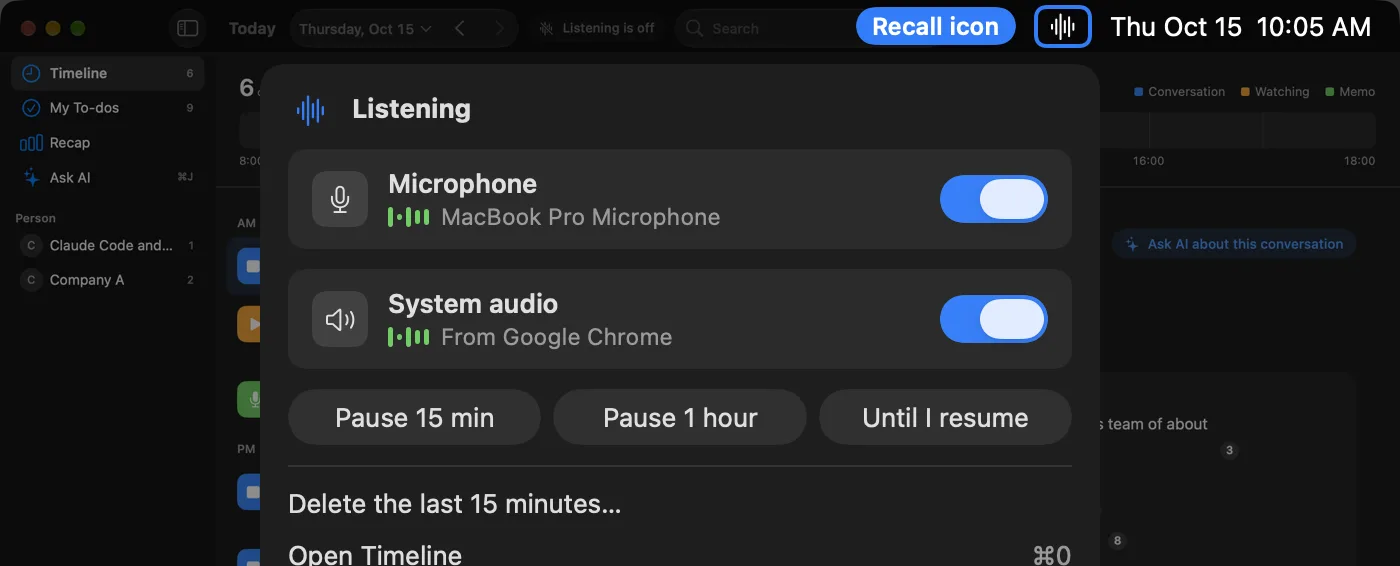
Click the menu bar icon to open it. It has the microphone and system audio switches, pause, deleting the records of the last 15 minutes, Timeline (⌘0), Settings, Help, Contact us, and checking for updates. “Today’s Assistant” lists up to three of today’s items; click one to open its thread (“Open Assistant” opens the list).
Pausing
You can pause with “Pause 15 min”, “Pause 1 hour” or “Until I resume” in the popover. While paused, nothing is saved, and the Timeline bar shows that time with diagonal stripes. “Resume now” brings it back.
If you decide after talking that you don’t want it kept, delete it with “Delete the last 15 minutes…” in the popover.
Listening through speakers
Even when you play the other person’s voice through speakers instead of earphones, Recall keeps the other person’s voice that the microphone picks up from being saved as your line (microphone echo cancellation, and matching against the other person’s lines from the same time). Earphones are the most reliable.
There are limits: when your voice and the other person’s voice mix in one line, it may be saved as your line. If you repeat the other person’s words right after them (within 2 seconds), Recall cannot tell it apart from the echo of their voice, and your side may not be saved.
In-person meetings
Lines from the microphone are normally recorded as “Me”. If you register your voice with “My voice” in Settings › Listening, the voices of other people that the microphone picks up in an in-person meeting are separated as “Person (in person)”. Only the characteristics of your voice are saved, in this Mac’s keychain; no recording is kept. Nothing is sent anywhere.
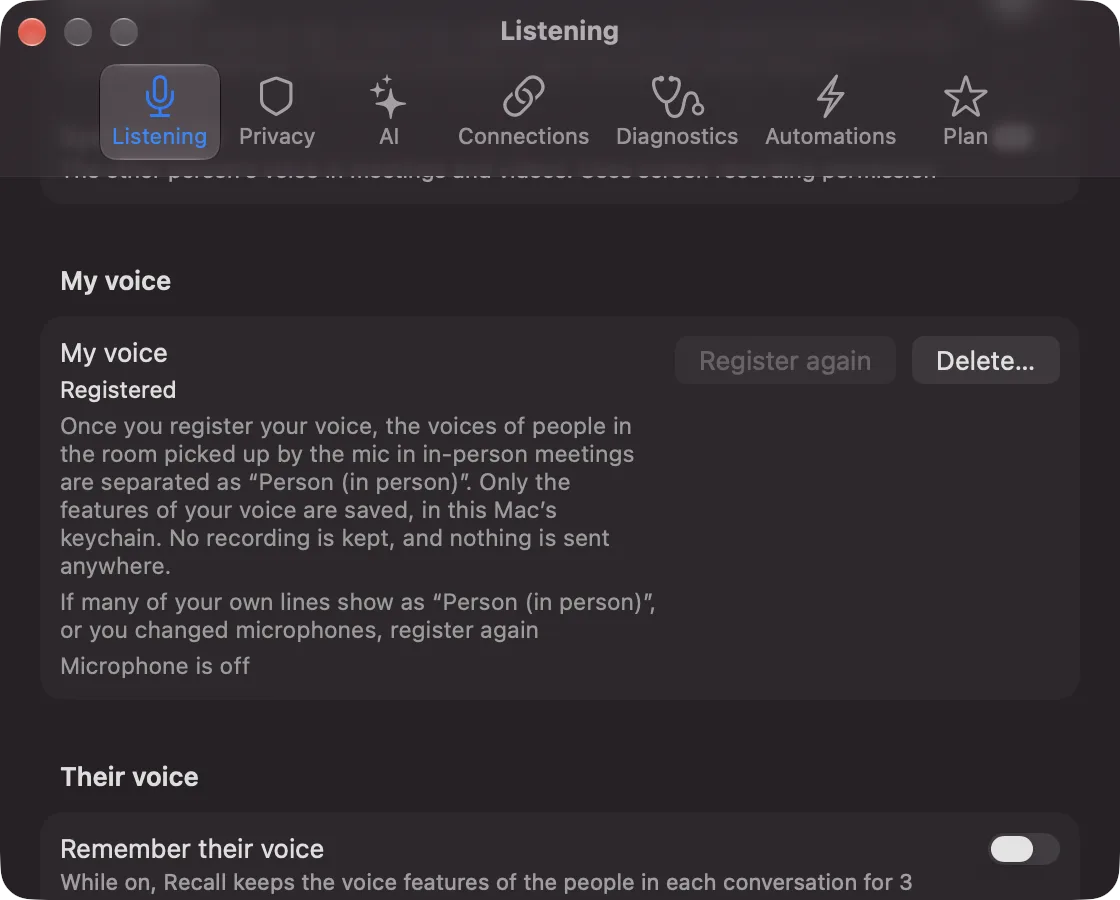
There are limits: however many people you meet in person, they are recorded as one “Person (in person)”. You cannot reassign individual lines. If your own lines often end up as “Person (in person)”, or when you change microphones, register again. If you delete it, all lines from the microphone go back to “Me”.
Excluded apps
In “Excluded apps” in Settings › Privacy, you can add apps such as banking apps or password managers. While you use one of those apps, or while it plays sound, nothing is transcribed, including the microphone. That app’s sound is removed at the moment Recall listens.
You choose by app. You cannot exclude only a browser’s private windows (you would exclude the whole browser).