 Recall
⌘K search
You can find your records by words and dates.
Timeline
The main window (⌘0) is a one-day Timeline, and the summary, my to-dos and transcript of the selected conversation appear beside it. For details, see Timeline and conversations.
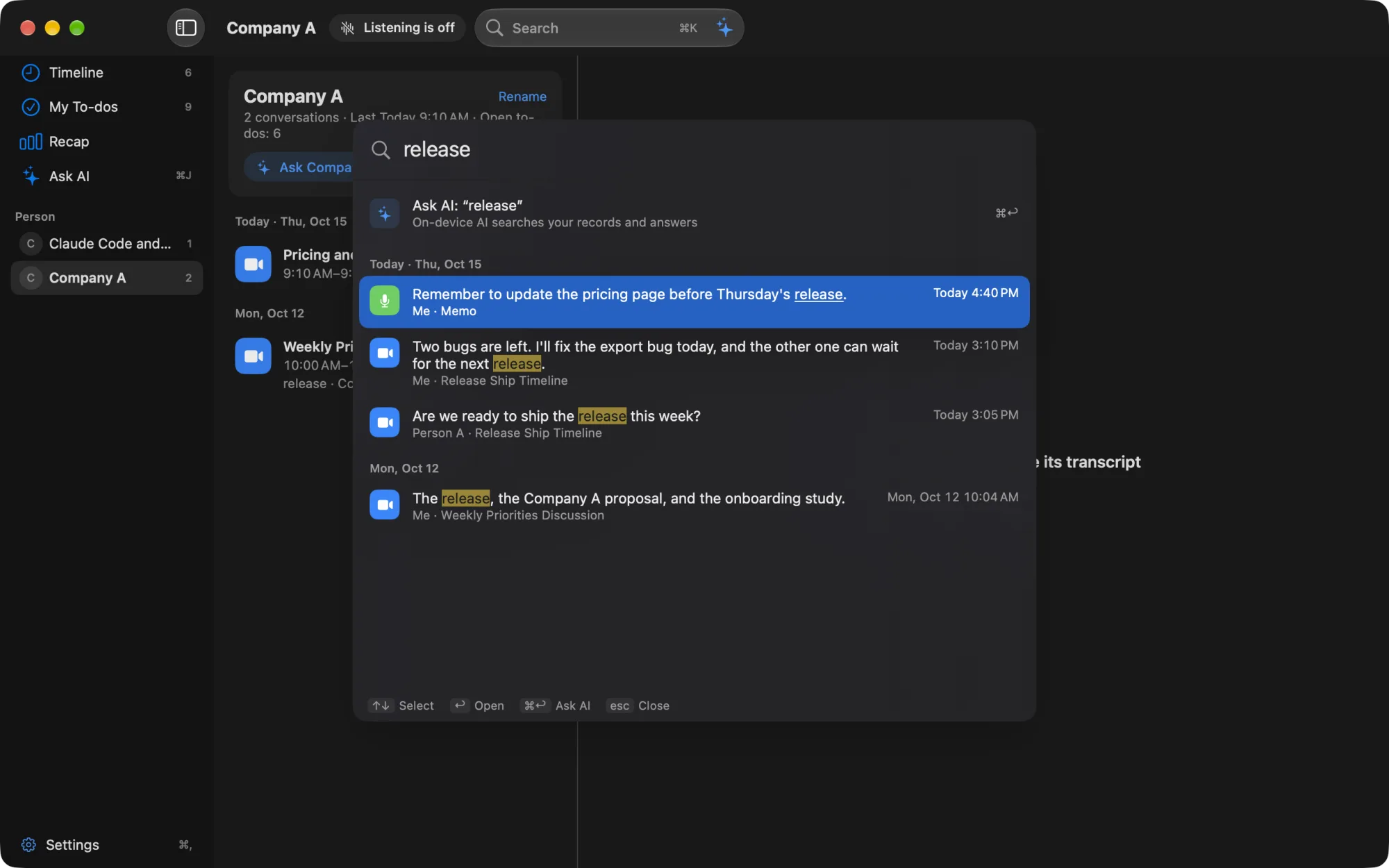
Search with ⌘K
⌘K opens search, and results appear as you type. The following words become filters (remove one with × to search for it as an ordinary word).
| Today, yesterday, this week, last week | Period |
|---|---|
| Morning, afternoon | Time of day |
| Zoom, YouTube, Meet, Slack | App |
| A person’s name | Conversations with that person |
| I, my | Your own lines |
The results are lines, grouped by date. Return opens the conversation and moves to that line. The “Ask AI” row at the top, or ⌘Return, asks AI the same words. Search itself does not use AI.
Calendar
The date button on the Timeline opens a calendar, with dots on the days that have records. Choose a day to go to that day’s Timeline; “Today” takes you back to today.
People
“People” in the sidebar shows, for each person you talked with, your conversations with them and the open to-dos. For details, see People.
Recap
“Recap” in the sidebar shows the conversations you heard, counted by week, month and year. For details, see Recap.
What Free shows
On Free, you can view and search the records of the last 14 days. Records older than 14 days are kept for your retention period (90 days by default) and appear when you upgrade to Pro (Plans and licenses).