 Recall
How to transcribe interviews on a Mac: record first, or transcribe on the spot
How to transcribe interviews, press interviews, user interviews and job interviews on a Mac. We compare transcribing a recorded file with transcribing on the spot, how to check quotes, and how to tell the other person and keep the record, situation by situation.
The short answer: keep a recording if you will quote, and transcribe on the spot so nothing is missed
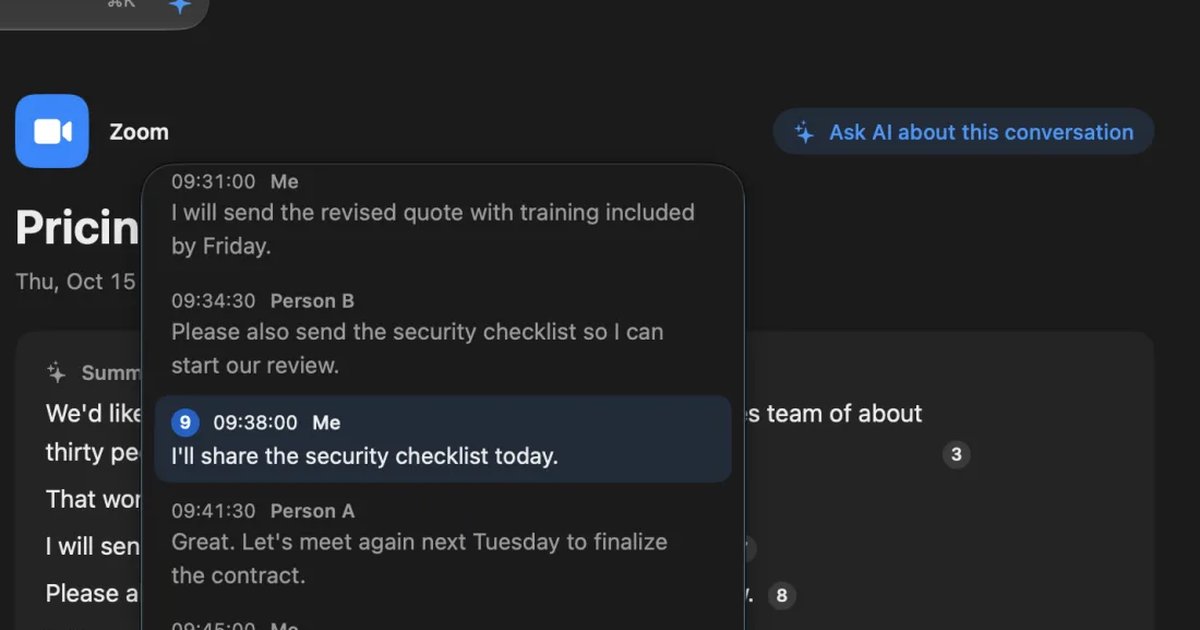
There are two ways to turn an interview into text on a Mac: record it and transcribe the file afterwards, or transcribe while people talk. For interviews where you quote people in an article, a method that keeps the recording suits you, so you can check against the original voice. When the goal is to find and compare key points, as in user interviews or one-on-ones, a method that turns speech into text on the spot and lets you search by words later is easier.
| Your situation | The method that suits you, and where to read next |
|---|---|
| You already have a recorded file | An app that transcribes files. See Record first, then transcribe |
| You will quote what people said word for word in an article | Keep a recording, and check the parts you quote against the voice. See How to check quotes |
| You want to compare many interviews | Transcribe on the spot and search later. See Comparing user interviews |
| You are recording job interviews | First settle your company’s rules and how to tell candidates. See What to watch for in job interviews |
This article is written by KOROMO K.K., which develops Recall, a transcription app for Mac. We include our own product, so read with that in mind. Recall can’t import recorded files, so where you need to transcribe a file, we name other tools. We checked the Apple details against its official pages on November 14, 2026. We don’t have results comparing the products’ accuracy on the same audio, so we don’t rank them on accuracy.
Record first, then transcribe
Audio recorded on a voice recorder or a phone is transcribed with a tool that can import files. These are the three main options on a Mac.
- Voice Memos on Mac: for recordings made on the Mac, select the recording and press the transcript button to show the text (Apple’s Voice Memos User Guide for Mac). It isn’t available in some countries and regions. More is in How to transcribe Voice Memos.
- Apps that transcribe files inside the Mac: MacWhisper and similar apps transcribe audio files inside the Mac. They suit you when you don’t want interview audio to leave the company. The differences are in MacWhisper vs Recall.
- Cloud transcription services: Notta and similar services transcribe files you upload and let a team share them. We compared how they handle data in Notta alternatives compared.
The strength of recording first is that the original voice is kept. The weaknesses are that recording and transcribing are two separate steps, and that nothing is kept if you forget to start recording.
Transcribe on the spot
If you transcribe while people talk, the text is in your hands when the interview ends. The path the sound takes into the Mac differs between online interviews on Zoom and similar, and interviews face to face.
Online interviews
In an interview on Zoom or Google Meet, the other person’s voice is sound your Mac plays. Whether a meeting tool’s transcription is available depends on the host’s plan and settings, and a bot added to the meeting appears on the other person’s screen as a participant. The conditions for each are in How to transcribe Zoom meetings and How to transcribe Google Meet.
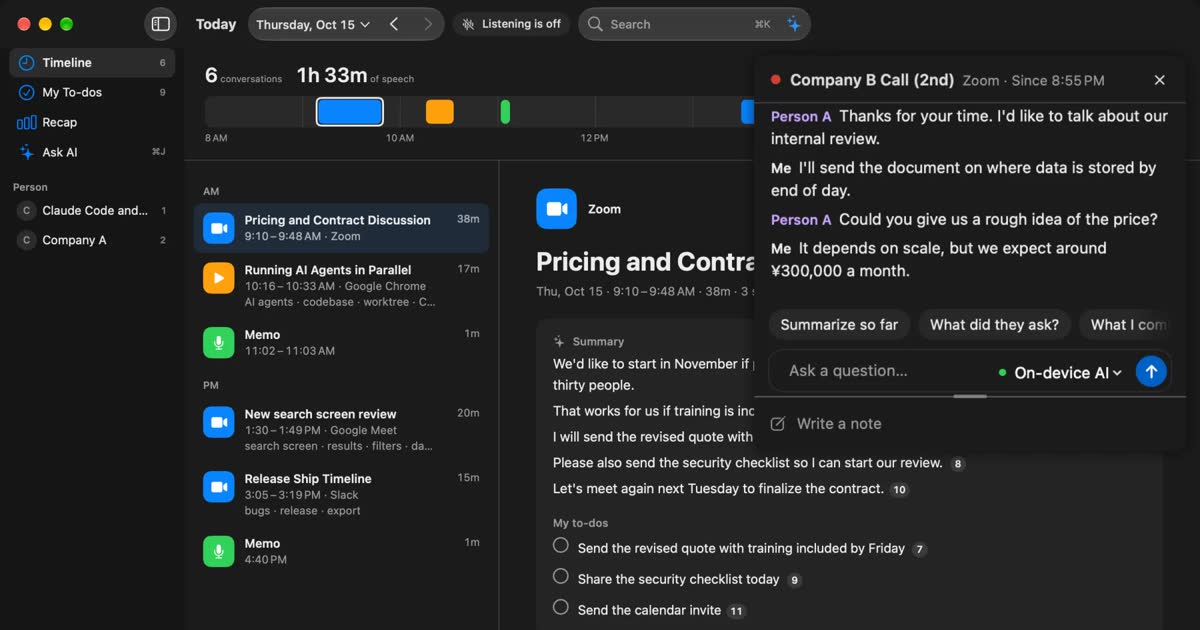
Recall listens on your own Mac to the other person’s voice (the sound your Mac plays) and your voice (the microphone), so it can transcribe regardless of the host’s settings and without adding a bot. The other person’s voice is recorded as “Person A”; give it a name and it applies to the whole conversation.
Face-to-face interviews
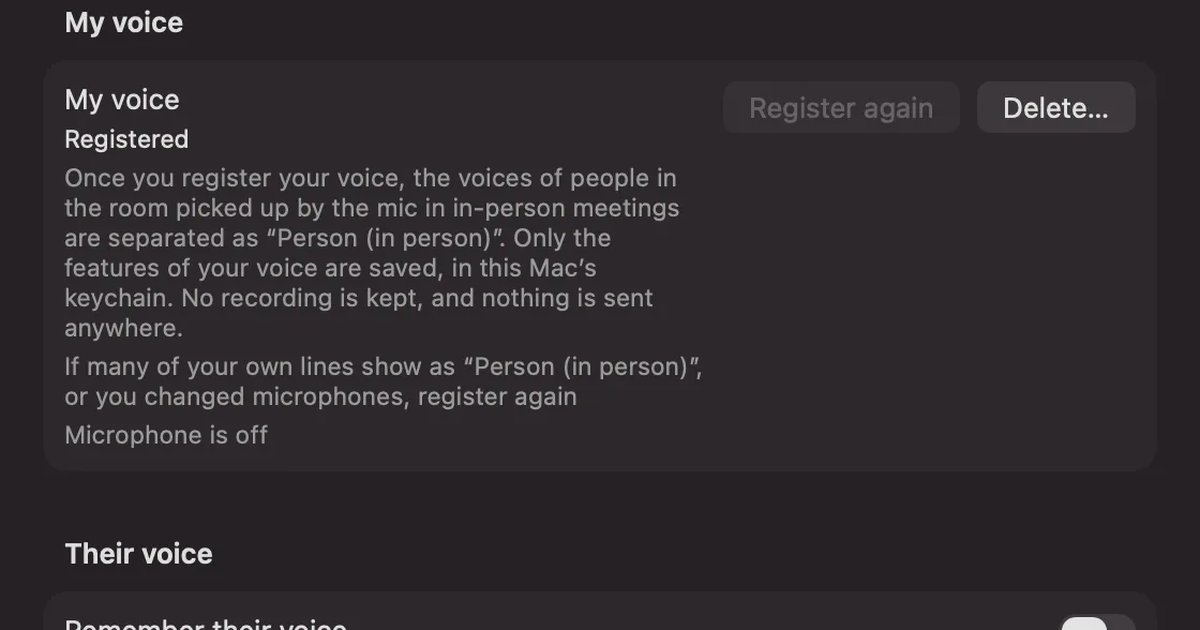
A one-on-one, face-to-face interview is an easy form to transcribe on a Mac. Put the Mac between the two of you and both voices are close to the microphone. If you register your voice in Recall, it splits the voices the microphone picks up into “Me” and “Person (in person)”. With one other person, that splits the interviewer from the interviewee. With two or more, they all become “Person (in person)”, so if you want each speaker split, a recording-based product suits you. Placement and choosing a microphone are covered in How to transcribe in-person meetings on a Mac.
How to check quotes from an interview
Every transcription method mishears some words. Proper nouns, numbers and negatives break down especially easily, and printing them as they are can change the meaning of what was said. Check the parts you quote against the original voice before using them.
- Pull the lines you want to use in the article out of the transcript, with their times.
- Listen to the recording at those times, and compare the words and numbers.
- When you tidy spoken language for print, reread to make sure the meaning hasn’t changed. If needed, ask the person to confirm.
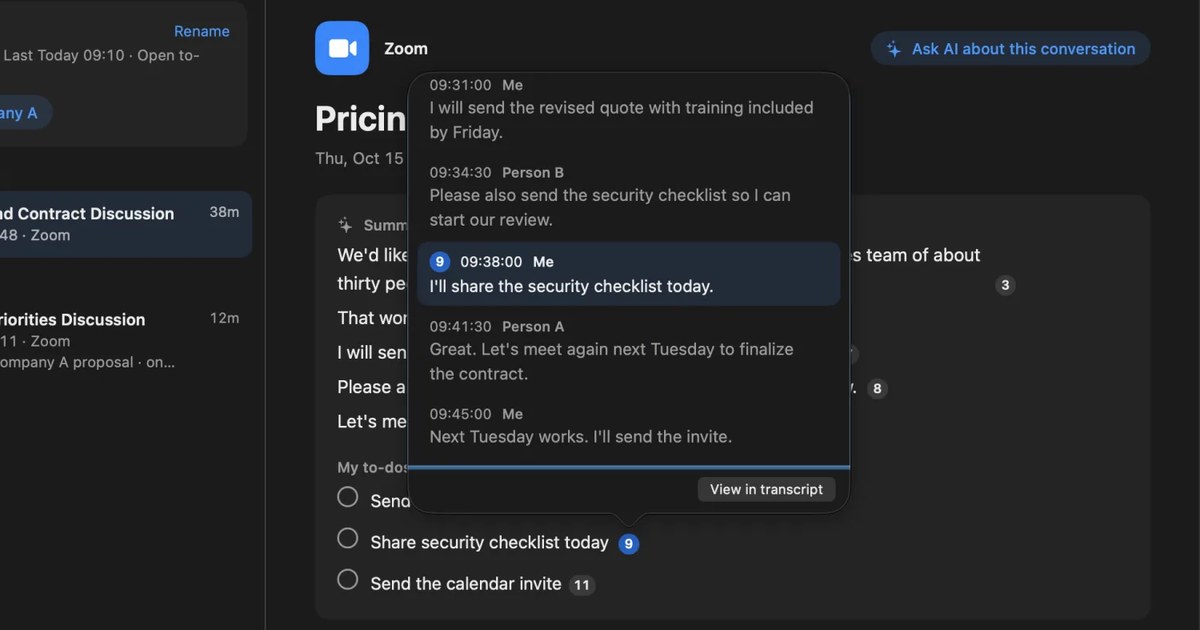
Recall doesn’t save audio, so you can’t listen again to check. If you will quote from an interview, also keep a recording, with the person’s agreement, separately from Recall’s text. Recall’s transcript can be copied in the form “time speaker: text”, so you can use it as a guide to where to listen in the recording.
Comparing user interviews
In user interviews for improving a product, the main work is not each single record but laying several people’s side by side to find “who struggled with what”. What matters is that the text is in one place and searchable by words.
In Recall, you can find kept conversations by words with ⌘K. Type “pricing” and the lines containing that word line up by date; choose one to go to that line in the original conversation. Ask AI something like “In last week’s interviews, who complained about pricing?” and it searches your records before answering, with the numbers of the original lines attached to its answer. It doesn’t answer things that aren’t in your records. By default the on-device AI answers, and neither the question nor the records leave the Mac.
Tell interview participants why you are recording and where it is kept, and get their agreement. Free shows and searches the records of the last 14 days. To look back over research that runs for weeks, you need Pro, which also shows older records.
What to watch for in job interviews
Job interviews deal with personal information such as a candidate’s background and views. Don’t leave the choice to record to the interviewer alone; follow your company’s rules. If there are none, there are three things to settle with HR first.
- Whether and how to tell candidates: at the start of the interview, tell them why you are recording, and where and for how long it is kept. If they decline, don’t record.
- Who reads it: will it stay on the interviewer’s own Mac, or move to a shared place in the company? Recall’s records stay on that Mac and don’t leave it unless you copy or save them and hand them over yourself.
- When to delete it: set a deadline, such as deleting it when the hiring decision is made. In Recall, you can set “Keep transcripts for” in Settings › Privacy to 7 or 30 days, and you can also delete conversations one by one.
Relying on a record can also tilt judgments toward the words said rather than the impression in the room. Agreeing among interviewers on what to record and what to use in the evaluation makes it fairer.
How to keep an interview with Recall
Recall runs on Macs with Apple silicon on macOS 26 or later.
- Install and open Recall, and allow the microphone and screen recording and system audio recording (steps for the permissions).
- If you have face-to-face interviews, register your voice under “My voice” in Settings › Listening. It takes about 15 seconds of reading three sentences.
- Choose Japanese or English as the language to listen in. It doesn’t switch automatically partway through, so switch to English before an English interview.
- At the start of the interview, tell the other person you are transcribing.
- When it ends, open the conversation and read the summary and transcript. Give the other person a name, then copy the transcript or save it as a text file to use in drafting an article or report. The summary is made when Apple Intelligence is on.
For steps to turn a transcript into a readable record, How to turn a transcript into meeting minutes may help.
Who it is and isn’t for
Recall is for you if
- You want to keep online and one-on-one interviews on your Mac without a bot.
- You want to search and compare many interviews later, by words or with AI.
- You don’t want interview content in the cloud, and want only the text on your own Mac.
Free to use · No account needed · macOS 26 or later · Mac with Apple silicon · By downloading, you agree to the Terms of Service
Recall isn’t for you if
- You want to transcribe files you have already recorded (Recall can’t import files).
- You want to listen to the audio again to check quotes (you need a separate recording).
- You interview several people face to face and want each speaker split.
- You want to transcribe interviews in languages other than Japanese and English.
FAQ
Can Recall transcribe an audio file of a recorded interview?
No. Recall transcribes the sound your Mac hears, and has no way to import files. For files, use an app that handles them, such as Voice Memos on Mac or MacWhisper.
Can I quote a transcript in an article as it is?
Check against the original voice before quoting. Any transcription method can mishear proper nouns, numbers and negatives. Recall doesn’t keep audio, so if you will quote, also keep a separate recording.
If I interview two or more people face to face, are the speakers split?
Not in Recall. With your voice registered, lines are split into “Me” and “Person (in person)”, but the people in the room become one “Person (in person)” however many there are. In online interviews, it guesses up to four people from the sound your Mac plays and splits them.
Can it transcribe interviews in English?
Yes. Set the language to listen in to English in Settings. It doesn’t switch automatically partway through, so for interviews that mix Japanese and English, set it to the main language spoken.
Is it OK to record job interviews?
It depends on your company’s rules and the candidate’s agreement. Tell the candidate why you are recording, and where and for how long it is kept, and don’t record if they decline. This article is a general explanation, not legal advice.
Checked November 14, 2026. The Voice Memos details are based on Apple’s Voice Memos User Guide for Mac. Features and conditions can change, so check the official pages before you rely on them. This article is a general explanation, not legal advice.
Free to use · No account needed · macOS 26 or later · Mac with Apple silicon · By downloading, you agree to the Terms of Service
Get the product overview (PDF) by email →
Related articles
How to transcribe in-person meetings on a Mac: placement, telling speakers apart, and mixed online meetings
How to transcribe meeting-room discussions and one-on-ones with the Mac on the table. We compare Voice Memos, Zoom’s My Notes, phones and recorders, and Recall, and cover where to put the microphone, how speakers are split, and meetings where online participants join in.
MacWhisper vs Recall: how they differ before you switch
Looking for a MacWhisper alternative? Compare audio files, always-on capture, saved audio, pricing and requirements, and see who each app fits.
How to turn a transcript into meeting minutes: what to keep, examples, and asking AI
Pasting a transcript is not the same as writing minutes. The difference between verbatim, clean transcripts, summaries and minutes, what to keep with example lines, how to pick out decisions and action items, and how to ask AI for a draft and what a person should check.